
Mortgage Calculator
The FOB Mortgage Calculator plugin provides a flexible and customizable mortgage calculator for your real estate website. It supports both shortcode and widget implementations.
Activation
INFO
Go to Admin -> Plugins and activate the FOB Mortgage Calculator plugin.
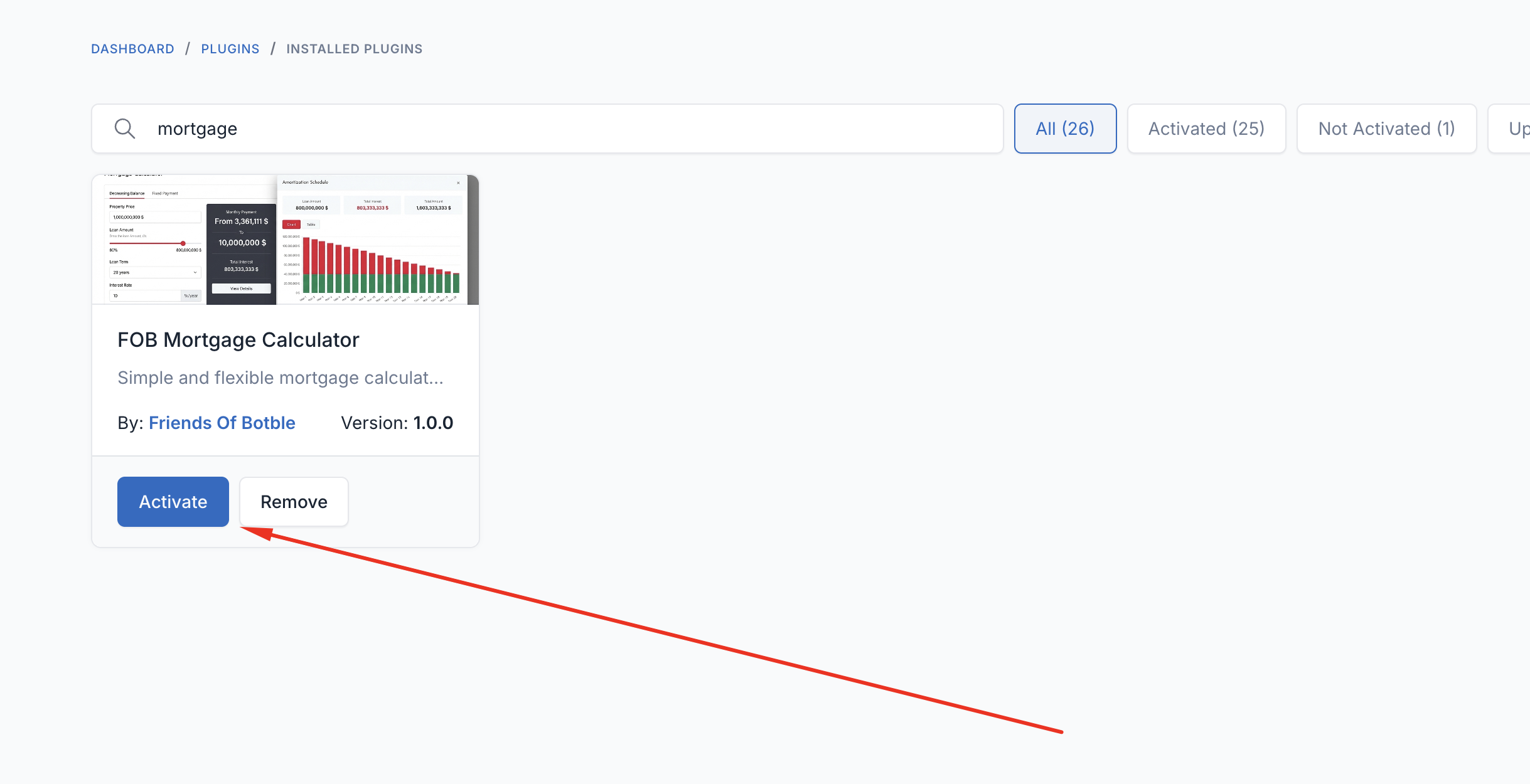
Once activated, you can use the mortgage calculator via shortcode or widget.
Using Shortcode
The shortcode allows you to embed the mortgage calculator on any page or post.
Basic Usage
Add the shortcode to your page content:
[mortgage-calculator][/mortgage-calculator]Full Example with Options
[mortgage-calculator
    style="default"
    layout="horizontal"
    form_style="modern"
    form_size="xl"
    form_alignment="center"
    form_margin="50px 0"
    form_title="Mortgage Calculator"
    form_description="Calculate your monthly mortgage payments"
    primary_color="#1d5f6f"
][/mortgage-calculator]
Adding to a Page
INFO
Go to Admin -> Pages -> Edit your page
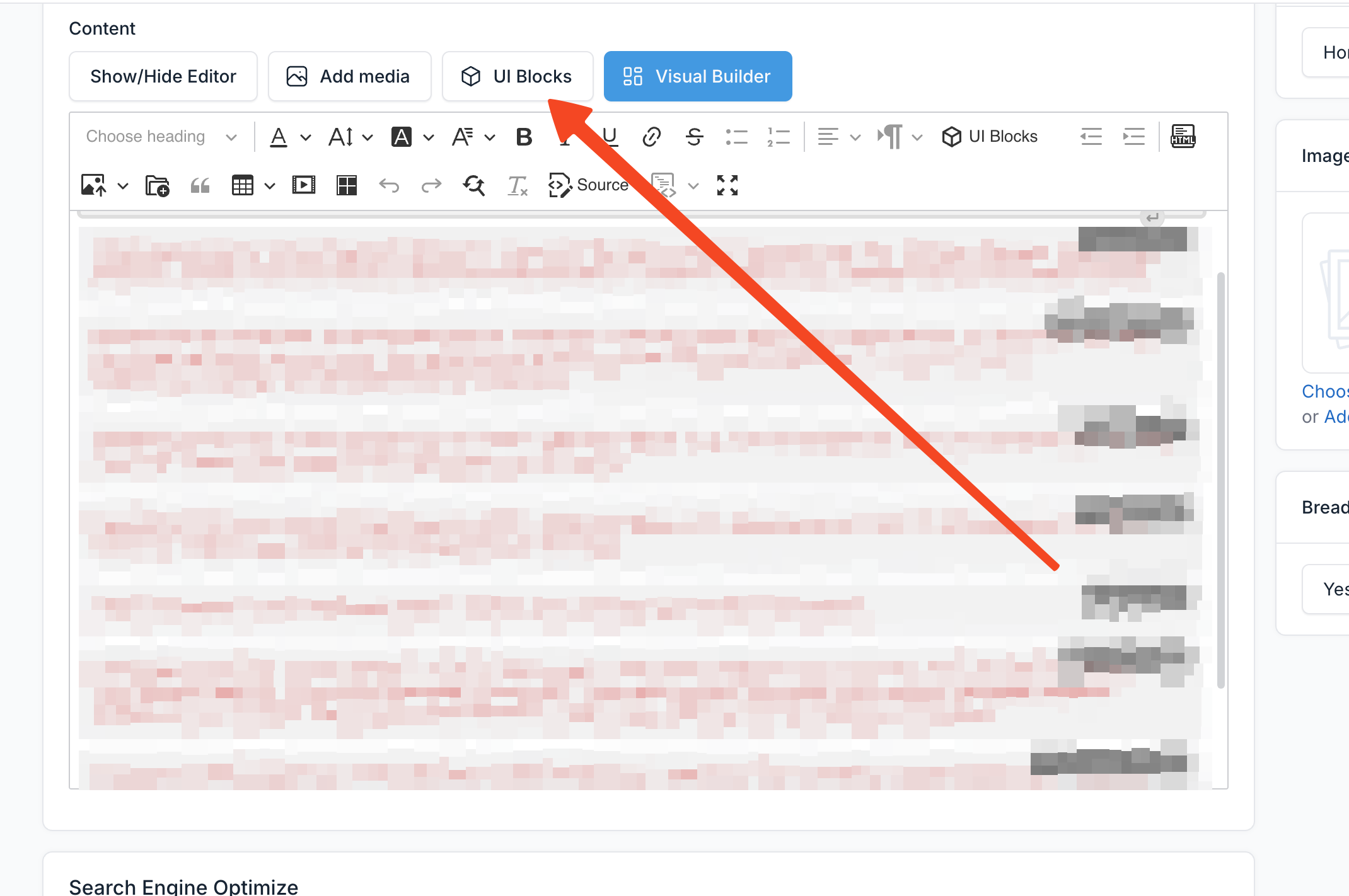
- Open the page editor and click the UI Block button to open the shortcode modal
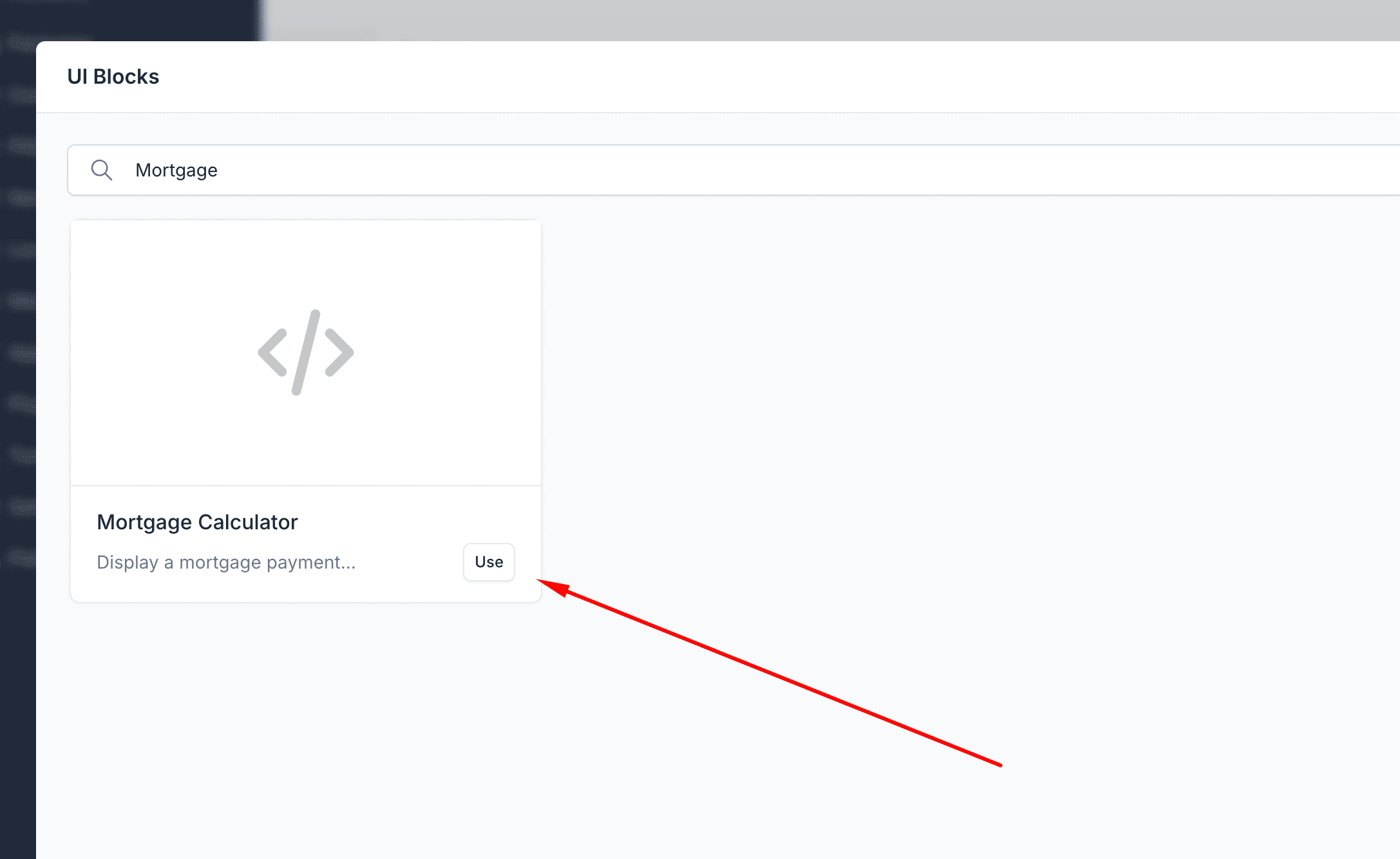
- Select Mortgage Calculator from the list
- Configure the shortcode parameters as needed and click Insert
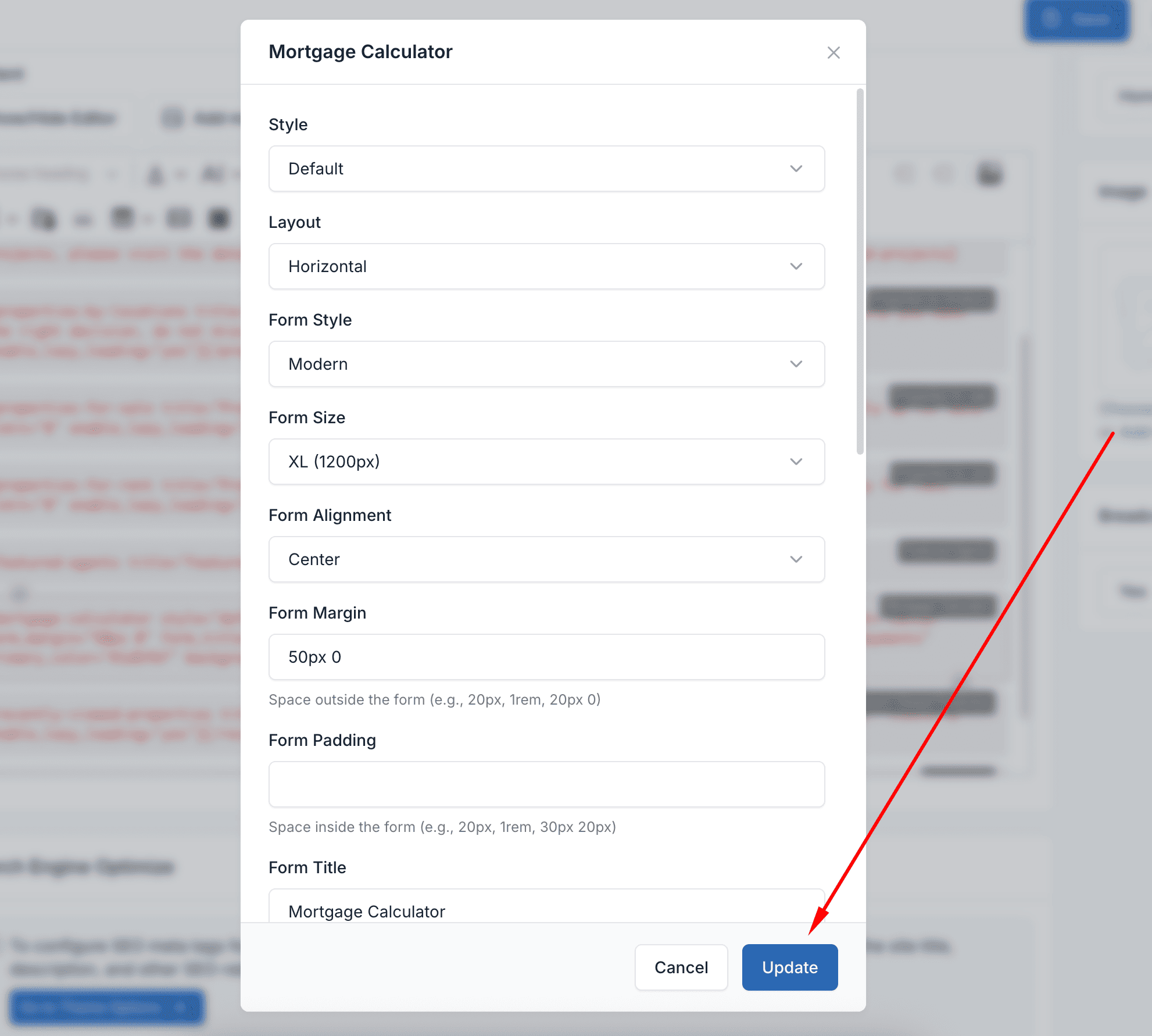
- Save the page
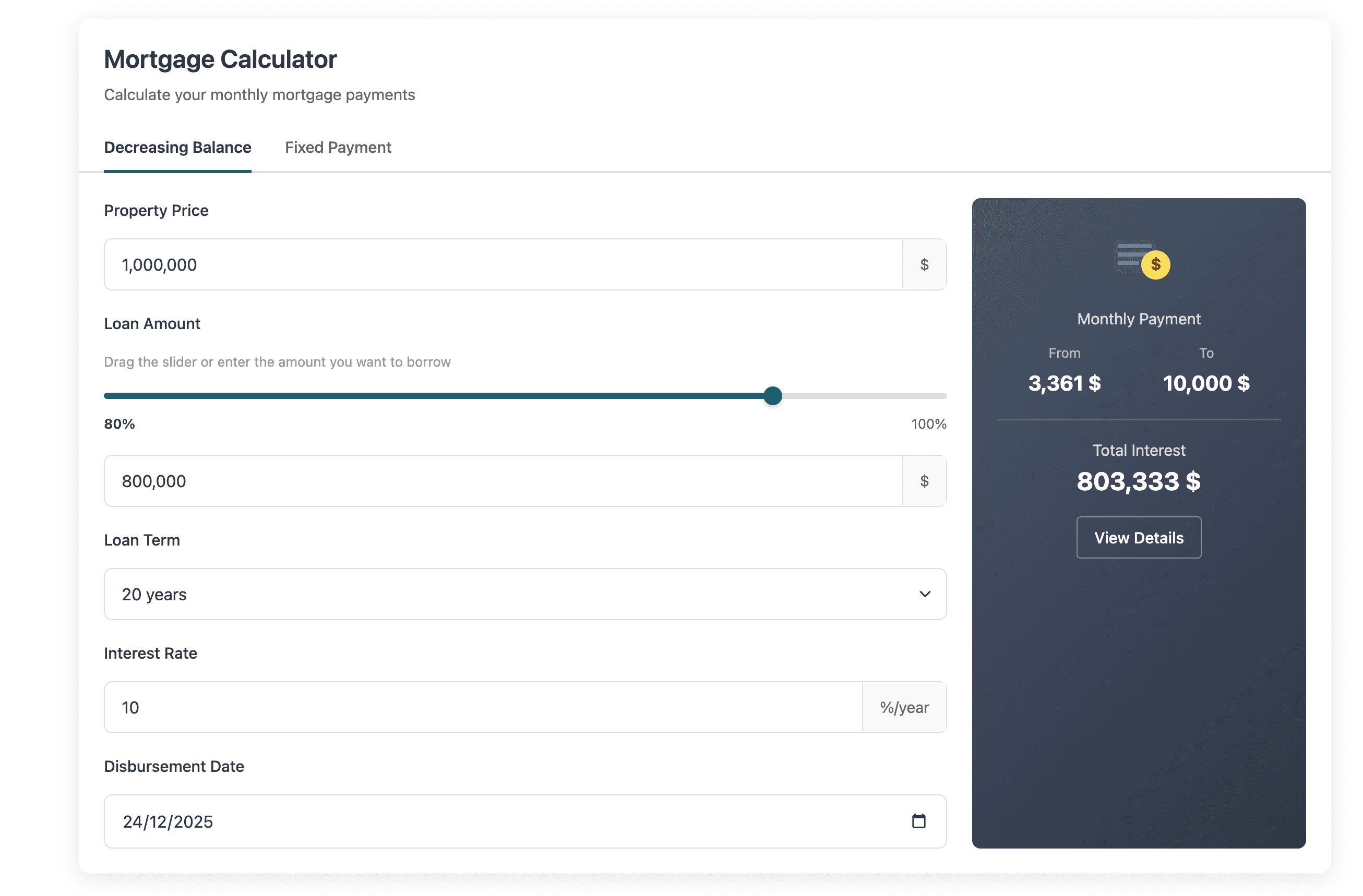
Result on frontend:
Using Widget
The mortgage calculator is also available as a sidebar widget.
INFO
Go to Admin -> Appearance -> Widgets
- Find Mortgage Calculator in the available widgets list and drag it to your desired sidebar
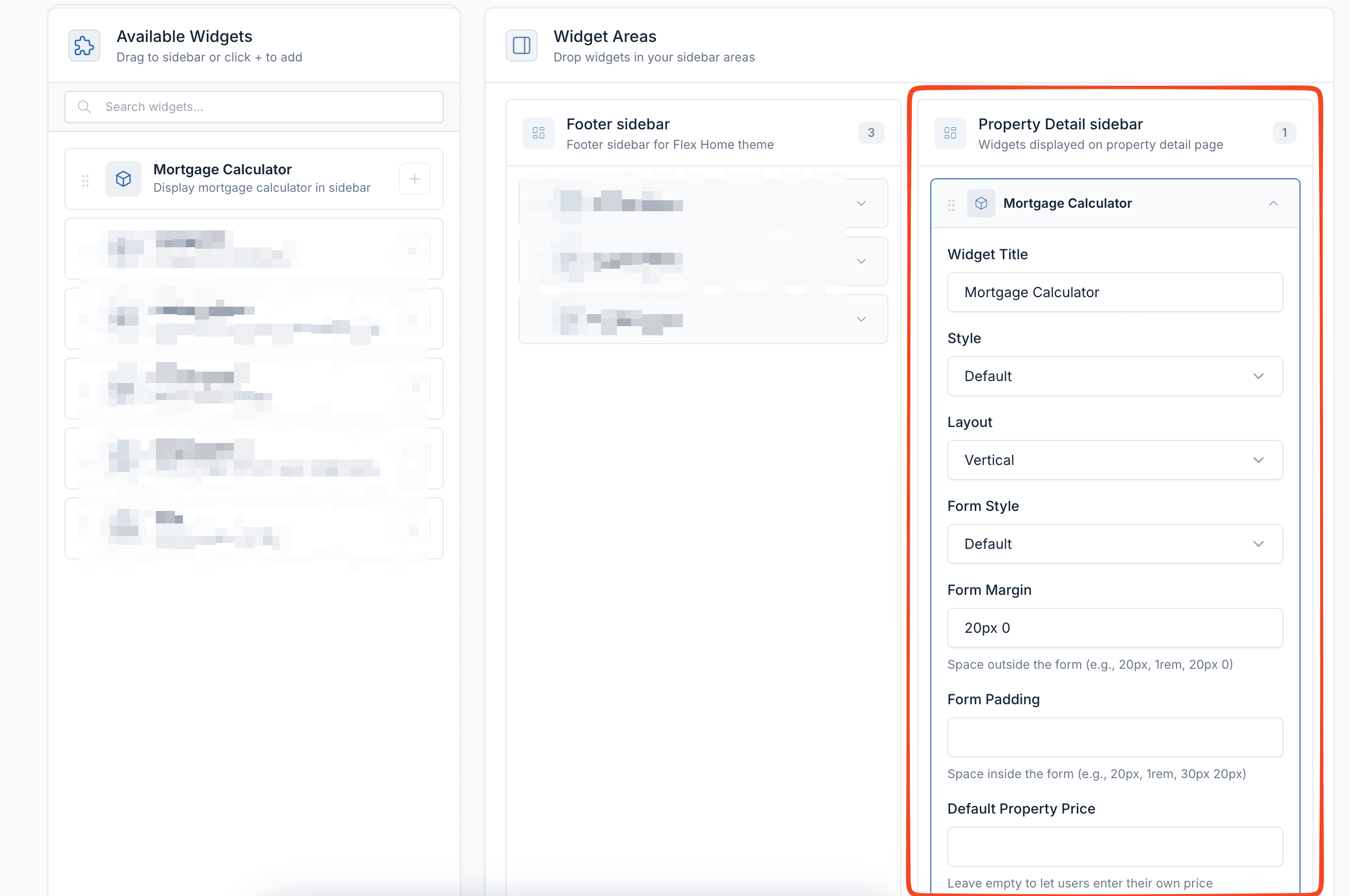
- Configure the widget settings
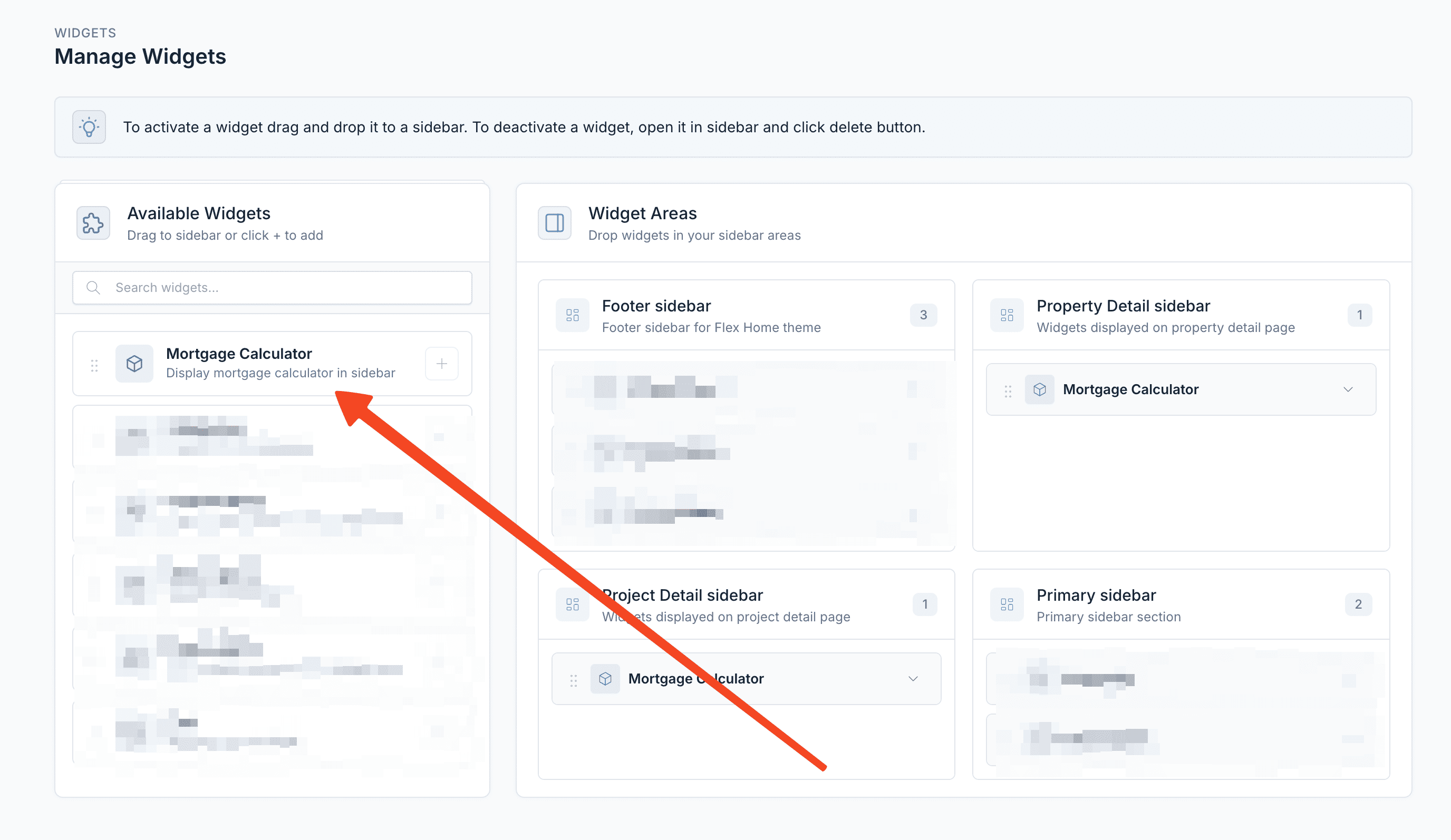
- Save the widget
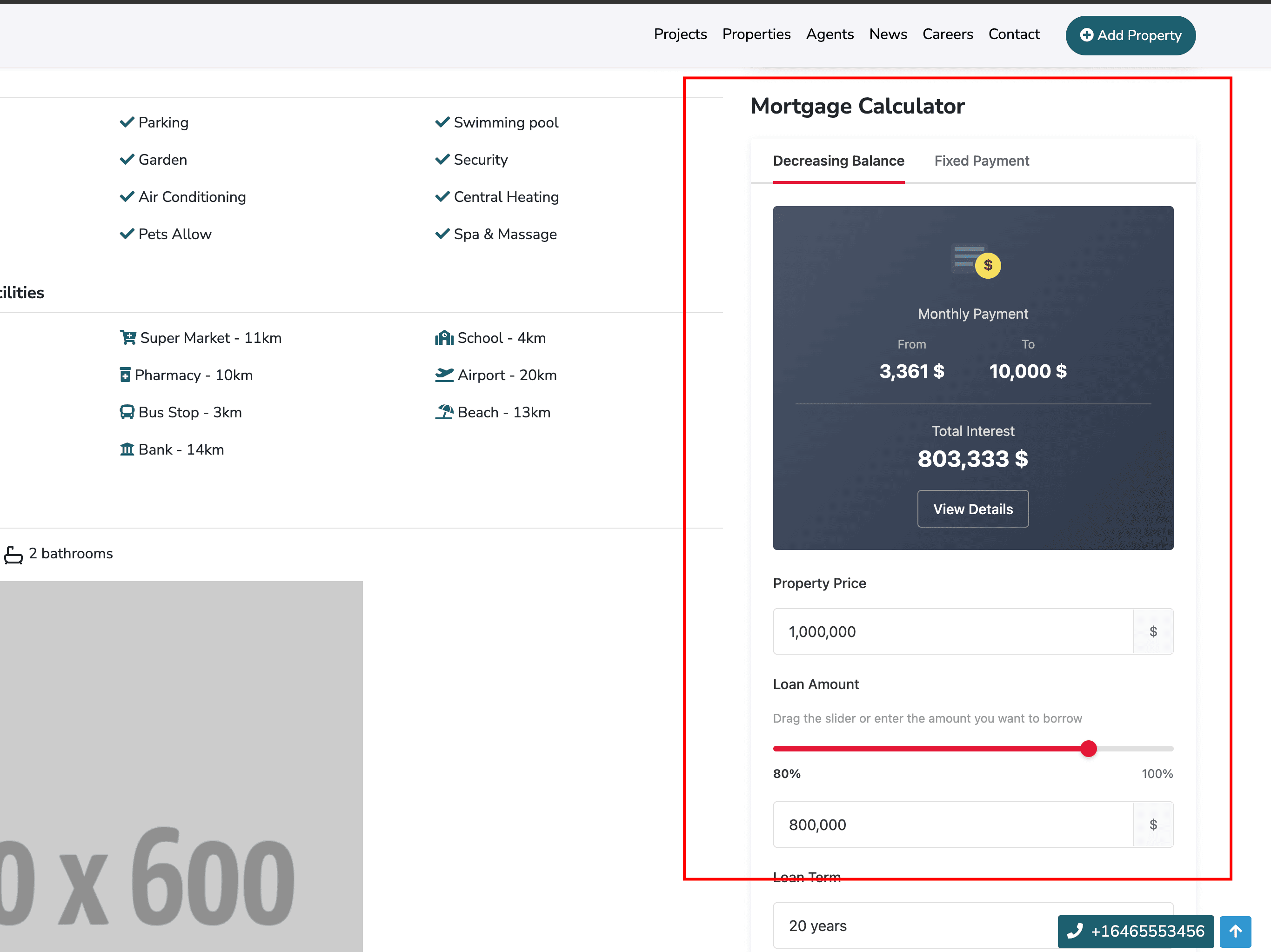
Result on frontend:
Shortcode Parameters
| Parameter | Type | Default | Description |
|---|---|---|---|
style | string | default | Style variant: default or compact |
layout | string | horizontal | Layout: horizontal or vertical |
form_style | string | default | Form style: default, modern, minimal, bold, glass |
form_size | string | lg | Form width: full, xxl, xl, lg, md, sm |
form_alignment | string | center | Alignment: start, center, end |
form_margin | string | - | CSS margin values (e.g., 50px 0) |
form_padding | string | - | CSS padding values (e.g., 30px 20px) |
form_title | string | - | Header title text |
form_description | string | - | Header description text |
default_price | number | - | Pre-filled property price |
default_term | number | 20 | Default loan term in years |
default_rate | number | 10 | Default interest rate (%) |
default_down_payment_type | string | percent | Down payment type: percent or amount |
default_down_payment_value | number | 20 | Down payment value (% or fixed amount) |
show_extra_costs | boolean | false | Enable extra cost fields (taxes, insurance, HOA) |
currency | string | $ | Currency symbol |
price_from | string | none | Price source: none or property |
primary_color | string | #e31837 | Primary UI color (hex) |
background_color | string | - | Background color (hex) |
enable_lazy_loading | string | no | Enable lazy loading: yes or no |
Form Styles
The calculator supports 5 different form styles:
- default - Standard appearance
- modern - Clean, contemporary design
- minimal - Simplified, less visual elements
- bold - Strong, prominent styling
- glass - Glassmorphism effect with transparency
Form Sizes
Control the width of the calculator:
- full - 100% width
- xxl - Extra extra large
- xl - Extra large
- lg - Large (default)
- md - Medium
- sm - Small
Supported Currencies
The calculator supports multiple currency symbols:
| Code | Symbol |
|---|---|
| USD | $ |
| EUR | € |
| GBP | £ |
| VND | ₫ |
| JPY | ¥ |
| CNY | ¥ |
| KRW | ₩ |
| INR | ₹ |
| THB | ฿ |
| AUD | A$ |
| CAD | C$ |
| SGD | S$ |
| MYR | RM |
| IDR | Rp |
| PHP | ₱ |
Calculation Methods
The calculator provides two calculation methods:
- Decreasing Balance - Monthly payments decrease over time as the principal is paid down
- Fixed Payment - Equal monthly payments throughout the loan term
Users can switch between these methods using the tabs in the calculator interface.
Features
- Amortization Schedule - View detailed payment breakdown by month
- Chart Visualization - Visual representation of principal vs interest
- Responsive Design - Works on all screen sizes
- RTL Support - Right-to-left language support
- Lazy Loading - Optional lazy loading for better page performance
Example Configurations
Homepage Calculator
[mortgage-calculator
    style="default"
    layout="horizontal"
    form_style="modern"
    form_size="xl"
    form_alignment="center"
    form_margin="50px 0"
    form_title="Mortgage Calculator"
    form_description="Calculate your monthly mortgage payments"
    primary_color="#1d5f6f"
    background_color="#f7f7f7"
    enable_lazy_loading="yes"
][/mortgage-calculator]
Compact Sidebar Calculator
[mortgage-calculator
    style="compact"
    layout="vertical"
    form_style="minimal"
    form_size="full"
][/mortgage-calculator]
Property Page Calculator
[mortgage-calculator
    price_from="property"
    form_style="glass"
    show_extra_costs="true"
][/mortgage-calculator]
Using with Page Seeder
If you're setting up a new site and want to include the mortgage calculator programmatically, add it to your PageSeeder.php:
use Illuminate\Support\Facades\Html;

$pages = [
    [
        'name' => 'Home',
        'content' =>
            Html::tag('div', '[search-box ...][/search-box]') .
            Html::tag('div', '[mortgage-calculator style="default" layout="horizontal" form_style="modern" form_size="xl" form_alignment="center" form_margin="50px 0" form_title="Mortgage Calculator" form_description="Calculate your monthly mortgage payments" primary_color="#1d5f6f" background_color="#f7f7f7" enable_lazy_loading="yes"][/mortgage-calculator]'),
        'template' => 'homepage',
    ],
];
Troubleshooting
Calculator not displaying
- Ensure the plugin is activated in Admin -> Plugins
- Clear the cache:
php artisan optimize:clear - Check that the shortcode syntax is correct
Styles not loading
- Publish plugin assets:
php artisan vendor:publish --tag=public - Clear browser cache
- Run
npm run prodif using custom builds
Widget not appearing
- Verify the widget is added to an active sidebar
- Check that the sidebar is rendered in your theme template