
Homepage
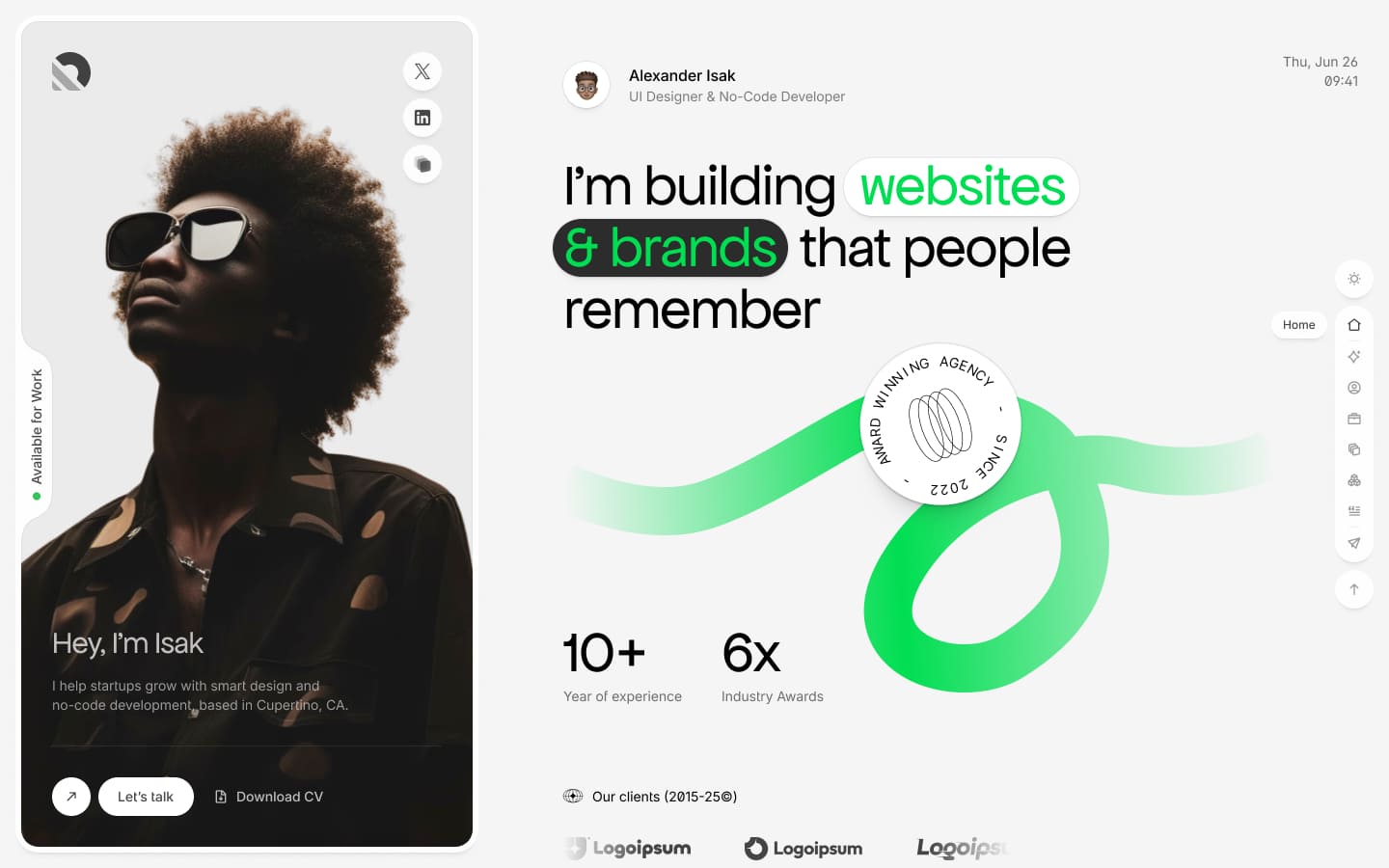
Homepage is the first page that users see when they visit your website. Isak is designed as a single-page portfolio with 8 animated sections.
Create Homepage
If you are using the sample data of Isak, the homepage is already created for you.
It's located in Admin -> Pages -> Home. You can skip this step.
To create a homepage, in admin panel, go to Pages and click on Create button.
In the Create new page page, fill in the following fields:
- Title: Enter the title of the page. For example,
Home. - Permalink: You can customize this permalink. But after set this page is homepage then permalink is
/. - Content: Add the UI Blocks (Shortcodes) for each section.
- Template: Select
Homepage. - Other fields are optional, you can fill them if you want.
Setup Homepage
After creating the homepage, you need to set it as the homepage of your website.
In admin panel, go to Appearance -> Theme Options -> Page, and select the homepage you just created in the Your homepage displays field.
TIP
If you are using the sample data of Isak, the homepage is already created and set up for you.
Customize Homepage
The homepage uses 8 main UI Blocks (Shortcodes) for each section:
- Hero Intro - The main hero section with animated text and counters
- About - Awards and gallery showcase
- Education - Timeline of education and experience
- Work Highlights - Portfolio projects display
- Services - Service listings in accordion style
- Tech Stack - Skills with progress bars
- Testimonials - Client testimonials carousel
- Contact - Contact form section
A complete list of available shortcodes can be found in UI Block.
Section Navigation
Each section can have a custom navigation icon and label that appears in the sidebar. Configure these in the shortcode settings:
- Navigation Icon: Icon displayed in sidebar (e.g.,
ti ti-home) - Navigation Label: Text label for the section
The sidebar navigation will automatically update based on the shortcodes you add to the homepage.