
Setup cronjob
Command:
bash
* * * * * /usr/local/bin/php /path-to-your-project/artisan schedule:run >> /dev/null 2>&1Check our Cronjob set up instruction in Admin -> Platform administration -> Cronjob.
Available Commands
The scheduler will run these License Manager commands automatically:
| Command | Frequency | Purpose |
|---|---|---|
process-expirations | Daily | Check and notify expirations |
process-auto-blacklist | Hourly | Block abusive clients |
activity-log:clear | Monthly | Cleanup old logs |
download-log:clear | Quarterly | Cleanup download history |
For cPanel hosting
For setting up a cron job in cPanel, watch this video tutorial:
For Hostinger.com
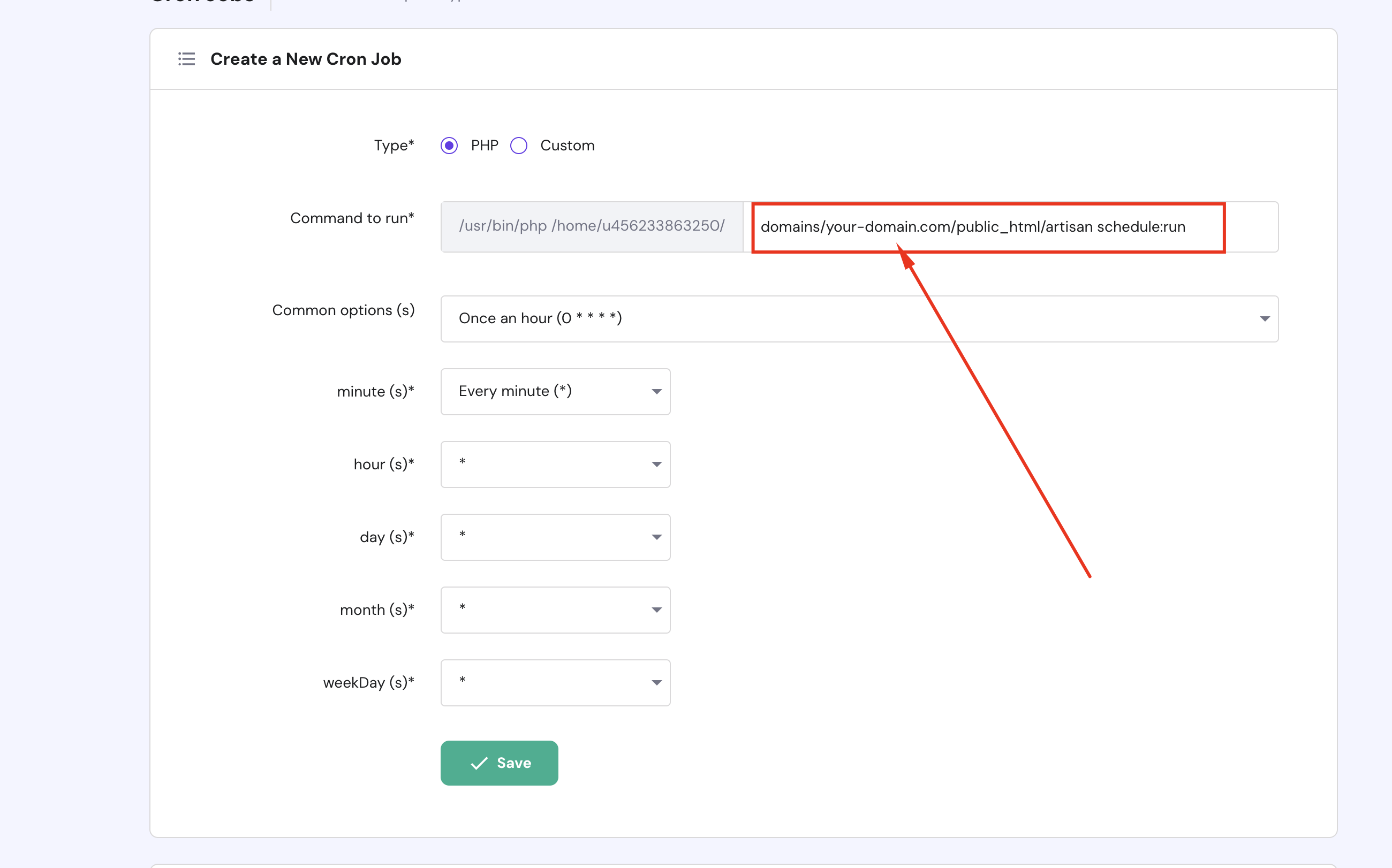
- Go to Dashboard -> Advanced -> Cron Jobs
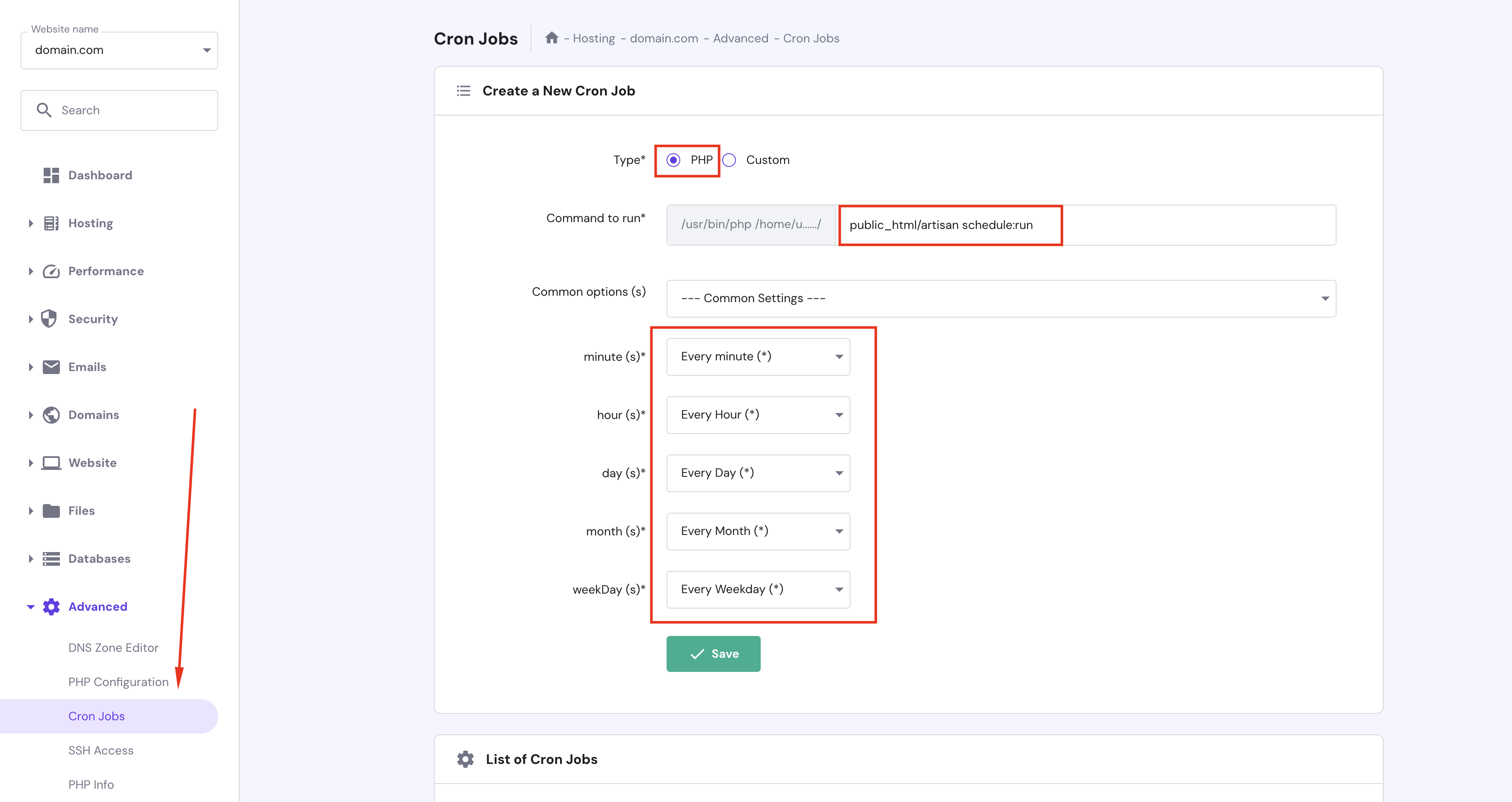
If you have more than 1 domain on Hostinger, you need to select the domain you want to set up the cron job.
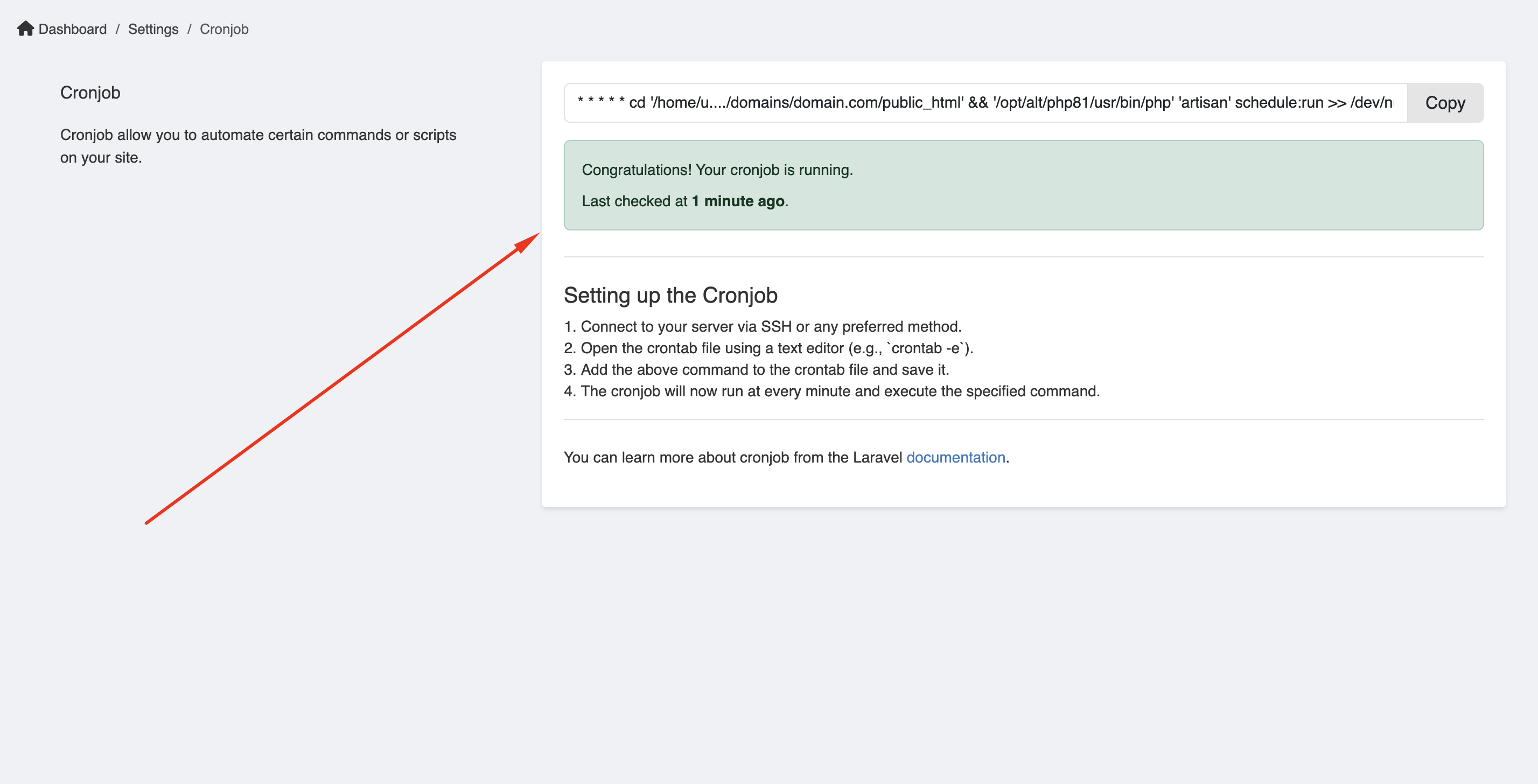
- Verify your cronjob is running or not.
Manual Execution
You can also run commands manually:
bash
# Process license expirations and send warnings
php artisan cms:license-manager:process-expirations

# Process auto-blacklist
php artisan cms:license-manager:process-auto-blacklist

# Clear activity logs
php artisan cms:license-manager:activity-log:clear

# Clear download logs
php artisan cms:license-manager:download-log:clear
Via Admin Panel
Navigate to License Manager → Manual Cron to run commands manually:
- Select command to run
- Click Run
- View output in interface