
Usage Overview
This section covers everything you need to manage preorders on your site. Pick the guide that matches what you want to do.
Admin Guides
Preorder Products
Create and manage preorder configurations for your products. Set pricing strategies, availability dates, stock limits, and display options.
Go to: Preorder > Products
Preorder Orders
Track and manage customer preorders through the full lifecycle. Handle payments, status updates, and refunds.
Go to: Preorder > Orders
Customer Guide
How your customers browse preorder products, place requests, make payments, and manage their preorders from their dashboard.
Vendor Guide
How vendors manage their own preorder products and orders when the Marketplace plugin is active.
How Everything Fits Together
1. You create a preorder product with pricing strategy and availability date
                    ↓
2. Customer sees the preorder badge and pricing on the product page
                    ↓
3. Customer adds to cart → pays deposit at checkout
                    ↓
4. You review and accept the preorder request
                    ↓
5. You request prepayment → customer pays deposit
                    ↓
6. Product becomes available → customer pays remaining balance
                    ↓
7. You ship the product → customer receives it
What controls the price a customer pays?
There are two layers of pricing:
Layer 1: Preorder Price — Each preorder product has its own price, which can differ from the regular product price.
Layer 2: Deposit — For deposit-based pricing, the customer pays only the deposit amount at checkout. The remaining balance is collected later.
Example:
Product: Wireless Headphones, retail price $200
- You set preorder price at $180 (10% pre-order discount)
- Price type: Deposit Percentage at 30%
- Customer pays $54 now (30% of $180)
- Customer pays $126 later when the product ships
Dashboard
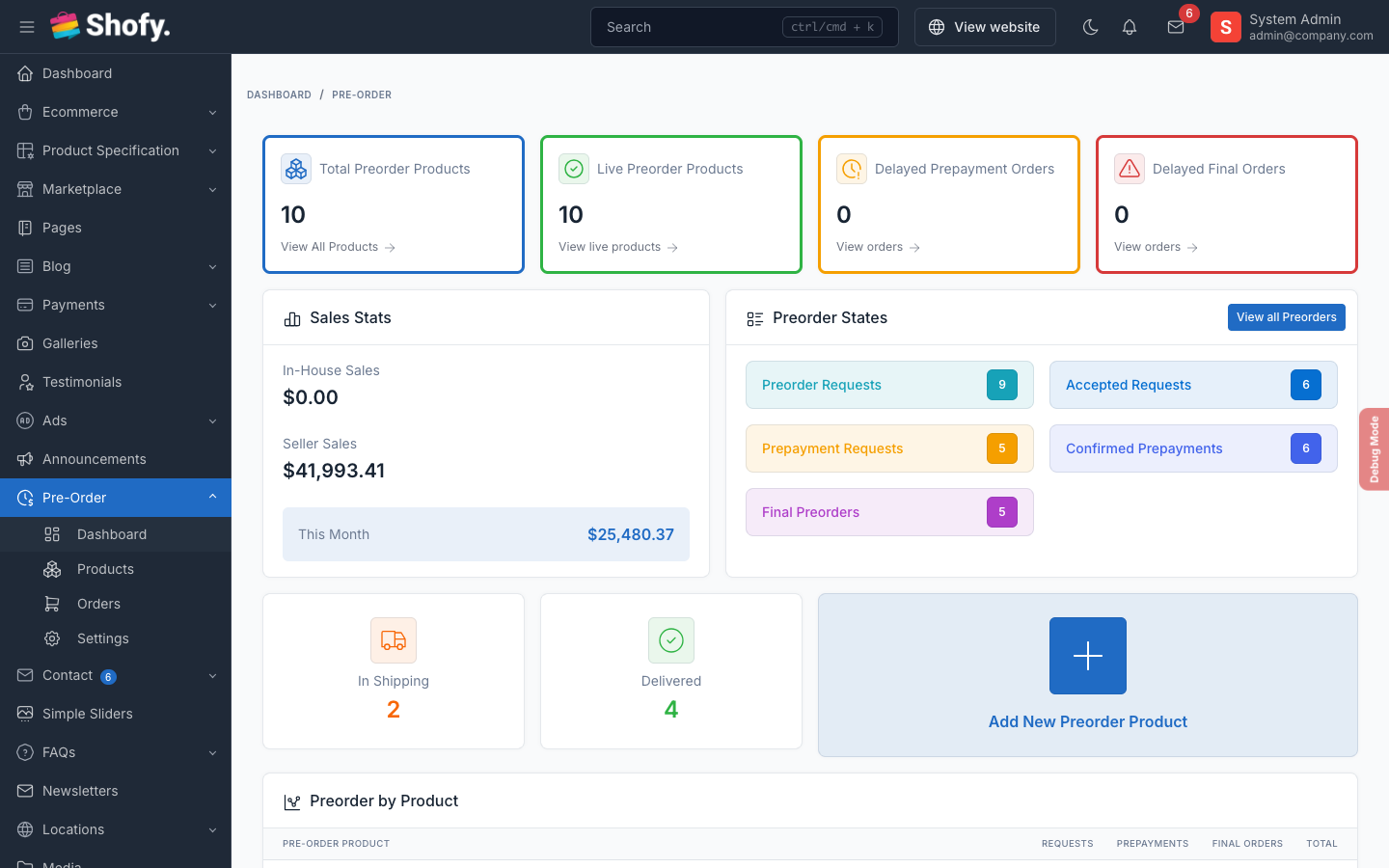
View aggregated statistics at Preorder > Dashboard:
- Total preorder products and active count
- Delayed orders (past availability date)
- Status breakdown across all orders
- Sales summary and top products