
Custom CSS/JS
Customize your site's appearance and behavior without modifying the theme's source code. Three approaches, in order of complexity — pick the simplest one that fits.
Option 1: Admin panel (no code, no rebuild)
Best for snippets, small style overrides, and quick fixes.
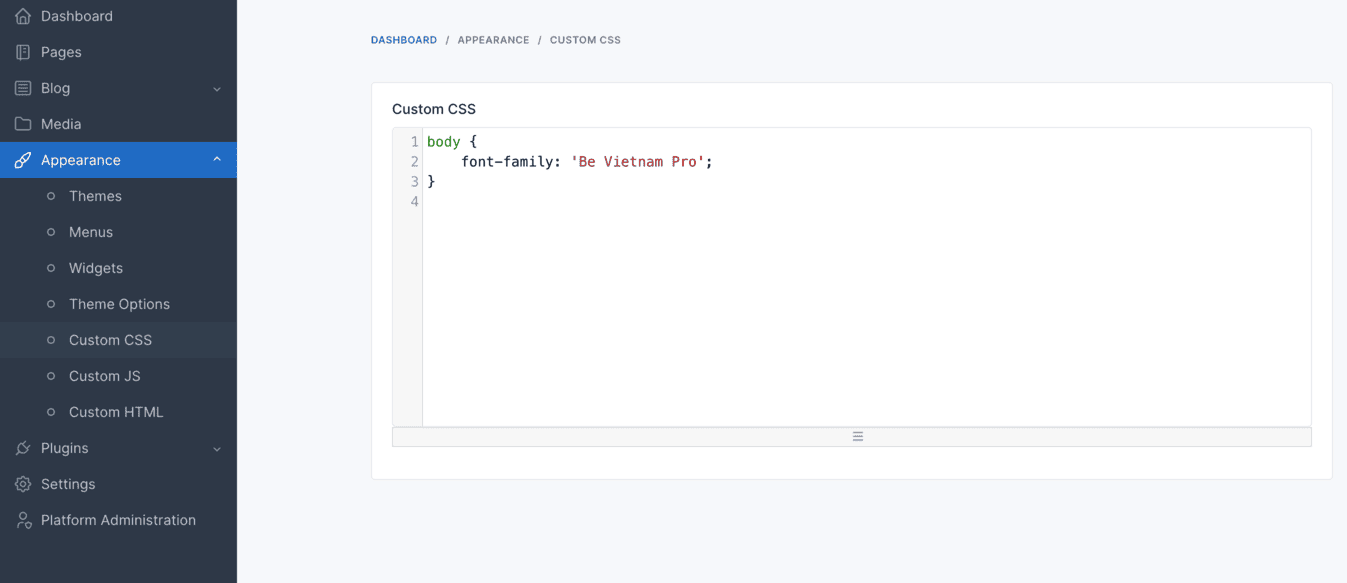
Custom CSS
In the admin panel, go to Appearance → Custom CSS.
Custom JS
In the admin panel, go to Appearance → Custom JS.
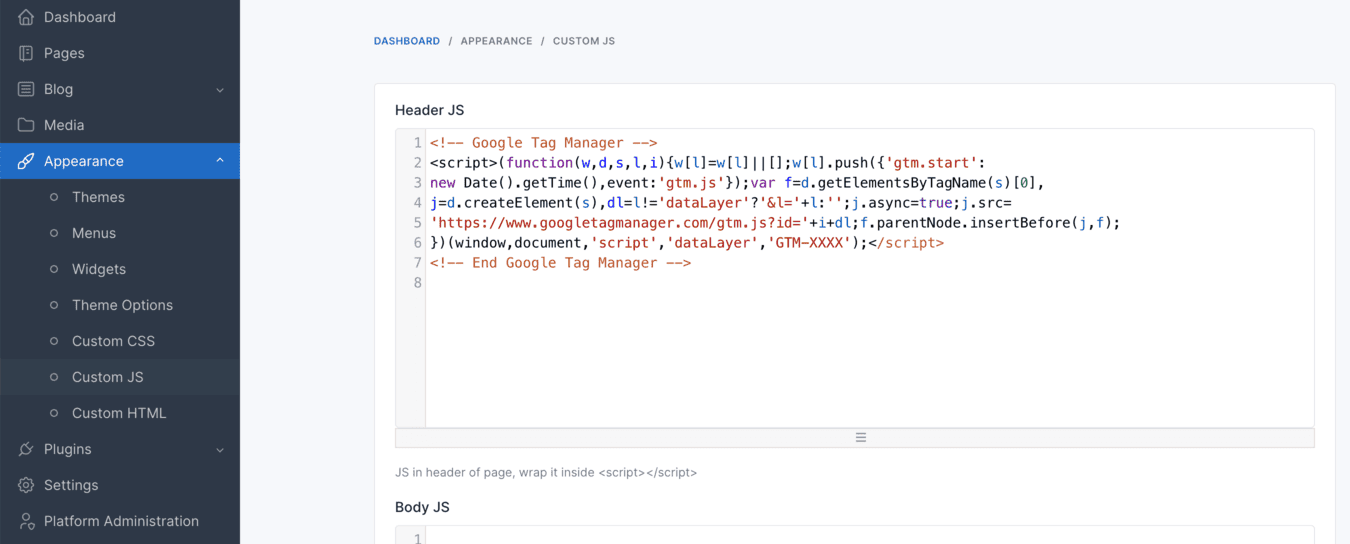
Both are stored in the database, so they survive theme updates and CMS updates.
Do not put tracking code here
Appearance → Custom HTML strips <script>, <style>, and <iframe> tags on save, so a pasted GA4/GTM/AdSense snippet silently disappears. Analytics and marketing tags belong in Settings → Website Tracking — see Website Tracking.
Option 2: Edit the theme source and rebuild
Best when you are making substantial design changes and already work with the theme's build pipeline.
Edit platform/themes/{theme}/assets/js/main.js or the .scss files, then rebuild from the project root:
npm install
npm run production
Vite writes the compiled output to public/themes/{theme}/js/ and public/themes/{theme}/css/.
Never edit files inside public/themes/{theme}/
Those are build artifacts. They are overwritten on every rebuild, and on every theme update.
See Asset Compilation for the full build reference.
Option 3: Register a separate file (canonical pattern)
Best when you want your customizations in version control, separate from both the theme source and the database.
Create your file, for example
public/themes/{theme}/js/custom.jsorpublic/themes/{theme}/css/custom.css.Register it in
platform/themes/{theme}/config.php, inside thebeforeRenderThemeclosure, alongside the existingmain.js/style.cssregistrations:php// JavaScript, loaded in the footer, after jQuery $theme->asset()->container('footer')->usePath() ->add('custom', 'js/custom.js', ['jquery']); // CSS $theme->asset()->usePath()->add('custom-css', 'css/custom.css');
Placing a file in the folder is not enough — an asset only loads once it is registered.
Notes
- Custom JS runs in the browser only. It does not add server-side validation or security of any kind; use it for UI behavior.
- After changing CSS/JS through any of the three options, clear the cache at Platform Administration → Cache Management, and purge your CDN if you use one.
- For theme-wide customization that goes beyond CSS and JS, use a child theme so your changes survive theme updates.