
Ecommerce SaaS — Multi-tenant Store Platform
Introduction
Ecommerce SaaS turns Botble CMS into a multi-tenant store platform. One codebase serves many independent online stores. Each store gets its own isolated MySQL database, its own storage, its own domain, its own storefront theme and its own admin panel — provisioned in about a minute from a central control plane.
Themes are a catalog, not a hardcoded choice. You drop any Botble-published ecommerce theme into platform/themes/, register it, and assign it to plans. Store owners pick their theme at signup and the platform imports that theme's demo data. Amerce ships in the box.

Author: Botble Technologies
Email: contact@botble.com
Live Demo
A real running platform, not screenshots — the operator console and live stores are the same install.
- Marketing site and signup: saas.botble.com
- Operator console: saas.botble.com/saas-admin/operator —
operator@botble.com/12345678 - Example store — fashion: demo1.saas.botble.com · store admin —
demo1@botble.com/12345678 - Example store — sneaker: demo2.saas.botble.com · store admin —
demo2@botble.com/12345678
The two stores run different themes' presets from the same codebase, on their own databases. To see provisioning end to end, sign up on the marketing site and watch a new store get built on its own subdomain.
Admin path on the demo
The demo sets ADMIN_DIR=saas-admin, so its admin lives at /saas-admin rather than the default /admin used throughout these docs. Changing ADMIN_DIR is recommended for any production install.
The two sides of the platform
Everything in these docs sits on one side or the other. Keep them straight and the rest follows.
| Platform owner | Store owner | |
|---|---|---|
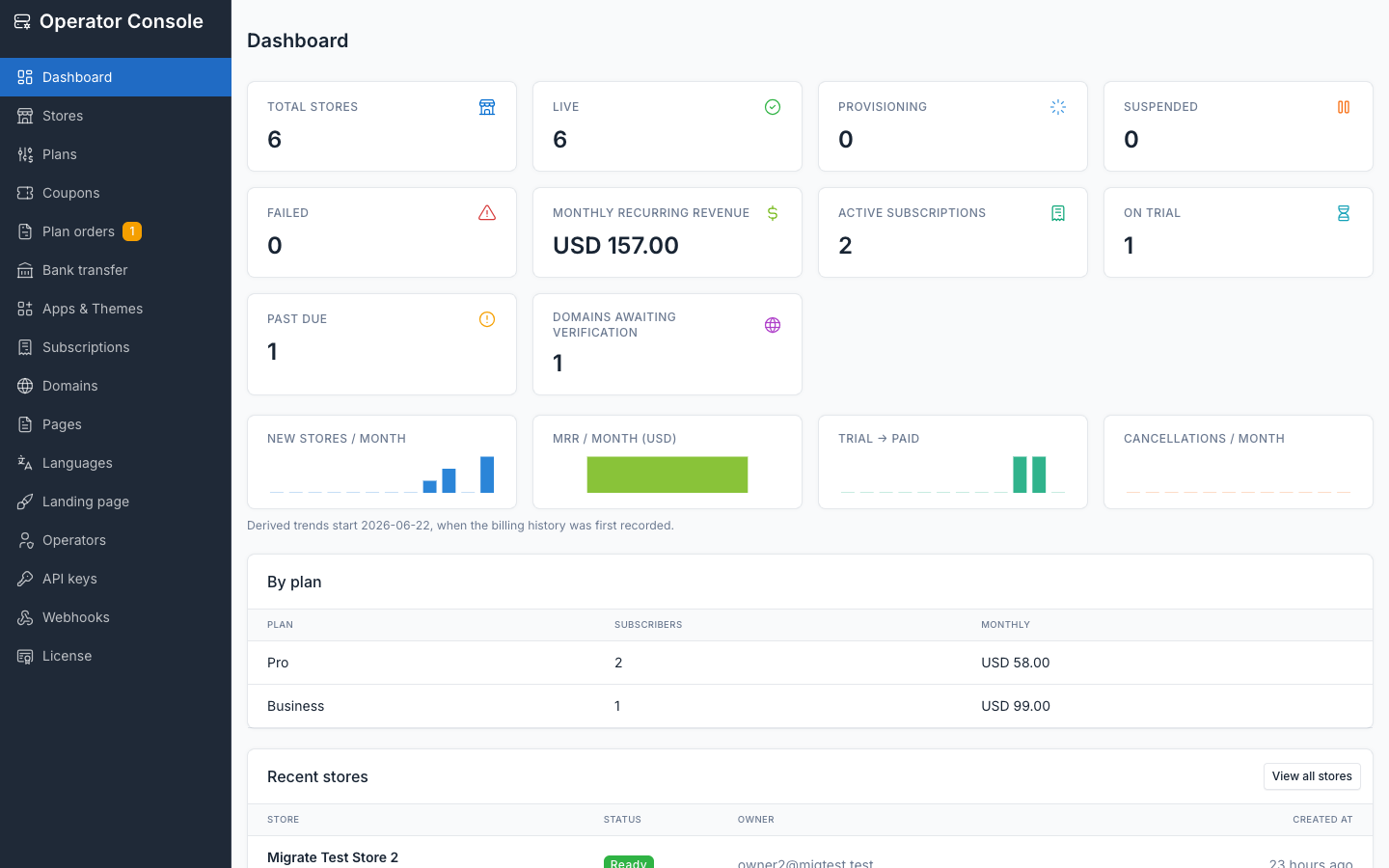
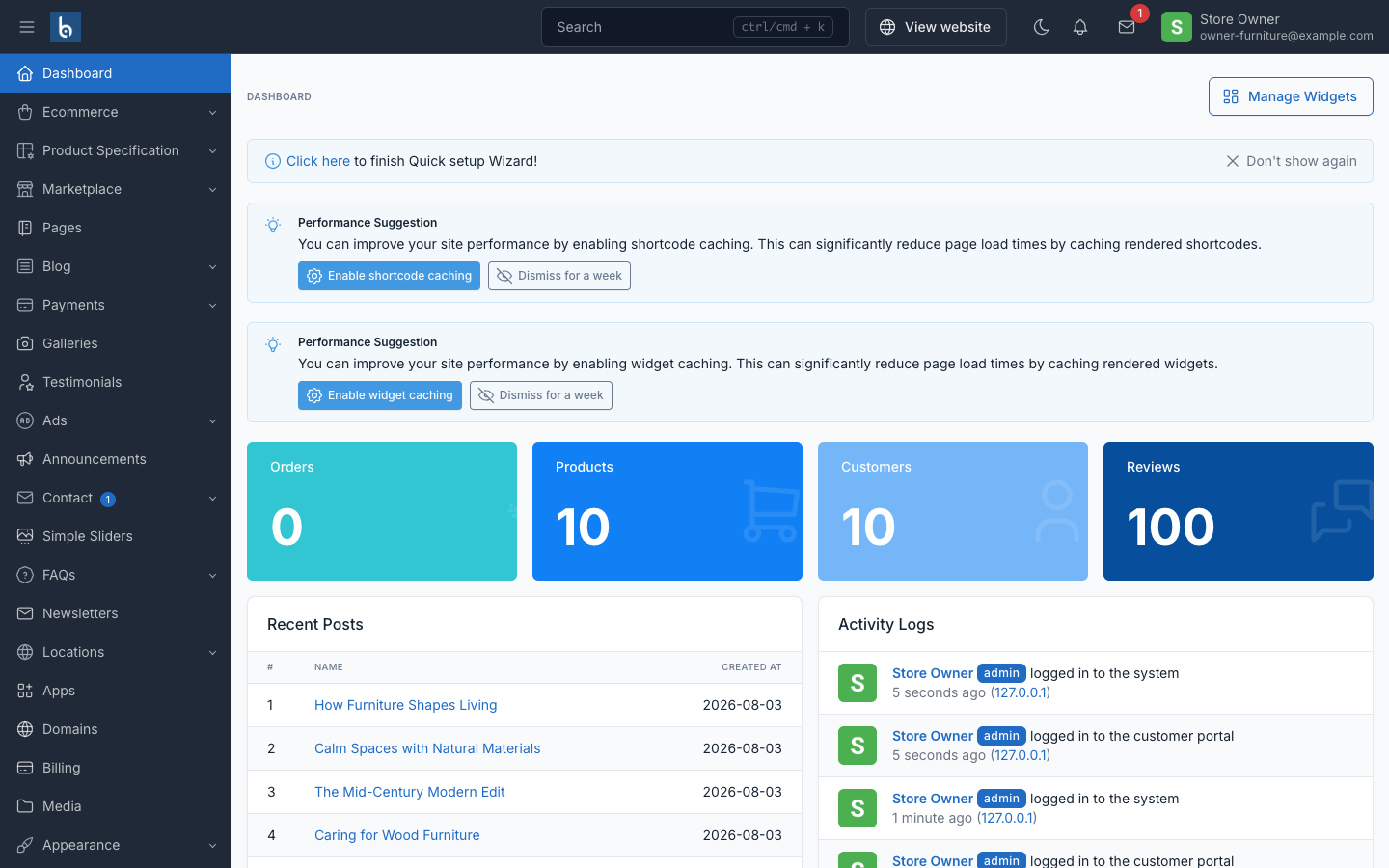
| Where | The operator console at /admin/operator on your central domain | The store admin at /admin on their own store domain |
| Sign-in | Its own branded login, separate from any store | Standard Botble admin login |
| Sees | Stores, plans, subscriptions, coupons, catalog, domains, operators, API keys, webhooks | Their products, orders, customers — plus Apps, Domains, Billing and Themes |
| Database | The central control-plane database | That store's own database, and nothing else |
What you get
- Database-per-tenant — stancl/tenancy v3, a central DB for the control plane and one DB per store. Cache, filesystem, mail and settings are re-bootstrapped on every tenant switch, so nothing leaks between stores.
- Self-serve provisioning — public signup imports the chosen theme's demo preset into a fresh database, seeds one admin, and the store is live.
- Plans and quotas — products, storage, staff users, custom domains and the apps and themes a store may use (orders per month are tracked for the dashboard, not capped). Pricing and limits are frozen at purchase, so editing a plan never re-prices or re-limits the stores already on it; apps and themes added to a plan do reach them.
- Billing — Laravel Cashier with Stripe Checkout and the Billing Portal, or bank transfer for platforms with no Stripe. Operators can also assign, change, extend, cancel and reactivate a plan by hand, with a full audit trail.
- Custom domains — store owners attach their own domain, verified over DNS.
- Apps and themes catalog — you decide what each plan may use; store owners turn those apps on and off for their own store.
- Control-plane API and webhooks — a versioned REST API and 27 signed outbound events, so the platform fits into whatever you already run.
- 43 locales — every string a store owner, shopper or operator sees is translatable.
Where to start
| You want to | Read |
|---|---|
| Get the platform running | Requirements → Installation |
| Choose hosting and a server | Choosing a server |
| Check the license | License |
| Understand the tenancy model | How it works |
| Learn the console | Operator console |
| Sell plans | Plans and quotas → Billing with Stripe |
| Offer another theme | Adding a storefront theme |
| Integrate your own systems | Control-plane API → Webhooks |
| Help a store owner | What store owners see |
| Find answers | FAQ |
| Fix something | Troubleshooting |
Two cron entries are not optional
tenancy:webhooks-deliver must run every minute or webhook retries never fire, and tenancy:publish-theme-assets must run on every deploy or theme assets go missing. See Queue worker and cron.
Built on Botble CMS
Outside the tenancy layer this is stock Botble. Products, orders, customers, shipping, tax, marketplace, SEO and everything else behave exactly as documented in the Botble CMS docs — store owners can follow those guides directly.
Thank you for purchasing our product. If you have a question beyond the scope of these docs, open a ticket at botble.ticksy.com and we will help.