
Custom domains
Every store gets a subdomain on the platform's domain for free — that subdomain is the tenant's primary key, so it cannot be renamed or freed without dropping the store's database. On top of it, a store can connect one or more custom domains of its own.
Adding a custom domain
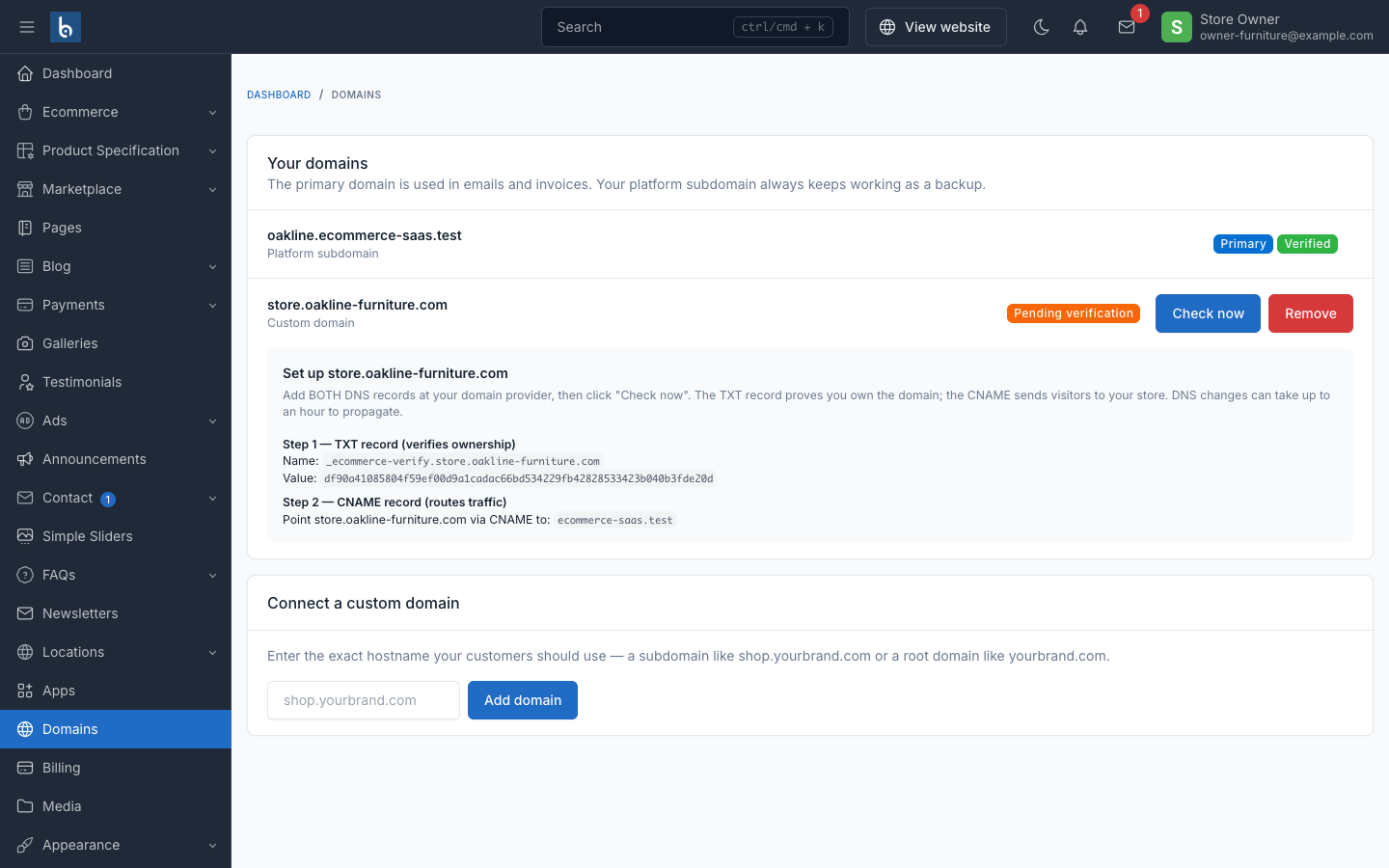
From the store owner's Domains screen, entering a hostname (e.g. shop.yourbrand.com, or a root domain) adds it in an unverified state. The screen then shows the exact DNS records to publish:
- TXT record — the only accepted proof of ownership. Publish a TXT record at
_ecommerce-verify.<domain>containing the token shown on screen. - CNAME record — routes traffic. Point the domain at the platform's CNAME target shown on screen.
A CNAME alone is deliberately not proof of ownership — a former customer who deletes their store but leaves a stale CNAME behind must not let someone else claim the hostname. Both records are needed; DNS changes can take up to an hour to propagate.
Verifying
Verification checks the TXT record over DNS. It happens two ways:
- Automatically —
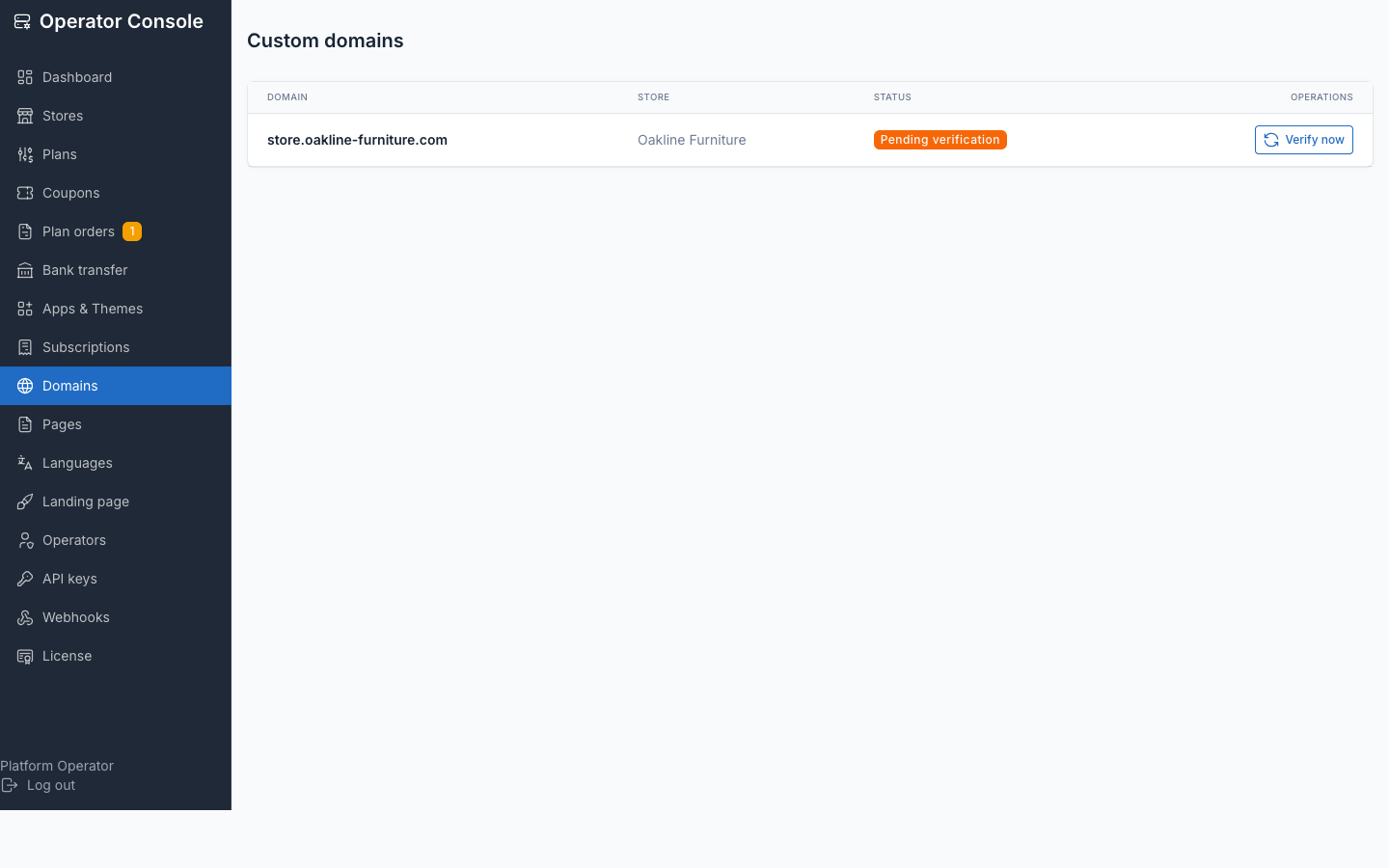
php artisan tenancy:verify-domainsre-checks every pending custom domain. Cron it regularly; an unverified domain is deliberately unroutable and gets no certificate. - On demand — the store owner clicks Check now on their Domains screen (throttled, since each check is a blocking DNS lookup), or an operator clicks Verify on the console's Domains screen.
Choosing the primary domain
Once verified, a domain can be made primary — that is what's used in emails and invoices. The platform subdomain keeps working as a backup no matter what is set as primary. A domain must be verified before it can be made primary.
Removing a domain
A domain can be removed once another one is set as primary — the current primary domain cannot be removed directly, so a store is never left with no way to reach it from a link already sent out.
TLS
Certificates are issued on demand via Caddy (Caddyfile.example in the repo) once a domain verifies over DNS — see Installation: DNS & TLS for the reverse-proxy configuration.
Plan gate
Adding a custom domain requires the store's plan to include the allows_custom_domain entitlement; the console's Plans screen shows this as Allow custom domains on the plan form. The platform also caps how many a single store can hold (TENANCY_MAX_CUSTOM_DOMAINS, default 5). Domains verified before a plan downgrade are grandfathered — the gate only blocks adding a new one, never removes one already connected.
See also
- Installation: DNS & TLS — server-side Caddy setup
- Plans — the
allows_custom_domainentitlement - Commands —
tenancy:verify-domainsand other maintenance commands