
Billing with Stripe
Billing runs on Laravel Cashier (Stripe) and is optional. Self-serve signup works without any Stripe keys at all: the customer picks a plan, the store starts on that plan's trial, and provisioning begins immediately. Add your own keys when you want to charge.
WARNING
The platform owner supplies their own Stripe keys. Without STRIPE_KEY / STRIPE_SECRET configured, the platform runs in operator-managed mode — plans are assigned, changed and extended from the console (see Subscriptions) — or in bank-transfer mode if you turn that on (see Bank transfer).
Configuration
STRIPE_KEY=pk_live_...
STRIPE_SECRET=sk_live_...
STRIPE_WEBHOOK_SECRET=whsec_...

TENANCY_ALLOW_PROMOTION_CODES=true # let customers enter Stripe promo codes at checkout
TENANCY_COUPONS_ENABLED=true       # signup coupons (extra trial days) — see usage-coupons.md

TENANCY_PLATFORM_CURRENCY=USD      # currency MRR is reported in; other currencies are
                                    # excluded from the total, never converted
TENANCY_BILLING_GRACE_DAYS=14      # days a past-due store keeps serving
TENANCY_RETENTION_DAYS=30          # days a cancelled store's data is kept
Pair plans to Stripe prices
Create products and prices in your Stripe dashboard, then set each plan's stripe_price_id in Operator console → Plans → Edit plan. Do this for every plan you sell — see Plans and quotas for the full field list. When a customer upgrades or downgrades in Stripe, customer.subscription.updated carries the new price and the store is moved onto the matching local plan so its quotas follow. A price that matches no plan is logged and ignored, leaving the store on its current limits rather than silently losing them.
The webhook endpoint
Point exactly one Stripe webhook endpoint at:
https://yourdomain.com/_tenancy/stripe/webhookThis is the only webhook endpoint the platform uses — Cashier's default /stripe/webhook route is disabled (Cashier::ignoreRoutes()) because it is neither central-domain-scoped nor fail-closed. The tenancy endpoint translates events into lifecycle transitions and forwards each one to Cashier's own handler, keeping Cashier's local subscriptions tables in sync behind the same signature checks.
Subscribe to at least:
invoice.paid
invoice.payment_succeeded
invoice.payment_failed
customer.subscription.created
customer.subscription.updated
customer.subscription.deleted
customer.updated
customer.deleted
payment_method.automatically_updated
invoice.payment_action_required
Duplicates are ignored — Stripe retries deliveries, and a replayed failure must not restart the grace clock.
Checkout and the Billing Portal
The store owner's Billing screen (/admin/tenancy/billing) offers:
- Stripe Checkout to subscribe or change plan (a plan change swaps the existing subscription rather than creating a second one)
- The Stripe Billing Portal for card updates, cancellation and invoice history
- Invoice downloads
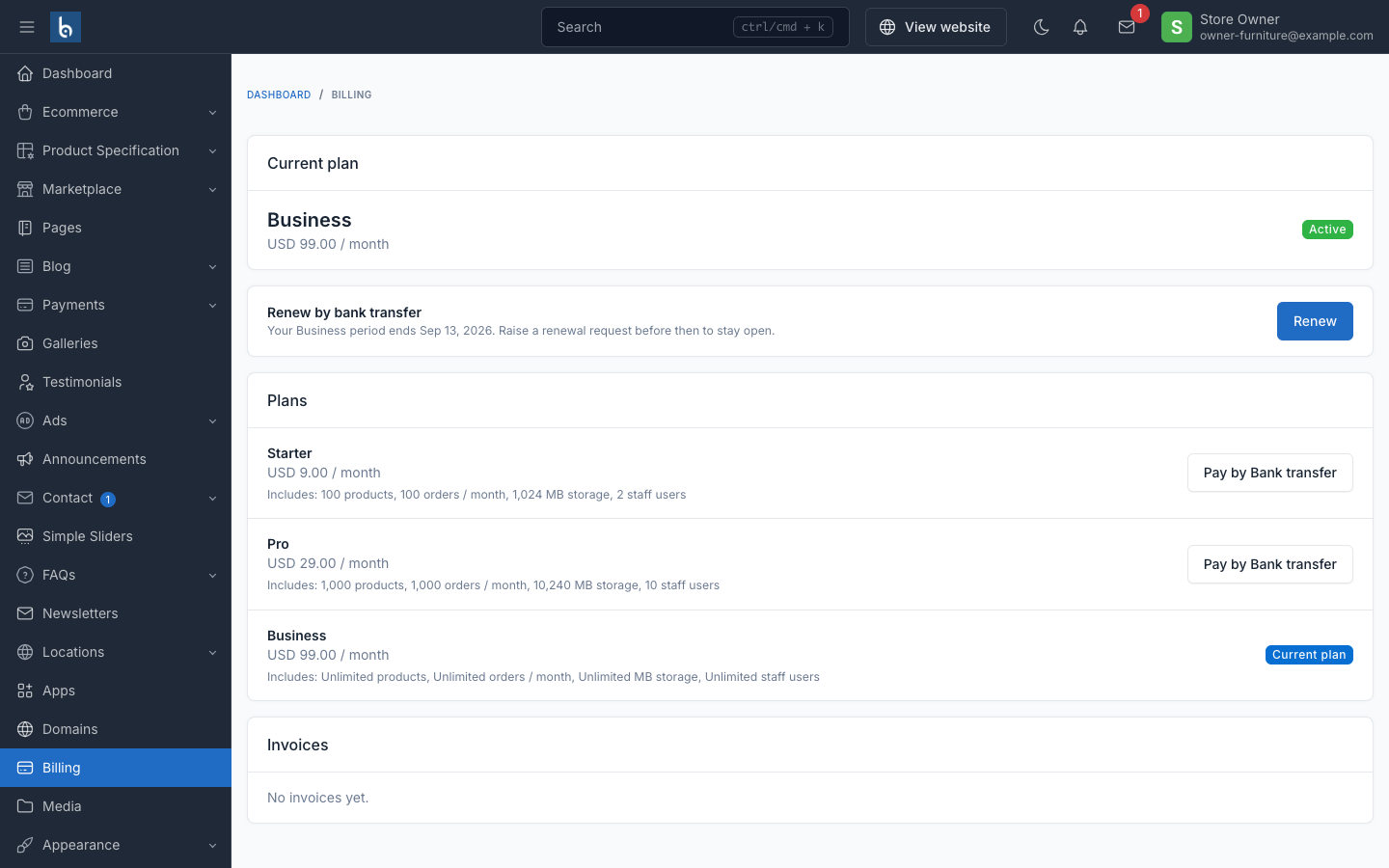
Checkout returns land on a signed central callback (/_tenancy/billing/return/{tenant}) that syncs state immediately; webhooks remain the source of truth after that. Without Stripe keys configured the screen degrades to an informational "your plan" page instead of erroring.
Trials
A new subscriber gets the plan's trial_days. A signup coupon (see Signup coupons) can add extra days on top before Stripe is ever involved — the extended trial length is what carries into Checkout, so the first charge lands only when the (extended) trial actually ends.
Failed payments and the grace period
trialing, active and past_due all serve traffic. A failed Stripe invoice moves the store to past_due, which keeps serving for TENANCY_BILLING_GRACE_DAYS (default 14) — so one failed webhook never takes a paying store offline. Suspension after the grace period is a deliberate daily decision made by tenancy:billing-maintenance, not a webhook side effect. See cron setup.
Cancellation, retention and purge
A cancelled subscription keeps the store's data for TENANCY_RETENTION_DAYS (default 30). Resubscribing inside that window reopens the store automatically. tenancy:billing-maintenance purges stores past retention.
Lifecycle emails
Sent to the store's owner_email via the central mail configuration (never the store's own SMTP settings):
| Trigger | |
|---|---|
| Store ready | After provisioning finishes |
| Trial ending | TENANCY_TRIAL_REMINDER_DAYS (default 7,3,1) days before trial end |
| Payment failed | Once per failed Stripe invoice |
| Suspension | From tenancy:billing-maintenance |
| Cancellation / deletion warning | Ahead of the retention purge |
Time-based ones (trial ending, cancellation warning) are sent by tenancy:send-lifecycle-emails — cron it daily. Every send is claimed first in a dedupe table keyed by tenant + type + a per-email key (invoice id for payment-failed, trial tier + date for trial-ending, day for suspension) before queueing, so re-runs and webhook retries never double-send.
How Stripe and entitlement divide the work
Two tables, on purpose:
| Owns | Populated | |
|---|---|---|
tenant_subscriptions | Entitlement: status, trial, grace period, suspension | Always — signup, admin provisioning, webhooks |
subscriptions / subscription_items (Cashier) | Stripe billing: payment methods, invoices, the Billing Portal | Only when Stripe is configured and a real subscription exists |
The storefront gate reads only tenant_subscriptions, which is what lets a store serve with no Stripe account at all. A trial store that never entered card details simply has no row in Cashier's tables — no placeholder Stripe ids are ever created.
Related
- Subscriptions — billing states and operator actions
- Bank transfer — the non-Stripe payment path
- Cron jobs —
tenancy:billing-maintenance,tenancy:send-lifecycle-emails