Operator console
The operator console is where the platform owner runs the SaaS. It lives at /admin/operator on the central domain — a distinct, branded panel with its own layout and its own sign-in, not the regular Botble storefront-admin shell store owners get. It authenticates against the standalone admins guard (a separate table from Botble's users), so a store owner's login never opens it and an operator account never opens a store's admin.
Central domain only
Every operator-console route carries CentralDomainsOnly middleware, which 404s rather than redirecting. Visit /admin/operator on a store's own domain and you get a plain 404 — the console does not exist there.
From the regular Botble central admin, a Stores sidebar entry (ti ti-server-cog) links straight into the console dashboard. You can also go directly to /admin/operator/login.
Sidebar
| Section | What it does |
|---|---|
| Dashboard | Store counts, MRR, subscription health and recent activity — see below |
| Stores | Create, edit, suspend, impersonate and delete stores; export the listing to CSV |
| Plans | Define subscription tiers: price, interval, trial, quotas, entitlements |
| Coupons | Signup promo codes that grant extra trial days |
| Plan orders | Bank-transfer requests awaiting approval or rejection |
| Bank transfer | Turn offline payment on, set the account details and receipt prefix |
| Apps & Themes | Curate the catalog of plugins and themes stores may use, and assign it to plans |
| Subscriptions | Assign, change, extend, cancel or reactivate a store's plan by hand |
| Domains | Oversight of every custom domain and its verification state |
| Pages | Central pages — Terms, Privacy, About — published on the marketing site |
| Landing page | Hero copy, testimonials, brand assets and the marketing sections |
| Operators | Platform super-admin accounts for the console itself — see below |
| API keys | Bearer credentials for the control-plane REST API |
| Webhooks | Outbound event endpoints and their delivery logs |
| License | Activate this platform's CodeCanyon purchase code — see below |
Dashboard
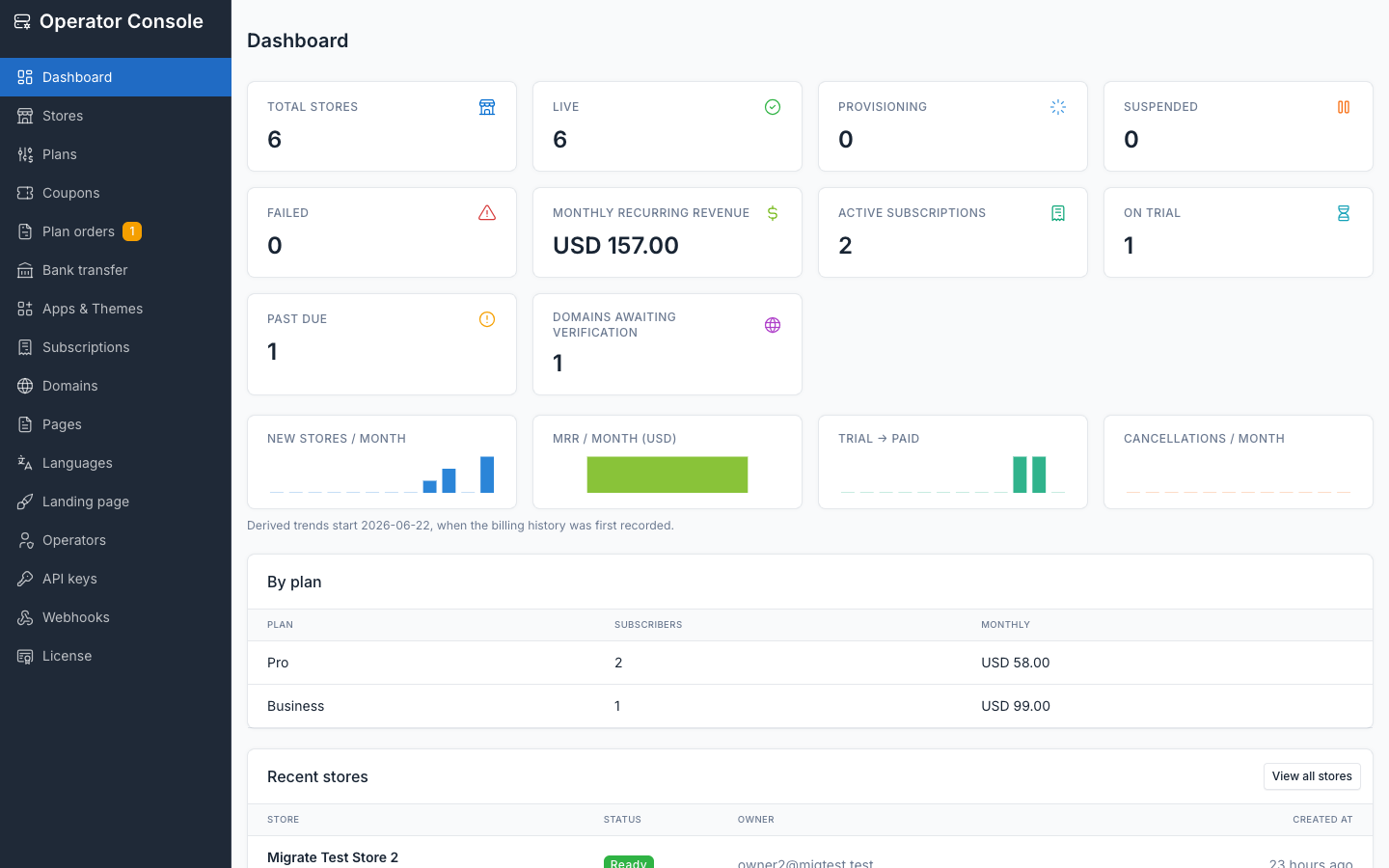
Store-count tiles
| Tile | Meaning |
|---|---|
| Total stores | Every store row, any status |
| Live | ready — provisioning succeeded, storefront serves normally |
| Provisioning | Provisioning job currently running (pending + provisioning) |
| Suspended | Manually suspended, or billing past the grace period |
| Failed | Provisioning failed; the database is kept for diagnosis, not auto-retried |
Cancelled stores have no tile of their own — filter for them on the Stores list instead.
Billing tiles
| Tile | Meaning |
|---|---|
| Monthly recurring revenue (MRR) | Sum of active subscriptions' prices |
| Active subscriptions | Subscriptions in trialing, active or past_due |
| On trial | Subscriptions currently trialing |
| Past due | Payment failed, inside the grace period before suspension |
| Domains awaiting verification | Custom domains added but not yet DNS-verified |
Trends and tables
Four per-month sparklines: new stores, MRR, trial-to-paid conversion, and cancellations. New-store, conversion and cancellation trends are derived from data already recorded, so they work retroactively. MRR history is different — it is captured daily by tenancy:billing-maintenance, because nothing stores a historical price (plans get edited and retired, so replaying today's prices over past months would produce a confident, wrong chart). The MRR chart starts at first capture and cannot be back-filled.
The by-plan table lists subscriber count and monthly revenue per plan; subscribers paying in a different currency are excluded from the MRR figure and called out with a count. Recent stores lists the newest signups with a link to the full Stores list.
License
Activates the CodeCanyon purchase code for the platform. This is the path this product documents and supports; Botble's stock Settings → License screen still works as a fallback and writes the same activation.
The licence covers the whole platform, not a store. Store subdomains and customer custom domains consume no activations, and store owners never see a licence screen — the route is blocked for them.
Three things worth knowing before you use it:
- It stays reachable when the platform is not activated. Deliberate: an unlicensed install must still be fixable from the console rather than locking you out of the page you need.
- Opening the screen does not call the licence server. It reads local state only, so the page cannot hang on a slow or unreachable licence server.
- Deactivate is not an undo. It releases the activation slot so you can move to another domain or server, and re-activating needs your purchase code again.
Activation is tied to the control-plane domain, never a store subdomain. See License for the licence tiers themselves and what each permits.
Operators
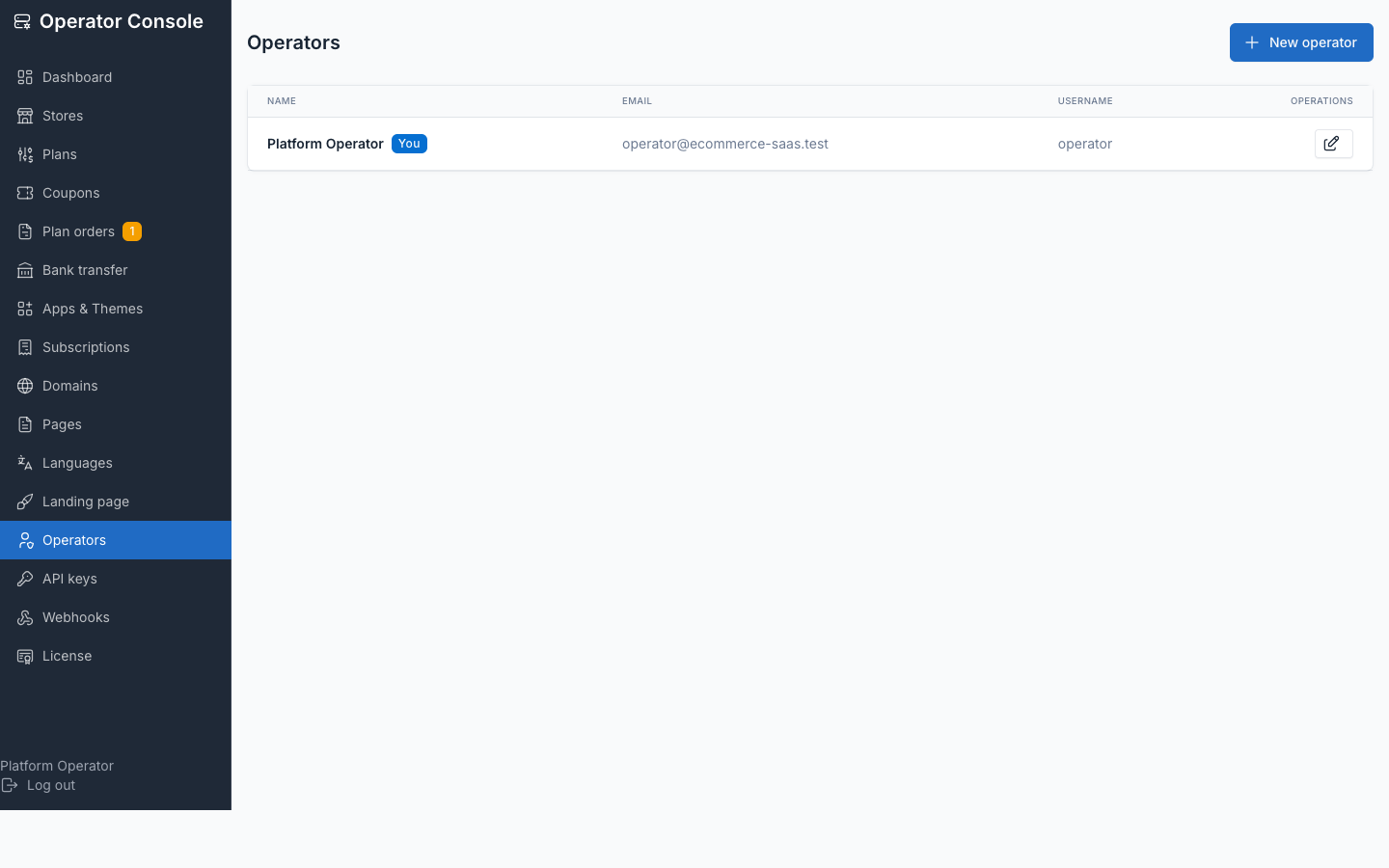
Operator accounts are the console's own super-admins — the equivalent of a platform super-user, unrelated to any store's staff. Console → Operators → New operator asks for a first name, last name, email, username and password; editing one leaves the password unchanged unless you fill it in.
You cannot delete your own account, and you cannot delete the last remaining operator — the console refuses both rather than locking everyone out.