
What store owners see
A store owner's admin lives at /admin on their own store's domain — a stock Botble ecommerce admin, plus four screens this platform adds, minus the screens that would let a store touch shared platform infrastructure.
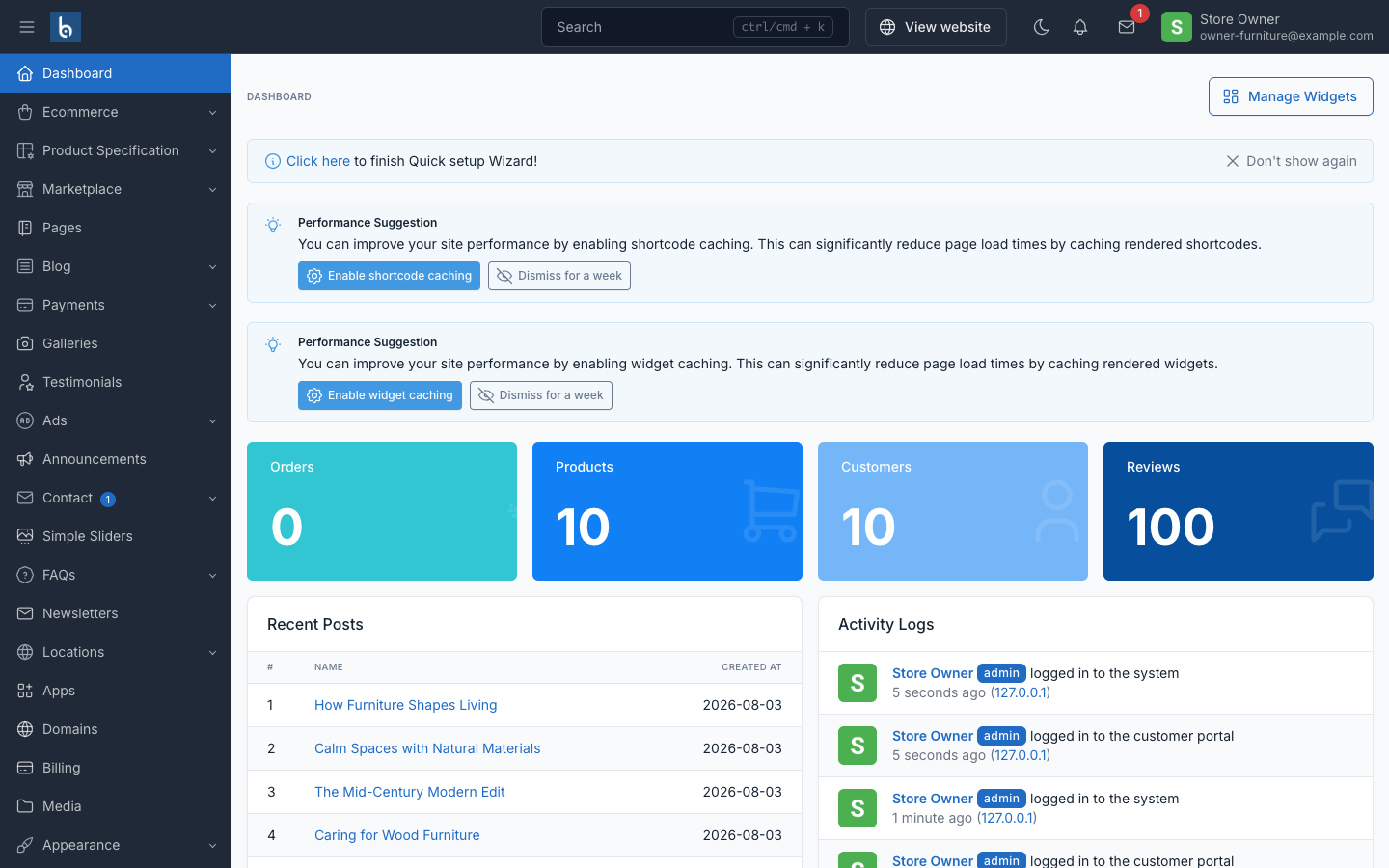
The four tenancy screens
| Screen | What it's for |
|---|---|
| Apps | Turn plan-included apps on and off for this store |
| Domains | Connect and verify a custom domain |
| Billing | Current plan, invoices, Stripe Checkout / Billing Portal |
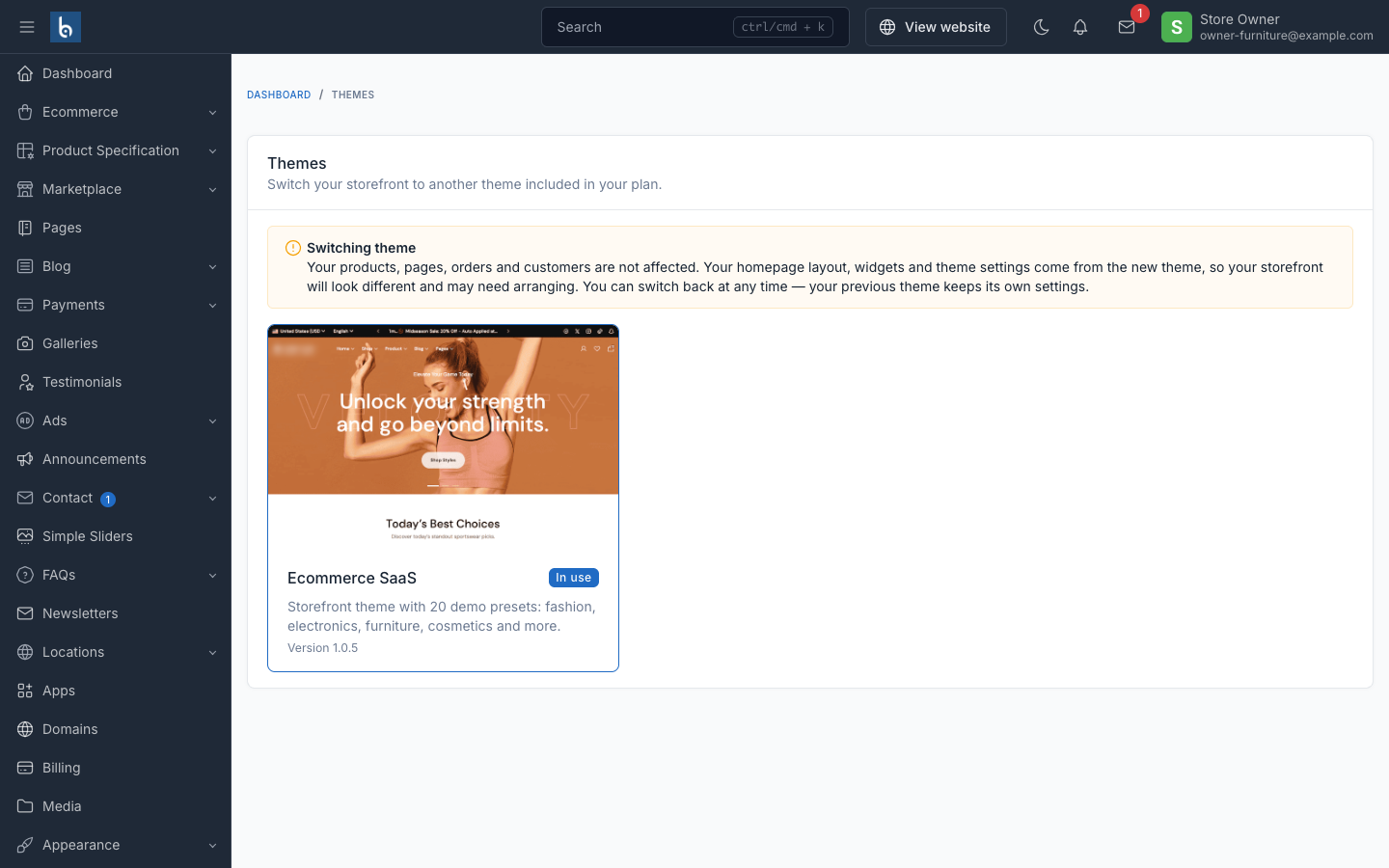
| Themes | Switch the storefront's theme, when more than one is available |
Apps
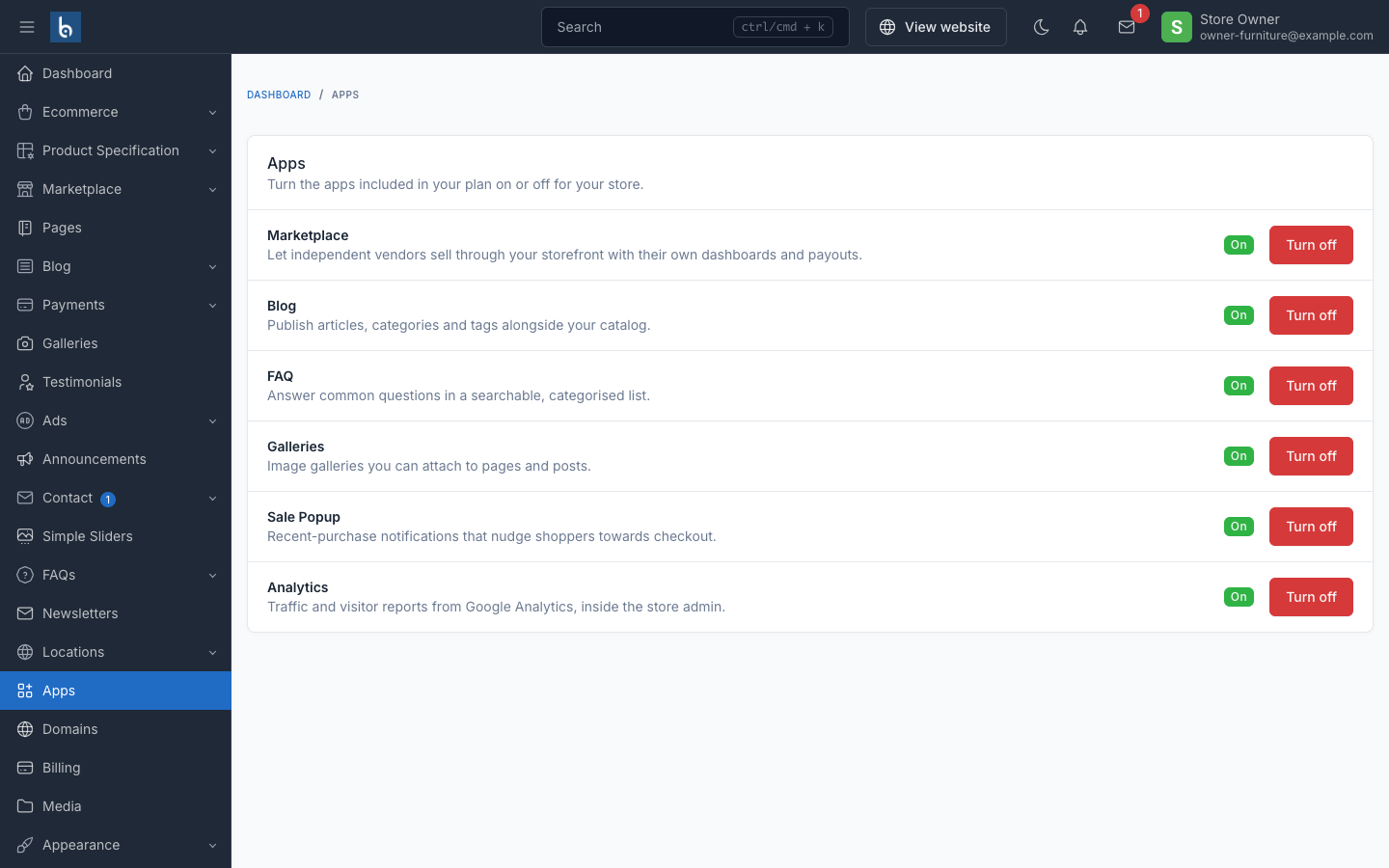
The replacement for Botble's Plugins screen, which stores never see (installing code touches the shared filesystem — a platform-owner action, not a store one). Apps only lists what the operator's catalog offers this store's plan, each with an On/Off toggle. Turning one on writes only that store's own activated_plugins setting; no migrations run and nothing shared is touched. The menu item itself is hidden entirely for a store whose plan includes nothing from the catalog.
Domains
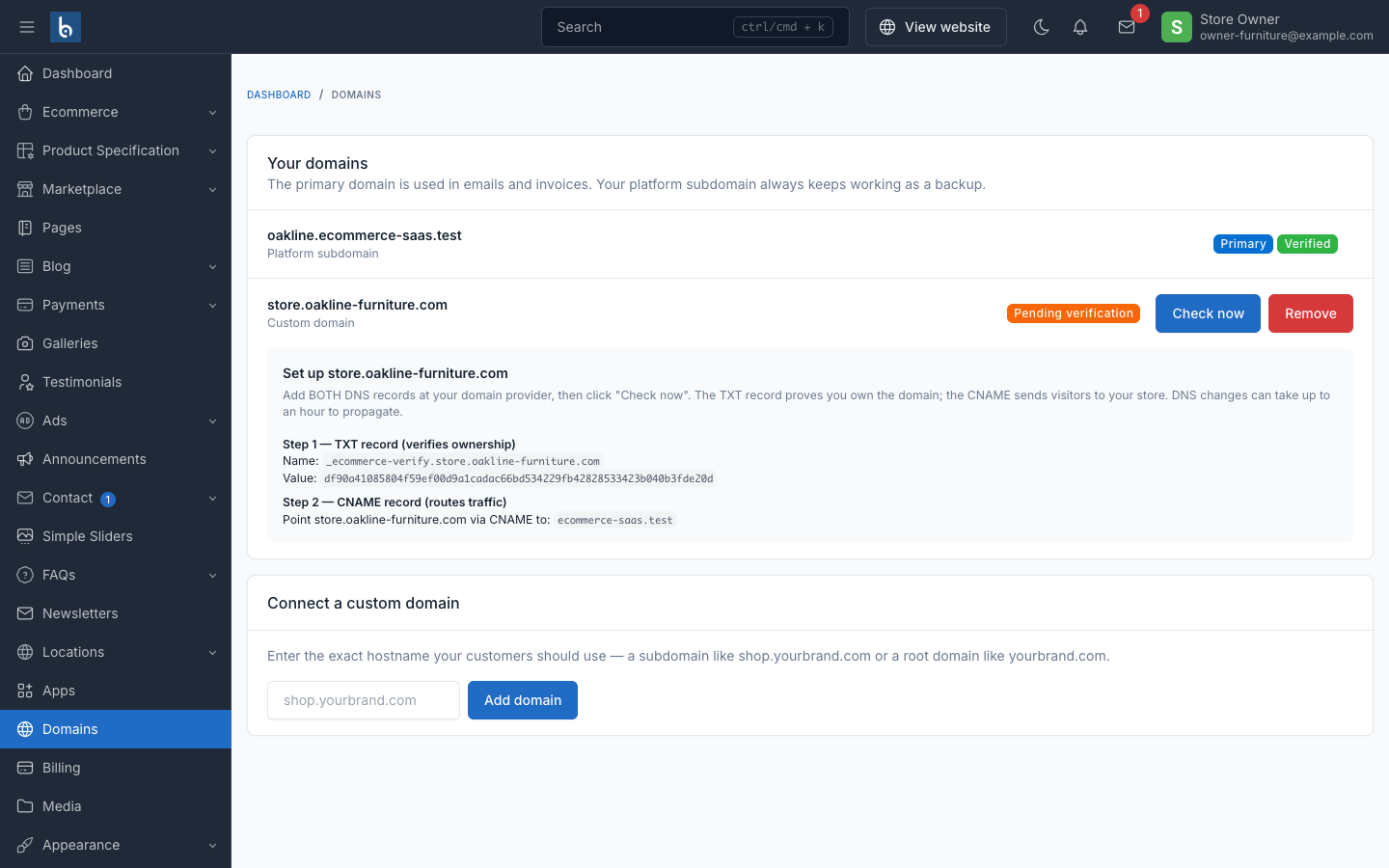
Self-serve custom-domain management, gated by the plan's allows_custom_domain entitlement. See Custom domains for the DNS records and verification flow.
Billing
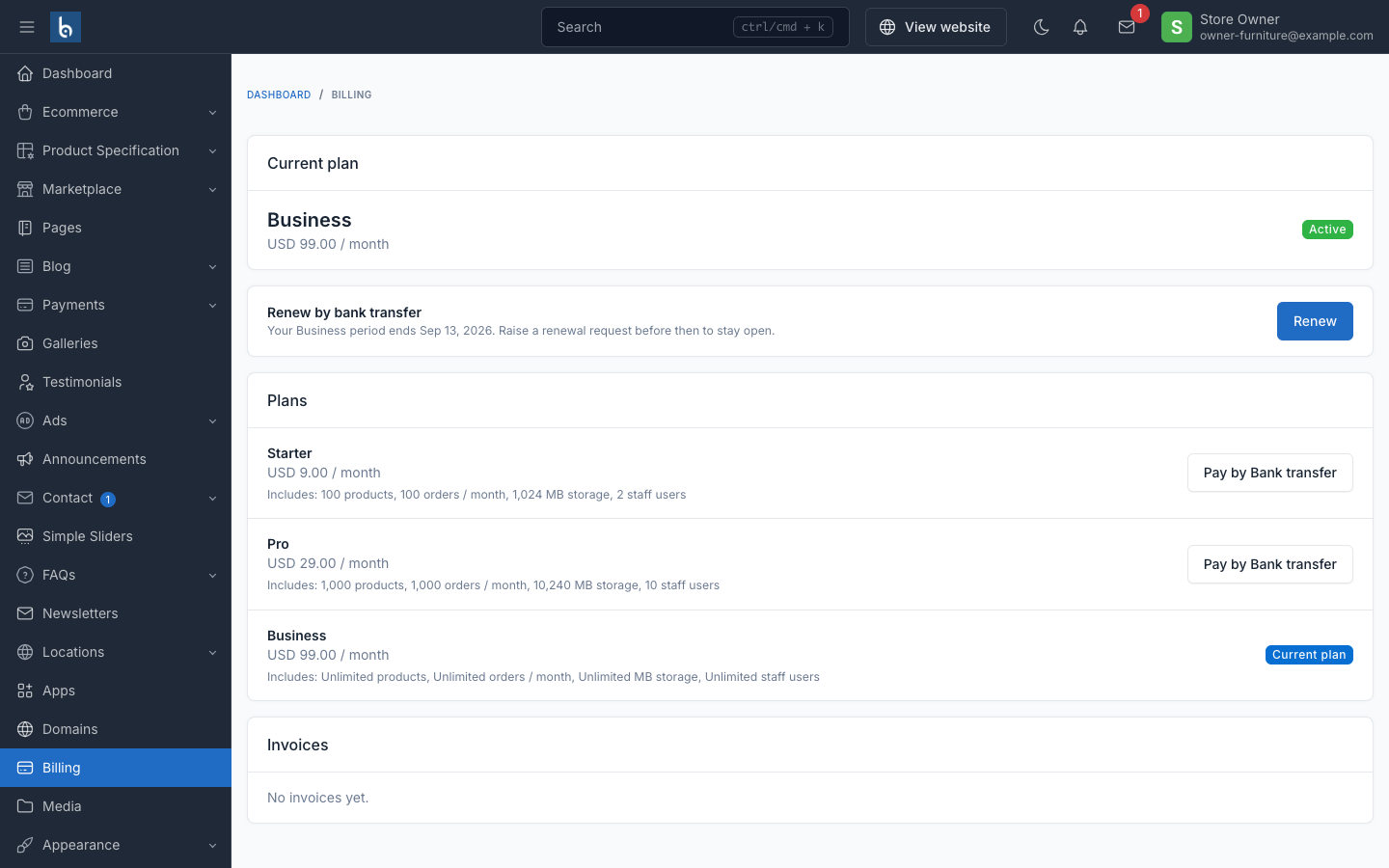
Current plan card and invoice history, with Stripe Checkout and the Stripe Billing Portal for self-serve plan changes and card updates when the platform has Stripe configured. Without Stripe keys the screen degrades to an informational "your plan" page.
Themes
The replacement for Botble's Appearance → Theme screen, which stays blocked for the same reason Plugins does — switching theme code touches the shared filesystem. This screen only lets a store switch among the themes its plan entitles it to, and only appears once there's an actual choice (more than one theme available); each theme's options are namespaced per theme, so a switch is fully reversible.
What a store owner cannot do
A store owner is a Botble super-user by role, so these restrictions are enforced by hiding the menu items and blocking the routes (a typed URL 404s too), not by ACL permissions alone:
- No Plugins, System, Backups, License or Optimize screens — that tooling manages the shared server, not a single store's data.
- No Theme code screen — cannot install, remove or switch a theme's underlying files (only its own Themes screen, scoped to the catalog).
- No platform-owner Settings sections — Email, Media, Cache and License settings stay with the platform owner; the store keeps its own general, appearance and phone-number settings.
Everything else is stock Botble
Products, orders, customers, marketing, and the rest of the storefront admin are unmodified Botble ecommerce — see the Botble CMS docs for how those screens work. The storefront itself renders through whichever theme the store is on (Amerce ships in the box).
See also
- Apps & Themes — how the operator curates what appears here
- Billing (Stripe) — the billing screen in full
- Custom domains — DNS records and verification