
Self-serve signup
/start-your-store, served on the central domain, is how a customer creates their own store without an operator's help.
The form
The customer picks a plan, a theme (and optionally one of that theme's presets), a subdomain and a store name, and enters their email and password. Only active plans and themes the platform has entitled to those plans are offered — the same registry and entitlement check the submission is validated against, so the form can never offer a combination validation would then reject. If demo images for a theme preset are missing, the picker falls back to sized placeholders instead of showing broken images.
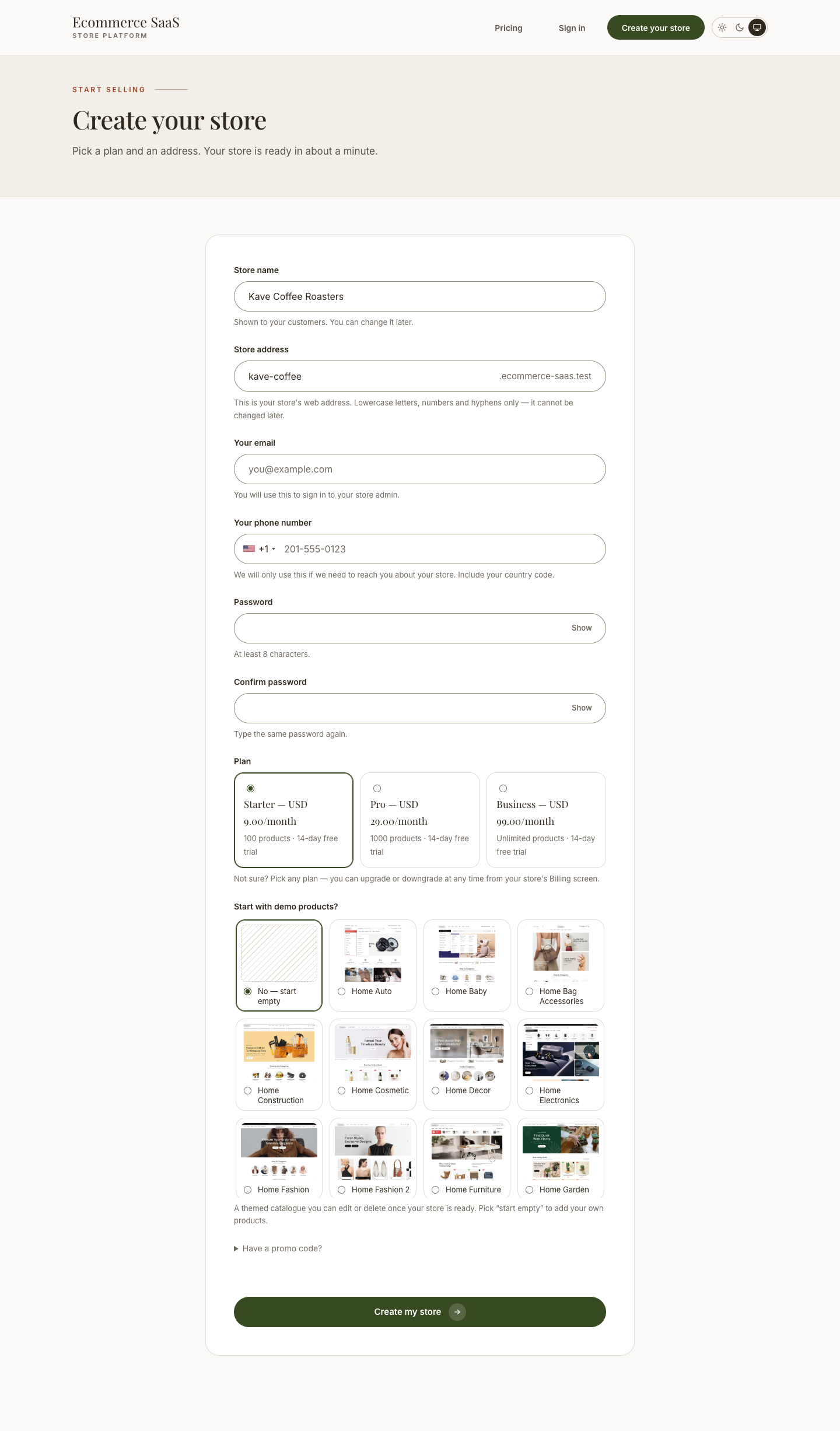
A hidden honeypot field runs on every submission with no configuration needed. Captcha (the captcha plugin, reCAPTCHA or a math challenge) is optional — activate it centrally and configure it under Settings → Others → Captcha; with nothing configured, signup still works.
Email verification
By default the form does not provision anything by itself. Submitting it creates a 24-hour reservation holding the chosen subdomain and email, and sends a confirmation link. Only clicking that link creates the database, imports the demo dump and consumes the subdomain — the point being that signup is the one place an anonymous request costs real, unrecoverable resources.
| Setting | Default | Purpose |
|---|---|---|
TENANCY_SIGNUP_VERIFY_EMAIL | true | Verify before provisioning |
TENANCY_SIGNUP_VERIFY_TTL_HOURS | 24 | How long a reservation holds its address |
TENANCY_SIGNUP_CAPTCHA | true | Use the Captcha plugin when it is configured |
TENANCY_SIGNUP_PER_IP_PER_HOUR | 3 | Per-IP signups per hour |
TENANCY_SIGNUP_GLOBAL_PER_HOUR | 60 | Ceiling across all callers; 0 disables |
TENANCY_SIGNUP_BLOCKED_EMAIL_DOMAINS | (empty) | Comma-separated domains to refuse |
Check mail before disabling verification
tenancy:preflight fails if verification is on and mail goes nowhere (log or array mailer) — otherwise every signup stops at "check your email" and no store can ever be created. Run it after any mail configuration change.
Set TENANCY_SIGNUP_VERIFY_EMAIL=false to provision immediately on submit instead — useful for existing installs or a platform that invites customers directly. Both paths go through the same launch service, so they cannot drift apart.
The pending screen
After the confirmation link is clicked (or immediately, with verification off), the customer lands on a pending page while provisioning runs in the background, then is carried through to their new store once it reports ready.
Finding a store
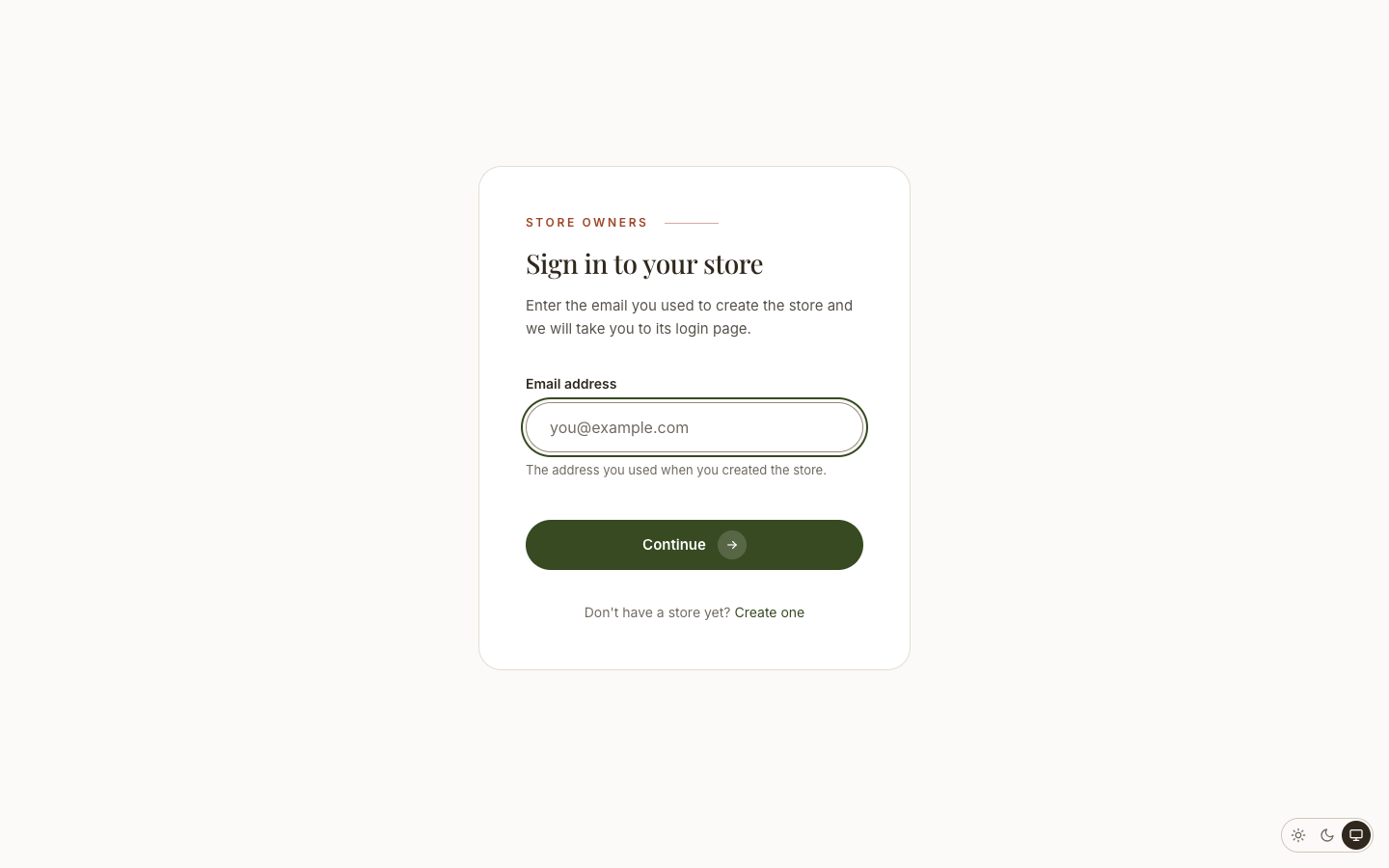
/sign-in maps an owner's email address to their store, for an owner who has forgotten their store's URL. An address that owns several stores gets a chooser rather than being sent silently to whichever one sorts first.
See also
- Plans — what a customer is choosing between at signup
- Coupons — signup promo codes that grant extra trial days
- Adding a theme — how a theme becomes selectable at signup