
Managing stores
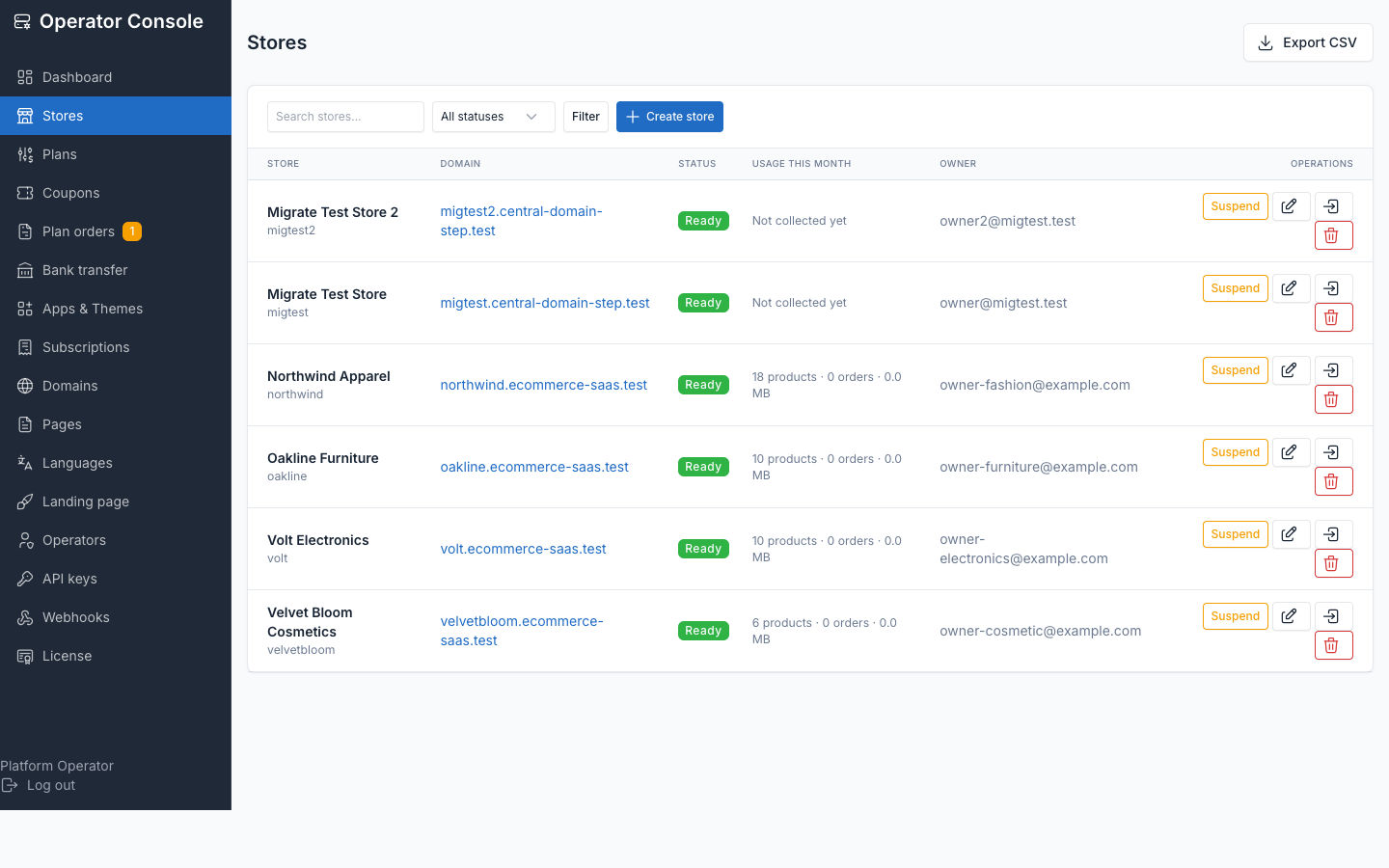
Operator console → Stores is the console's primary screen: every store, its status, domain, usage this month and owner, with Suspend, edit, impersonate, delete and Export CSV actions.
Creating a store
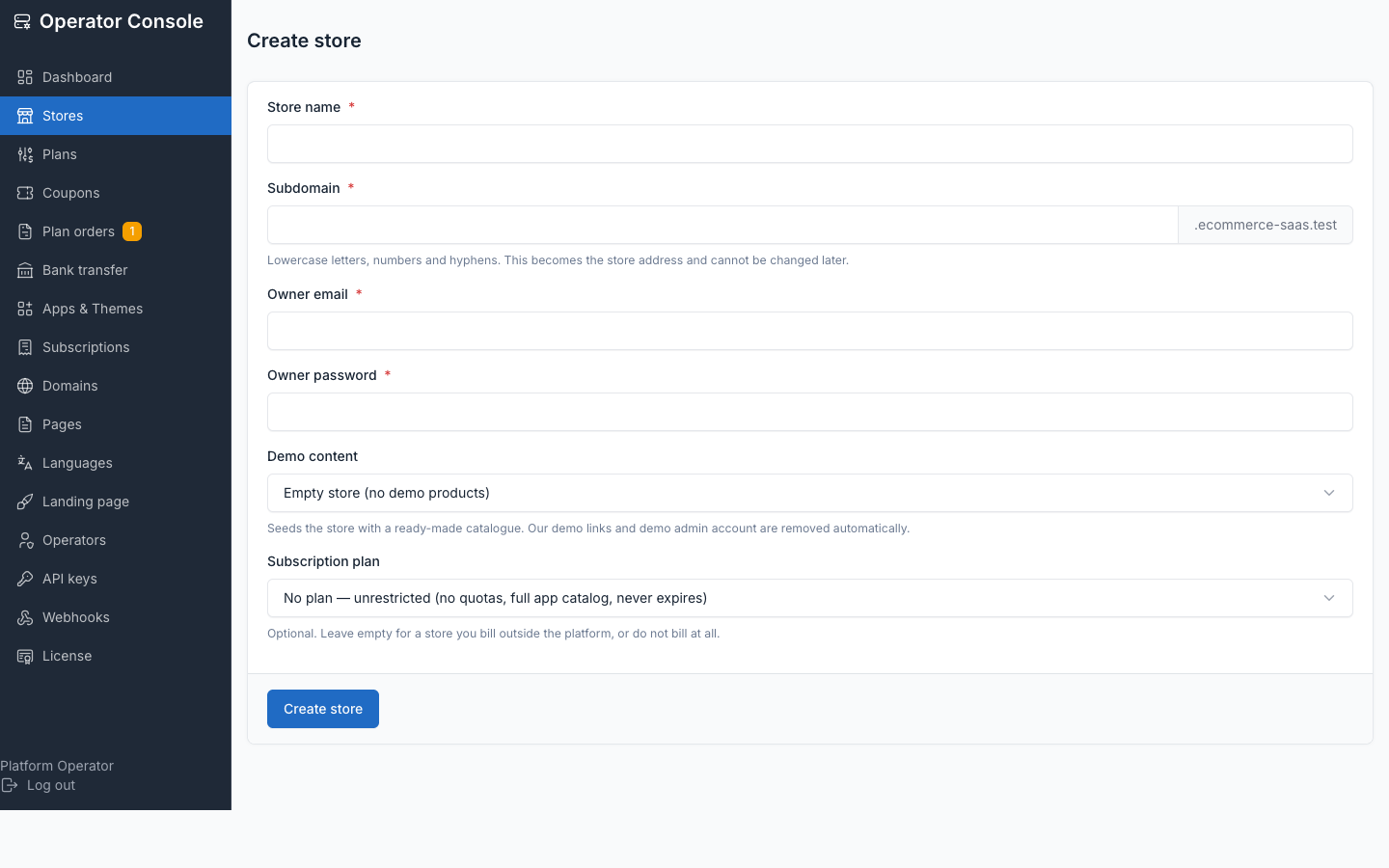
Stores → Create store provisions a store directly, without the customer going through self-serve signup. Fill in the subdomain, store name, owner email, password, a theme (and optionally one of its presets), and — unlike signup — any plan at all, because the operator is provisioning the store, not buying it. You can also override the trial length.
Provisioning is queued by default (the listing shows progress through status), unless the install runs with --sync on tenancy:create-tenant or TENANCY_PROVISION_SYNC=true.
What provisioning does
- Creates a fresh, isolated database for the store.
- Imports the chosen theme's demo preset into it.
- Seeds one admin user, from the owner email and password you supplied.
At scale, provisioning from a preset dump takes roughly 1–2 seconds per store; the migrate-only path (no preset) is far slower — around 200 core/package migrations plus 21 plugin directories.
Status values
| Status | Storefront | Set by |
|---|---|---|
pending | 503 "being prepared" | Store row created, waiting for the provisioning worker |
provisioning | 503 "being prepared" | Provisioning job running |
ready | Serves normally | Provisioning succeeded |
failed | 503 unavailable | Provisioning failed — the database is kept for diagnosis |
suspended | 402 parked page | Manual suspend, or billing past its grace period |
cancelled | 402 parked page | Subscription cancelled |
The store's admin panel stays reachable while suspended — an owner whose card failed needs to sign in and fix it, otherwise a suspension would be unrecoverable without support. A failed store cannot be resumed (it has no schema); reprovision it instead.
Suspend and resume
Suspend / Resume on a store row is the manual override, independent of billing — used for abuse handling or to restore a store immediately for support. A store that has not finished provisioning cannot be suspended or resumed: the queued provisioner would overwrite the change the moment it lands.
Impersonating a store owner
Log in as owner is the highest-privilege action in the console — it crosses from the central control plane into a customer's own data, so every step is deliberate: only an operator can mint the token, the token lives 60 seconds and is deleted on use, and both minting and use are written to the platform log (operator, store, IP, time). It signs you in as the store's own admin (preferring the account matching owner_email), not as an arbitrary user id.
Deleting a store
Closing a store offers Cancel first: it is the recoverable path. A cancelled store keeps its data for the retention window (TENANCY_RETENTION_DAYS, default 30 days) — a store that cancels and resubscribes inside that window reopens automatically.
Permanent deletion is a second, separate step that requires typing the store's address, checked server-side, so a scripted or mistargeted request cannot delete the wrong store. It irreversibly drops the store's database.
Usage counters
php artisan tenancy:collect-usage rolls each store's product count, order count, storage and staff-user count into the central tenant_usage table, bucketed by month. This is what feeds the Usage this month column on the Stores list — it is a snapshot for display only. Quota decisions (can this store add one more product?) always read the store's own database live, never this snapshot, because a stale cached count could let a store exceed its plan.
Export CSV
Export CSV streams the current filtered listing: store id, name, owner email, status, theme, preset, primary domain, created/provisioned dates, plan, price, currency, subscription status, trial end and current period end. Pricing columns come from the store's frozen subscription terms, not the plan's current list price, so the export says what each store actually pays.
See also
- Self-serve signup — the customer-facing alternative to creating a store from the console
- Subscriptions — assigning and changing a store's plan
- Custom domains — connecting a store's own hostname
- Commands — the full artisan command reference