
Marketing site
The control-plane domain serves the public-facing side of the platform: the landing page, /pricing, and any pages you publish. None of this is Botble page content — it is served by middleware with pass-through, not routes, because every route in routes/central.php carries CentralDomainsOnly, which 404s rather than falling through. Registering /pricing or /sitemap.xml as an ordinary route there would 404 that path on every storefront instead.

Landing page
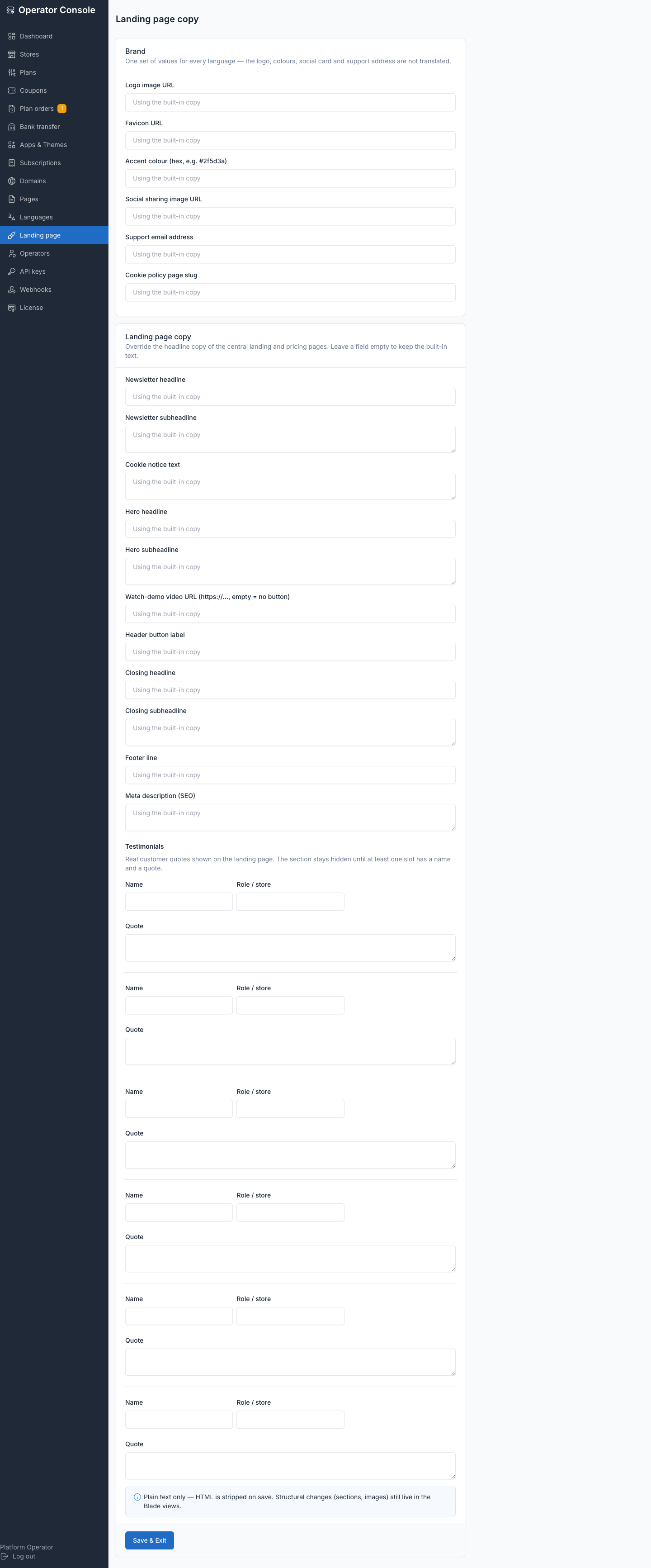
Operator console → Landing page edits the copy and brand assets shown on the homepage:
- Brand — logo URL, favicon URL, accent colour (hex), social-sharing (OG) image, support email. These are plain URL and hex fields on purpose — the console ships no media picker, because Botble's image component needs the
webguard, which operators do not hold. - Hero — headline, subheadline, an optional "Watch demo" video URL, and the header button label.
- Testimonials — up to a handful of name / role / quote slots. The section stays hidden until at least one slot has both a name and a quote.
- Closing section, footer line, and a meta description for SEO.
The stats section (stores launched, orders processed, designs available) is real data pulled from the control plane, and appears only once the platform has passed TENANCY_LANDING_MIN_STORES (default 10) stores — a fresh install with a handful of test stores does not advertise a fake-looking number.
A newsletter block appears once the newsletter plugin is active centrally, posting to that plugin's own route. A cookie notice appears once you set its text; it records dismissal in the browser's localStorage, so the banner itself sets no cookie.
Pricing page
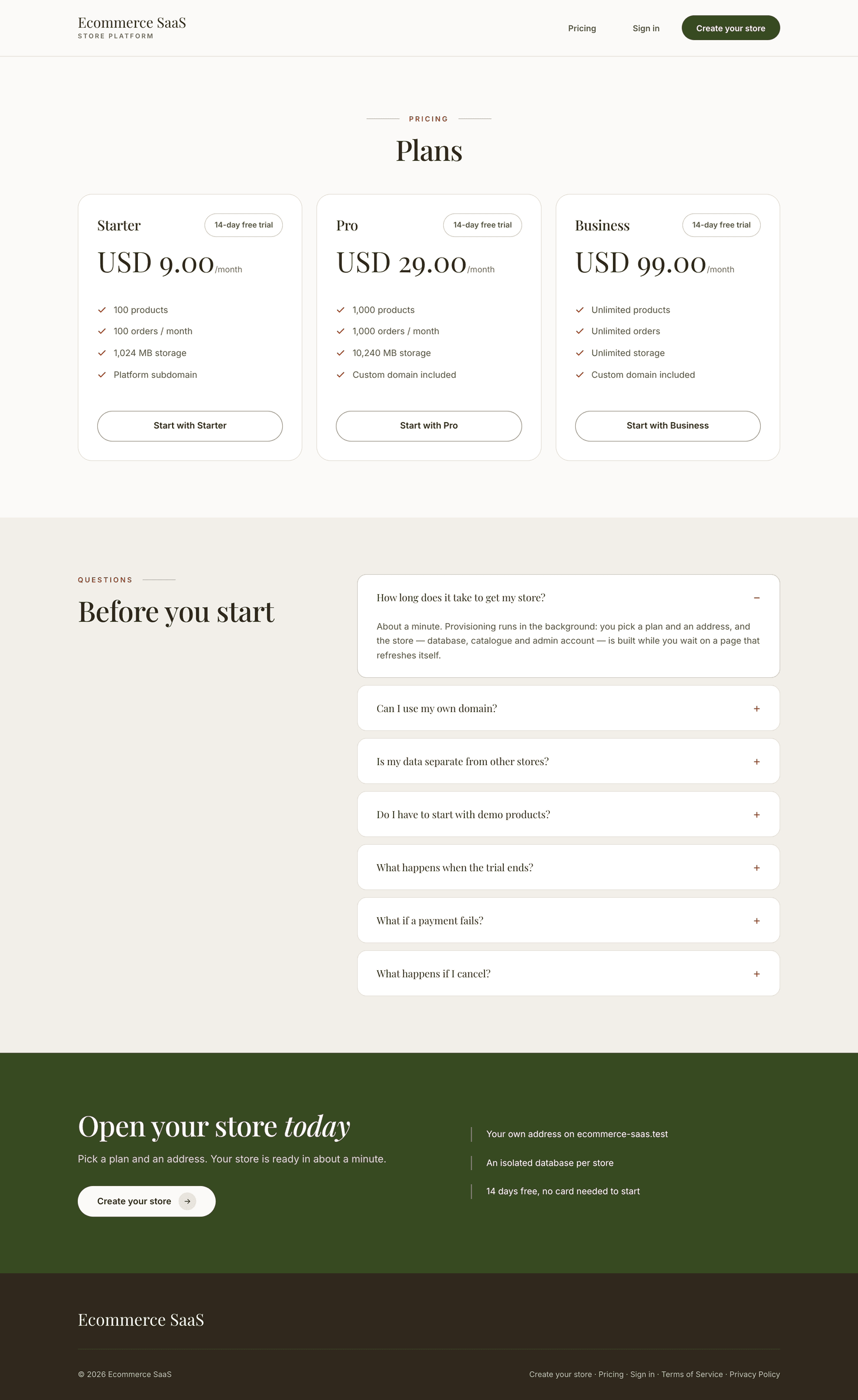
/pricing lists every active plan. It shows a Monthly/Yearly toggle only when plans of both intervals actually exist — otherwise it's a single list.
Theme demo links
Each theme's Live demo URL, set on its catalog row (Apps & Themes), surfaces as a "Visit live demo" link wherever the landing page shows that theme.
Central pages
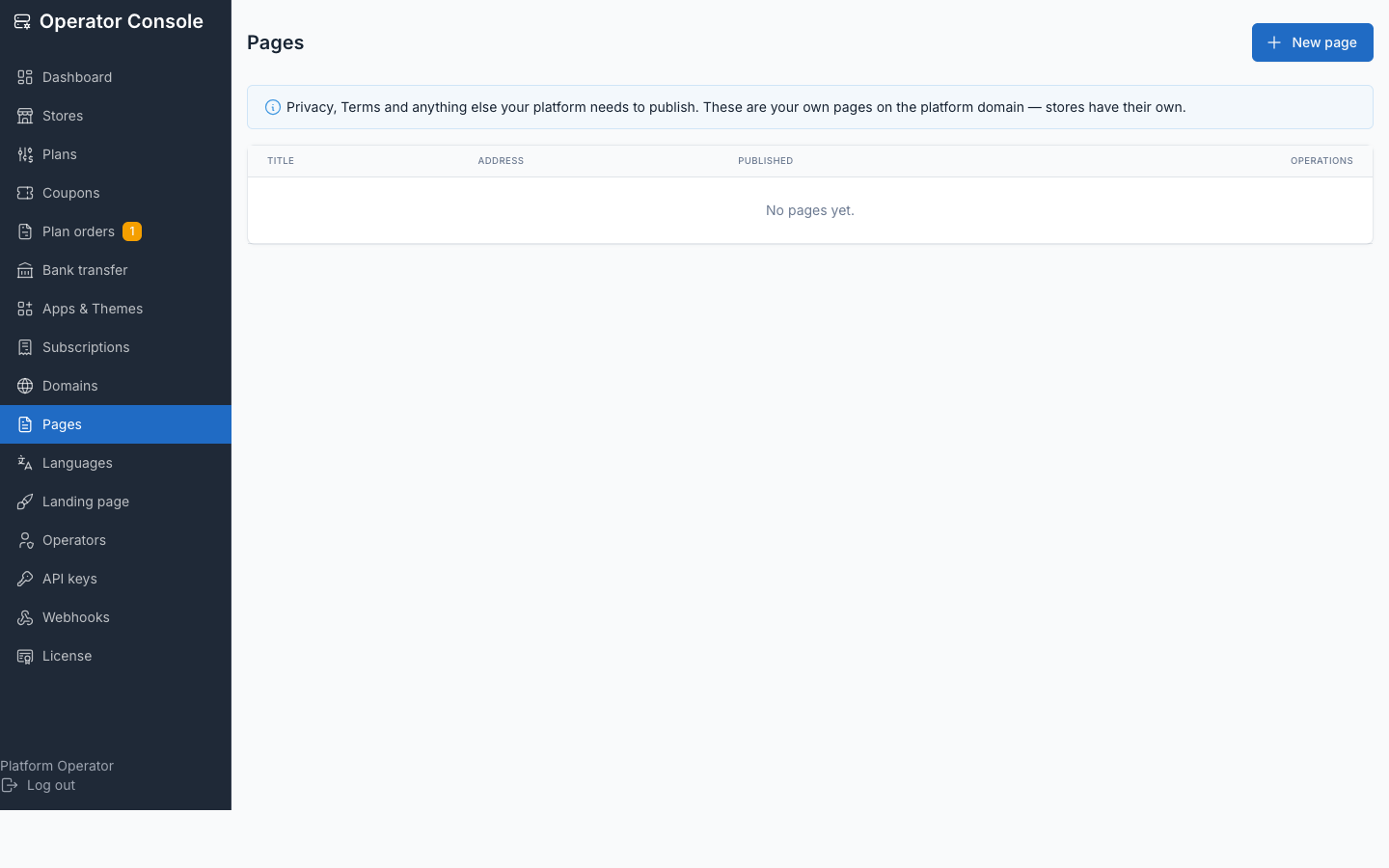
Operator console → Pages publishes standalone pages on the central domain — Terms, Privacy, About, and so on. Content is Markdown; any HTML in it is stripped when rendered, because the console has no rich editor and an unsanitised HTML field on a public page buys nothing. Published pages are linked from the site footer.
sitemap.xml and robots.txt are also served on the central domain. robots.txt switches to Disallow: / automatically when the landing page is turned off, so an install running the platform with no public marketing site is never indexed.
See also
- Plans — what feeds the pricing page and plan cards
- Apps & Themes — where a theme's demo URL is set