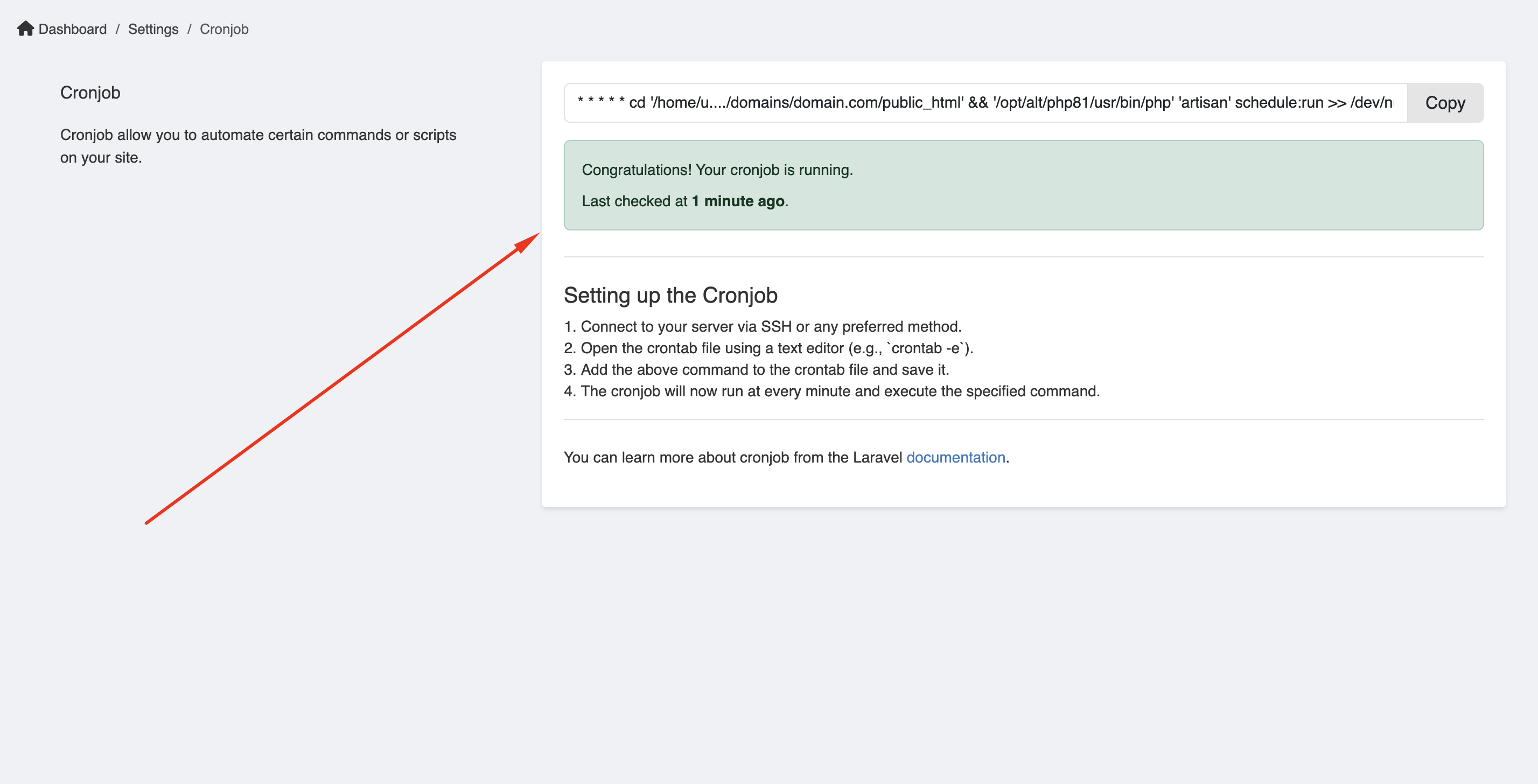
Setup cronjob
Command:
bash
* * * * * /usr/local/bin/php /path-to-your-project/artisan schedule:run >> /dev/null 2>&1Check our Cronjob set up instruction in Admin -> Platform administration -> Cronjob.
For cPanel hosting
For setting up a cron job in cPanel, watch this video tutorial:
For Hostinger.com
WARNING
Hostinger's cron field does not run the command through a shell, so >> /dev/null 2>&1 is passed to Laravel as arguments and the job fails with No arguments expected for "schedule:run" command, got ">>".
On Hostinger, enter the command without the redirection:
bash
/usr/local/bin/php /path-to-your-project/artisan schedule:runHostinger captures the output itself (visible via the View Output button), so the redirection is not needed.
- Go to Dashboard -> Advanced -> Cron Jobs
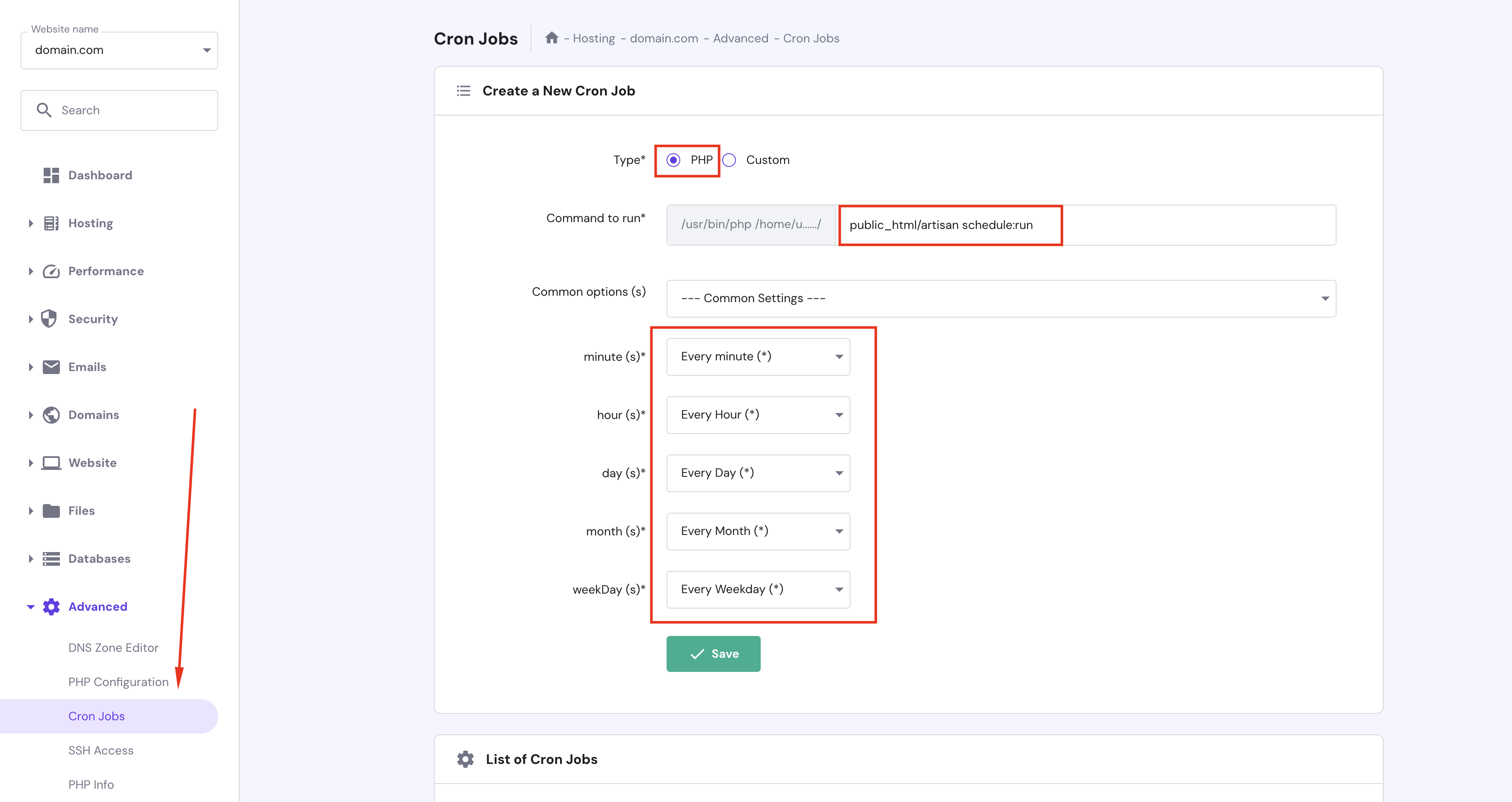
If you have more than 1 domain on Hostinger, you need to select the domain you want to set up the cron job.
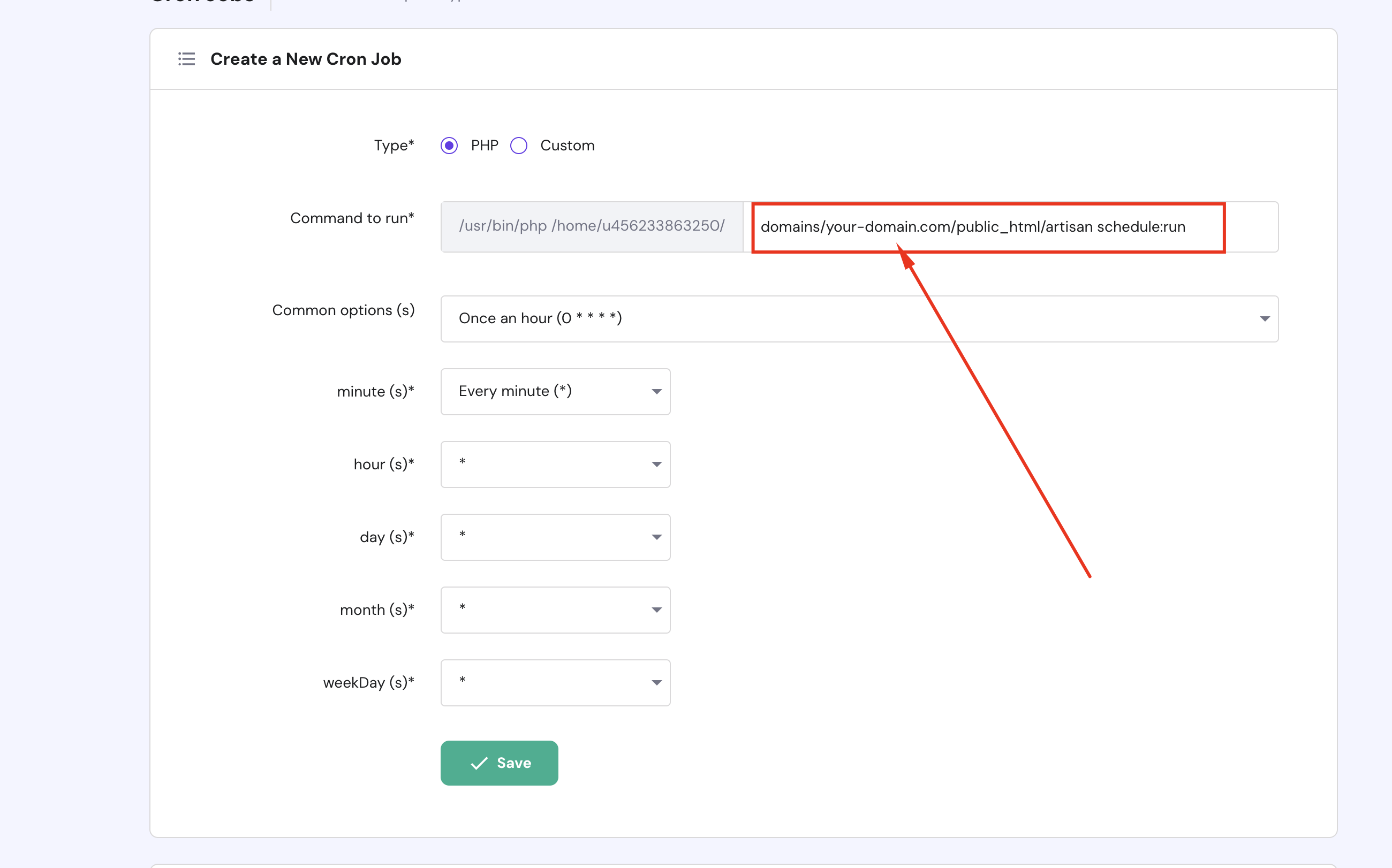
- Verify your cronjob is running or not.