
Installation
Requirements
Before installing Product Gifts, ensure your system meets the following requirements:
- Botble CMS version 7.6.4 or higher
- PHP version 8.2 or higher
- Active E-commerce plugin (required dependency)
- MySQL 5.7+ or MariaDB 10.3+
Installation Steps
Step 1: Download the Plugin
Download the Product Gifts plugin from CodeCanyon after purchase.
Step 2: Extract the Files
Extract the downloaded zip file to your computer. You will find a folder named ecommerce-product-gifts.
Step 3: Upload to Server
Upload the extracted ecommerce-product-gifts folder to your Botble CMS installation:
platform/plugins/ecommerce-product-giftsYour directory structure should look like:
platform/
└── plugins/
    └── ecommerce-product-gifts/
        ├── config/
        ├── database/
        ├── resources/
        ├── routes/
        ├── src/
        └── plugin.json
Step 4: Activate the Plugin
- Log in to your Botble CMS admin panel
- Navigate to Plugins in the sidebar
- Find Product Gifts in the plugins list
- Click the Activate button
Step 5: Configure Settings (Optional)
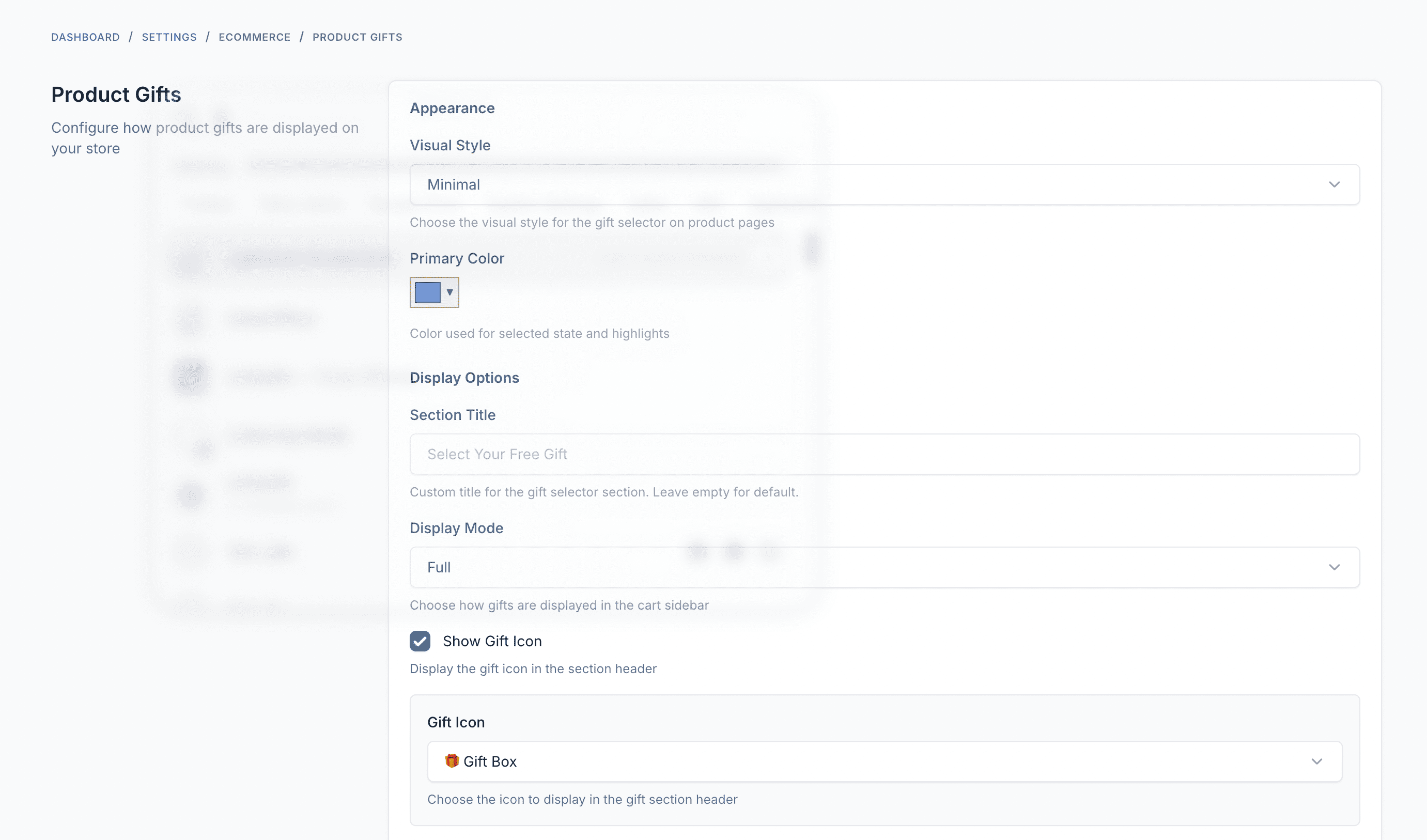
After activation, you can configure the plugin settings:
- Navigate to Settings in the sidebar
- Click on Product Gifts under Ecommerce settings
- Customize display options, colors, and behavior
Verification
To verify the installation was successful:
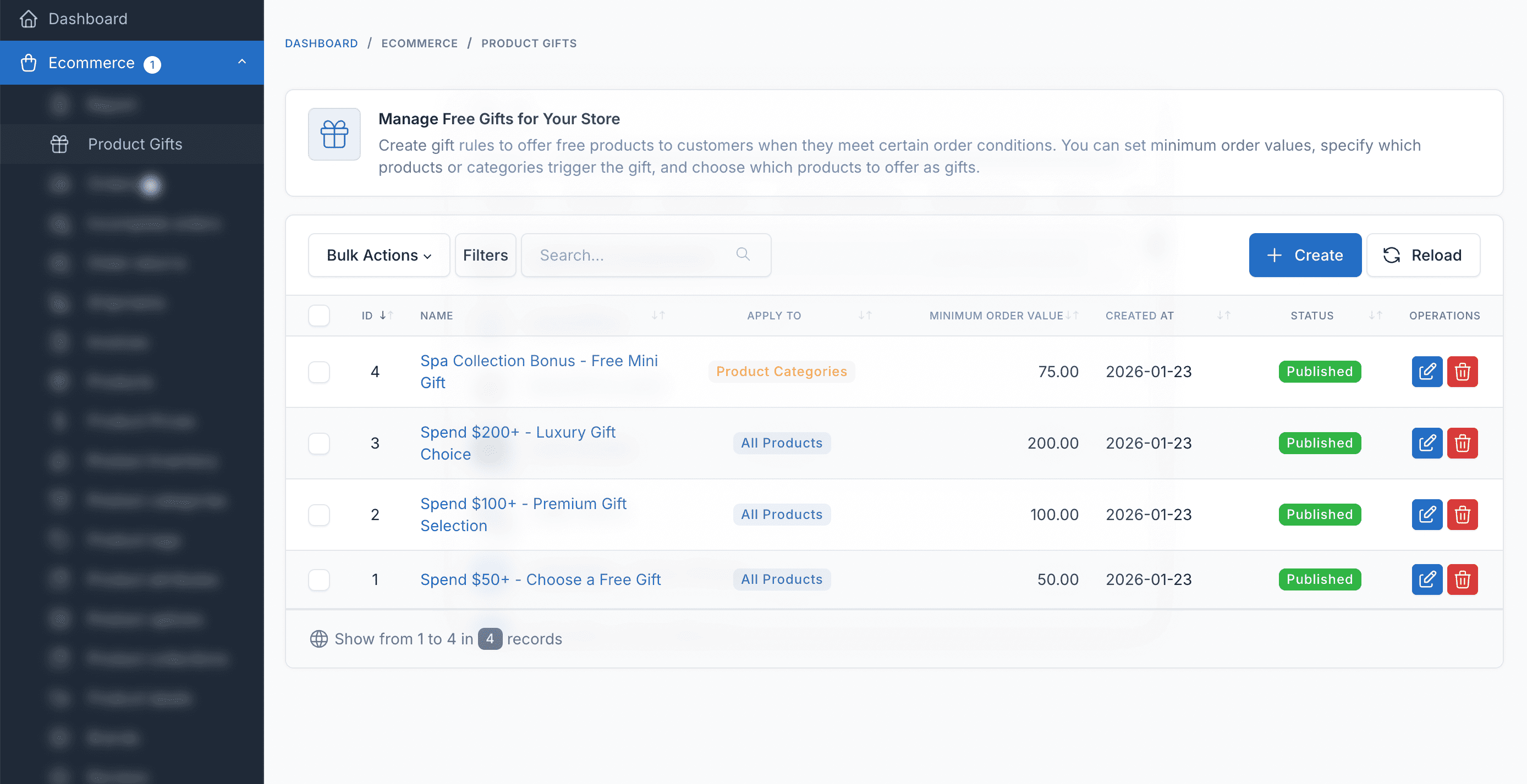
- Navigate to Ecommerce > Product Gifts in the admin panel
- You should see the Gift Rules management page
- Try creating a new gift rule to confirm everything works
Troubleshooting
Plugin not appearing in the list
- Ensure the folder is named exactly
ecommerce-product-gifts - Check that all files were uploaded correctly
- Clear the cache: Settings > General > Clear Cache
Dependency error
- Make sure the E-commerce plugin is installed and activated
- Product Gifts requires the E-commerce plugin to function
Database migration issues
- Run migrations manually via command line:bash
php artisan migrate - Or use the admin panel: Plugins > Product Gifts > Deactivate > Activate
Next Steps
After successful installation: