Skip to content

Customer Guide - Shopping Wholesale

This guide is for customers who want to purchase products at wholesale prices. Learn how to apply for a wholesale account and take advantage of special pricing.

What is Wholesale?

Wholesale is a special pricing program for business customers who buy in larger quantities. Instead of paying retail prices, you get discounted rates based on:

  • Your customer group membership
  • The quantity you purchase
  • Your order volume commitments

Benefits:

  • Lower prices than retail
  • Volume discounts - buy more, save more
  • Access to wholesale-only products
  • Priority customer support (if offered)

Who Can Apply?

Wholesale accounts are typically available to:

  • Retailers - Stores reselling products
  • Distributors - Companies distributing to retailers
  • Resellers - Online sellers and marketplaces
  • Corporate Buyers - Businesses buying for their operations
  • Non-profits - Organizations with tax-exempt status

Requirements vary by store, but typically include:

  • Valid business registration
  • Tax ID or business number
  • Physical business address
  • Minimum purchase commitments

Applying for Wholesale Account

Step 1: Visit Registration Page

Navigate to the wholesale registration page (usually /wholesale/register or linked from the site footer).

Wholesale Registration

Step 2: Fill Out Application Form

Personal Information:

  • Full name
  • Email address (will be your login)
  • Phone number
  • Password (if creating new account)

Business Information:

  • Company name
  • Tax ID / Business number
  • Business address
  • City, State/Province, ZIP/Postal code
  • Business type (Retailer, Distributor, etc.)
  • Website URL (if applicable)

Additional Information:

  • How did you hear about us?
  • Estimated monthly order volume
  • Any special requests or notes

Step 3: Submit Application

After submitting:

  1. You'll receive a confirmation email
  2. Admin will review your application
  3. You'll be notified of approval/rejection
  4. If approved, you can log in immediately

Processing Time:

  • Automatic approval: Instant
  • Manual approval: 24-48 hours typically

After Approval

Logging In

  1. Go to the store website
  2. Click Login or Account
  3. Enter your email and password
  4. You're now logged in as a wholesale customer

What You'll See

Product Pages:

  • Base retail price (often crossed out)
  • Your wholesale price
  • Additional discounts if applicable
  • Pricing table showing volume discounts
  • Minimum order quantity (if any)

Wholesale Product Page

Product Lists:

  • Discounted prices on all products
  • Your special pricing displayed
  • Wholesale-only products visible

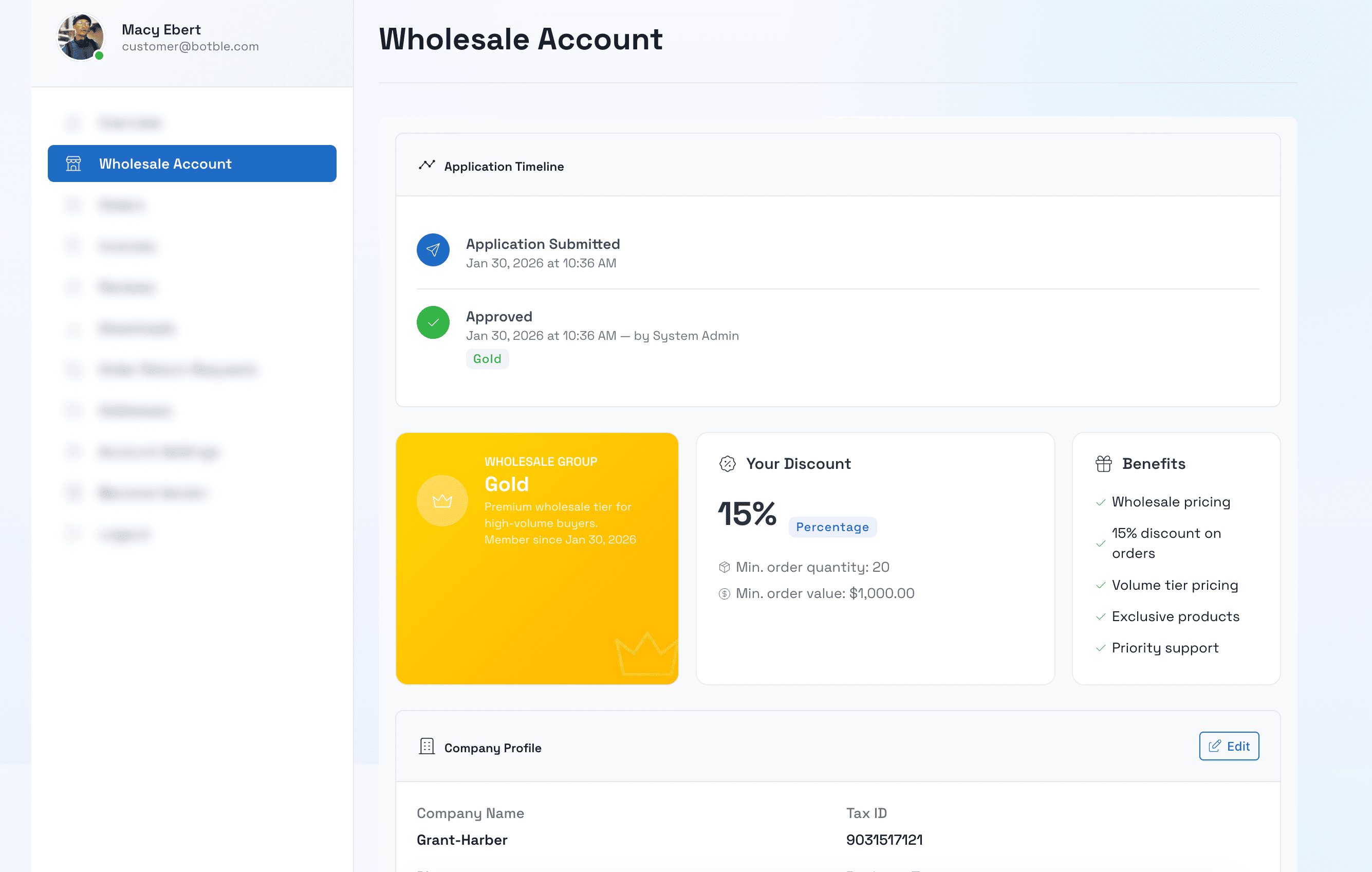
Your Account:

  • Customer group membership
  • Current discount level
  • Order history
  • Saved payment methods

Understanding Pricing

Your Base Discount

As a wholesale customer, you're assigned to a customer group that gives you a base discount on all products.

Example Groups:

  • Bronze: 10% off
  • Silver: 15% off
  • Gold: 20% off
  • Platinum: 25% off

Volume Pricing

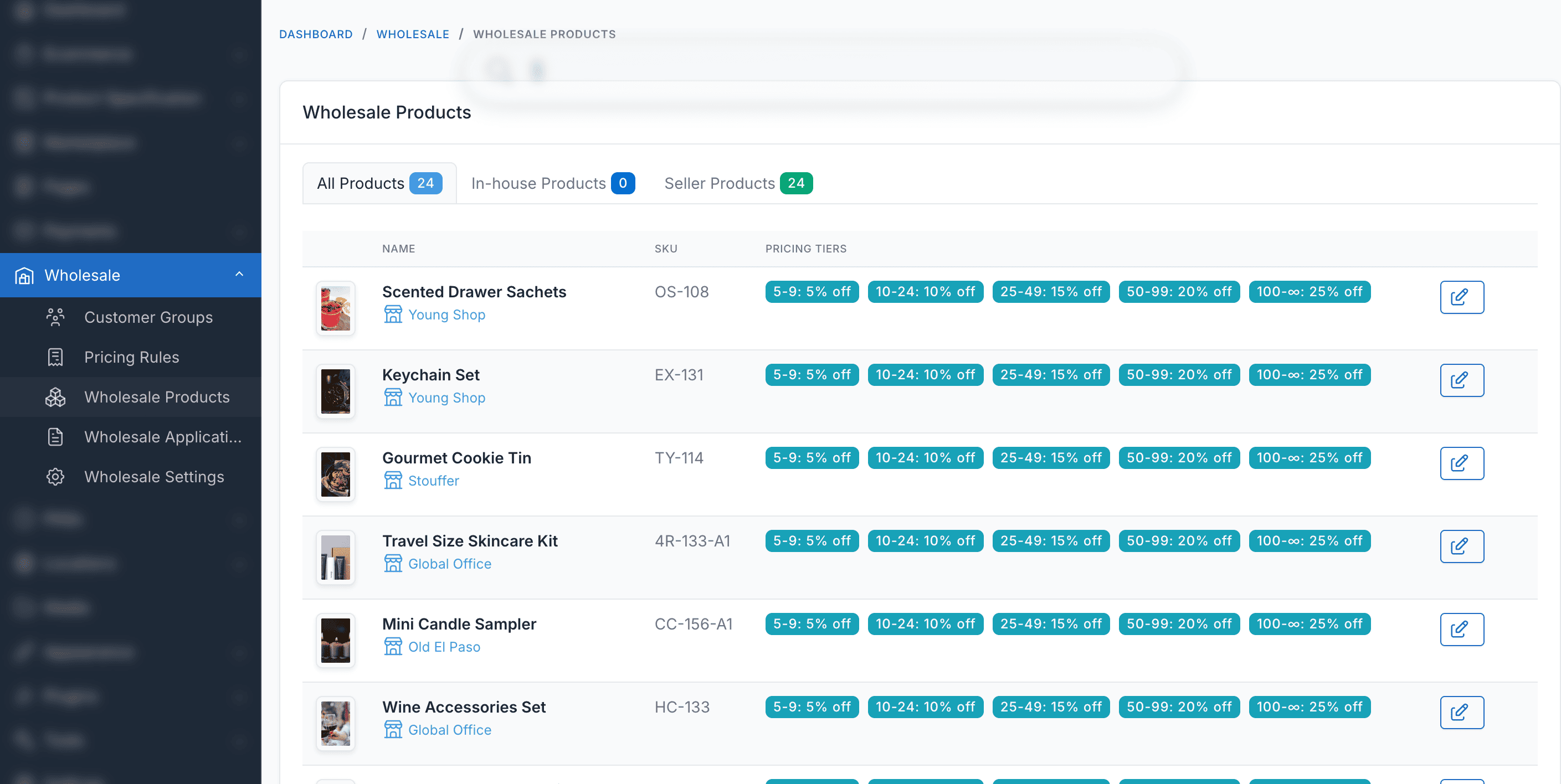
Many products offer additional discounts for larger quantities:

Example Product - Widget ($100 retail):

Your Group1-49 units50-99 units100+ units
Silver (15% off)$85$80$75
Gold (20% off)$80$75$70

The More You Buy, The More You Save!

How Pricing is Displayed

On Product Pages:

Retail Price: $100
Your Price: $85 (15% off)

Volume Discounts:
• 50-99 units: $80 each (Save $5/unit)
• 100-249 units: $75 each (Save $10/unit)
• 250+ units: $70 each (Save $15/unit)

In Shopping Cart:

Widget x 100
Price: $75.00 each
Subtotal: $7,500.00
You saved: $2,500 (25%)

Minimum Order Quantities (MOQ)

Some products have minimum order quantities:

Example:

  • Product: Premium Widget
  • MOQ: 24 units
  • Must buy in multiples of: 12

Valid Orders: 24, 36, 48, 60... Invalid Orders: 10, 25, 30, 50...

Automatic Adjustment

If you try to order an invalid quantity, the system will automatically adjust to the next valid amount.

Shopping Process

Step 1: Browse Products

  • Use search or categories
  • Filter by your needs
  • Compare products
  • Check pricing tables

Step 2: Add to Cart

  • Select product
  • Choose quantity (meet MOQ if required)
  • Click "Add to Cart"
  • Wholesale price applies automatically

Step 3: Review Cart

Check your cart:

  • Verify quantities
  • Confirm prices
  • Review discounts
  • Check if you qualify for next volume tier

Tip

If you're close to the next volume discount tier, consider adding more units to save even more!

Step 4: Checkout

Proceed through checkout:

  • Enter shipping address
  • Select shipping method
  • Choose payment method
  • Review order summary
  • Place order

Step 5: Order Confirmation

After placing order:

  • Confirmation email sent
  • Order number provided
  • Expected delivery date
  • Tracking info (when shipped)

Managing Your Account

Viewing Order History

  1. Log in to your account
  2. Go to "My Orders"
  3. View past orders
  4. Reorder easily
  5. Download invoices

Account Information

Update your account:

  • Contact information
  • Shipping addresses
  • Payment methods
  • Email preferences
  • Password

Wholesale Status

Check your wholesale status:

  • Current customer group
  • Discount percentage
  • Membership expiration (if applicable)
  • Qualifications for upgrades

Upgrading Your Customer Group

Many stores offer tiered groups based on purchase volume:

Example Upgrade Path:

GroupCurrent DiscountAnnual Volume Required
Bronze10%$0 (entry level)
Silver15%$10,000+
Gold20%$25,000+
Platinum25%$50,000+

How to Upgrade:

  1. Meet volume requirements
  2. Contact account manager
  3. Request upgrade review
  4. Get assigned to higher tier

Tips for Maximizing Savings

1. Buy in Bulk

Take advantage of volume pricing:

  • Calculate breakeven points
  • Buy at tier minimums
  • Consider storage capacity
  • Plan for future needs

Example:

  • 49 units @ $85 = $4,165
  • 50 units @ $80 = $4,000
  • Buying 1 extra unit saves $165!

2. Combine Orders

Order multiple products at once:

  • Save on shipping
  • Meet minimum order values
  • Simplify receiving
  • Better tracking

3. Plan Ahead

Strategic ordering:

  • Review sales forecasts
  • Order during promotions
  • Take advantage of seasonal pricing
  • Stock up before price increases

4. Watch for Promotions

Many stores offer additional wholesale promotions:

  • Extra discounts
  • Free shipping
  • Bonus products
  • Loyalty rewards

5. Maintain Good Standing

Keep your account in good shape:

  • Pay invoices promptly
  • Meet minimum requirements
  • Provide feedback
  • Build relationship with account manager

Common Questions

Can I buy just one unit?

Some products have minimum order quantities. Check each product's MOQ requirement. Many products allow single-unit purchases for wholesale customers.

Why don't I see the pricing table?

Pricing tables only appear on products that have volume discounts. If you only see your group discount, that product doesn't have additional tiered pricing.

Can I place orders for multiple locations?

Yes! You can add multiple shipping addresses in your account and ship different items to different locations in a single order.

What if I need to return something?

Return policies vary by store. Check the store's return policy or contact customer service. Wholesale orders may have different return terms than retail.

How often can I reorder?

As often as you like! There's typically no limit on order frequency, only minimum order amounts per order.

Can I get better pricing?

Contact your account manager to discuss:

  • Volume commitments
  • Annual contracts
  • Exclusive products
  • Custom pricing tiers

Getting Support

Before Contacting Support

  1. Check product descriptions for MOQ
  2. Review pricing tables on product pages
  3. Verify your customer group in account settings
  4. Check order history for past pricing

Contact Methods

For Order Issues:

For Account Questions:

For Technical Issues:

  • Support ticket system
  • Help center / FAQ

Information to Provide

When contacting support:

  • Your account email
  • Order number (if applicable)
  • Product name or SKU
  • Detailed description of issue
  • Screenshots if helpful

Best Practices

1. Keep Accurate Records

  • Track your orders
  • Monitor spending vs budget
  • Calculate actual savings
  • Plan reorder timing

2. Communicate

  • Update account info
  • Inform about business changes
  • Ask questions early
  • Provide feedback

3. Plan Inventory

  • Track inventory levels
  • Set reorder points
  • Consider lead times
  • Account for seasonal demand

4. Build Relationships

  • Know your account manager
  • Attend wholesale events
  • Join loyalty programs
  • Refer other businesses

Troubleshooting

Not seeing wholesale prices

  1. Verify you're logged in
  2. Check account approval status
  3. Confirm customer group assignment
  4. Clear browser cache
  5. Contact support

Can't add product to cart

  1. Check minimum order quantity
  2. Verify product is in stock
  3. Check your browser settings
  4. Try different browser
  5. Contact support

Wrong price in cart

  1. Verify quantity meets tier minimum
  2. Check if promotion expired
  3. Review product page pricing
  4. Clear cart and re-add
  5. Contact support

Order minimum not met

  1. Check cart total
  2. Add more products
  3. Increase quantities
  4. Review minimum requirements
  5. Contact support for help

Welcome to Wholesale!

Congratulations on your wholesale account! We're excited to have you as a business partner. Take advantage of your special pricing, and don't hesitate to reach out if you have any questions.

Happy shopping! 🎉