
Agent Management
Manage chat agents from Admin → Live Chat → Agents.
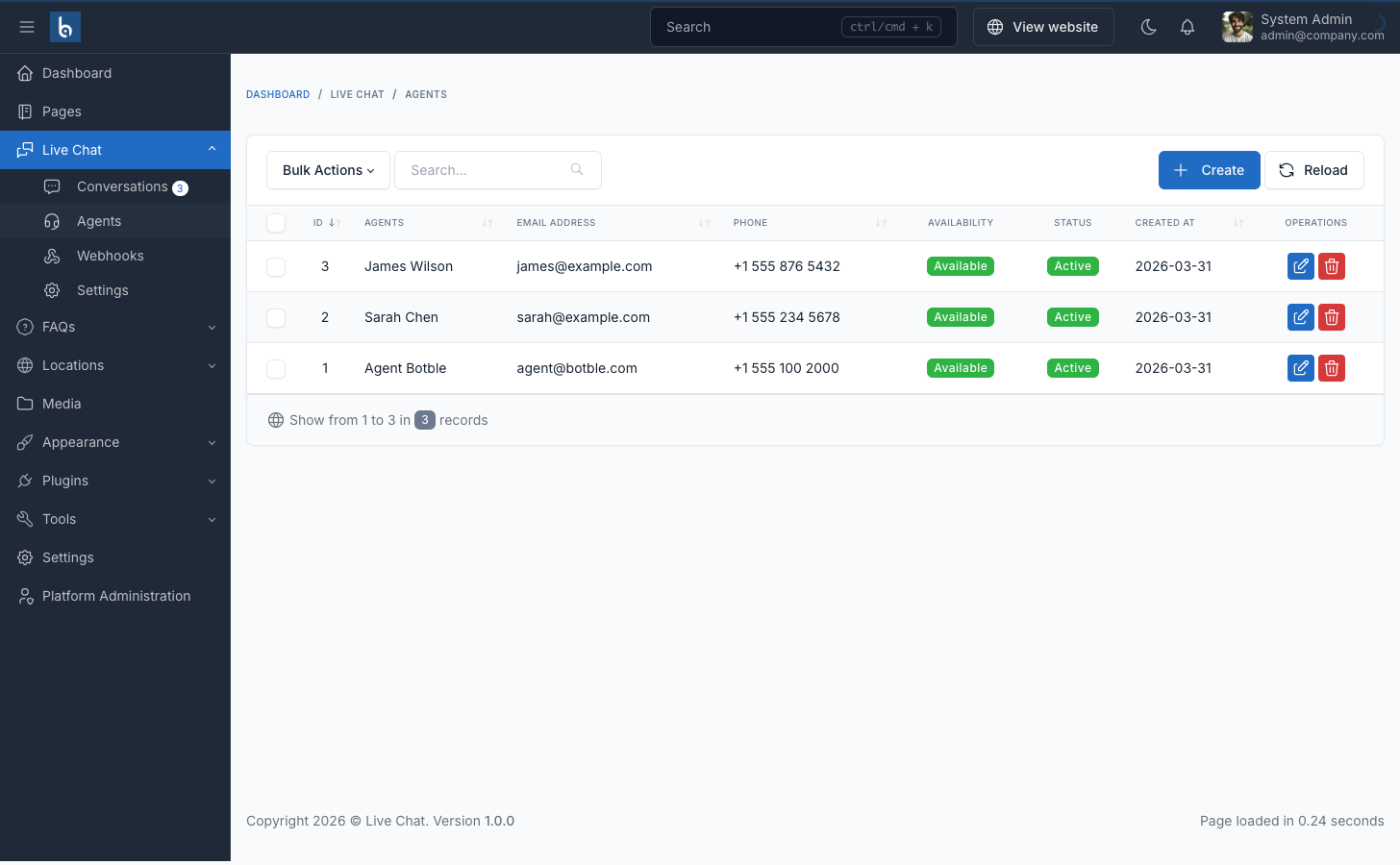
Creating Agents
Click "Create" and fill in:
| Field | Required | Description |
|---|---|---|
| First Name | Yes | Agent's first name |
| Last Name | Yes | Agent's last name |
| Yes | Login email (must be unique) | |
| Password | Yes | Login password (min 8 characters) |
| Phone | No | Contact phone number |
| Active | — | Deactivated agents cannot log in |
| Available | — | Unavailable agents don't receive auto-assignments |
Agent Statuses
| Status | Badge | Meaning |
|---|---|---|
| Active + Available | Green "Available" | Agent can log in and receives auto-assignments |
| Active + Unavailable | Gray "Unavailable" | Agent can log in but won't receive auto-assignments |
| Inactive | Red "Inactive" | Agent cannot log in at all |
Auto-assign
Enable in Admin → Live Chat → Settings → Auto-assign Agent.
When a visitor starts a new conversation:
- System finds all agents where
is_active = trueANDis_available = true - Selects the agent with the fewest open conversations (round-robin)
- Assigns that agent to the conversation automatically
- If no agents are available, the conversation remains unassigned
Agents can also self-assign by clicking "Join" on any open conversation in their portal.
Permissions
| Permission | Description |
|---|---|
live-chat.agents.index | View agent list |
live-chat.agents.create | Create new agents |
live-chat.agents.edit | Edit existing agents |
live-chat.agents.destroy | Delete agents |