
Webhooks
Send real-time notifications to external services when chat events occur. Manage webhooks at Admin → Live Chat → Webhooks.
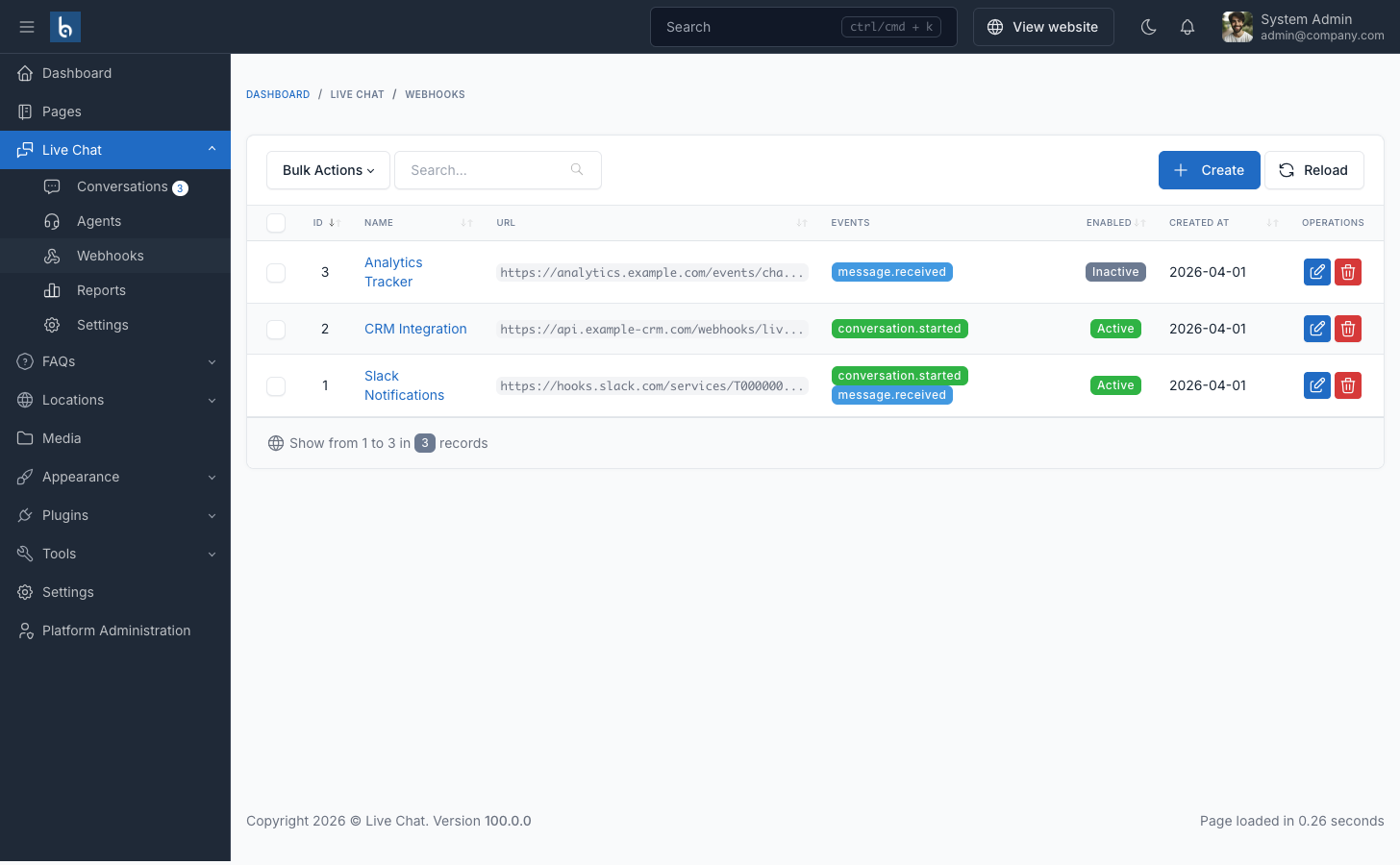
Creating a Webhook
- Go to Admin → Live Chat → Webhooks
- Click Create
- Fill in the form:
| Field | Description |
|---|---|
| Name | Label for this webhook (e.g., "Slack Notifications") |
| URL | HTTPS endpoint that receives POST requests |
| Secret | Optional HMAC-SHA256 signing key |
| Events | Which events trigger this webhook |
| Enabled | Toggle on/off without deleting |
- Click Save
Events
| Event | Trigger |
|---|---|
message.received | A visitor sends a new message |
conversation.started | A visitor starts a new conversation |
You can subscribe to one or both events per webhook. Multiple webhooks can listen to the same event.
Payload Format
All webhooks receive an HTTP POST with JSON body:
conversation.started
json
{
  "event": "conversation.started",
  "timestamp": "2025-01-15T10:30:00+00:00",
  "data": {
    "conversation_id": 123,
    "visitor_name": "John Doe",
    "visitor_email": "[email protected]",
    "visitor_phone": "+1234567890",
    "visitor_ip": "192.168.1.100",
    "current_url": "https://example.com/products",
    "status": "open",
    "created_at": "2025-01-15T10:30:00+00:00"
  }
}
message.received
json
{
  "event": "message.received",
  "timestamp": "2025-01-15T10:31:00+00:00",
  "data": {
    "message_id": 456,
    "content": "Hello, I need help with my order.",
    "is_from_admin": false,
    "admin_name": null,
    "conversation_id": 123,
    "visitor_name": "John Doe",
    "visitor_email": "[email protected]",
    "visitor_phone": "+1234567890",
    "visitor_ip": "192.168.1.100",
    "current_url": "https://example.com/products",
    "status": "open",
    "created_at": "2025-01-15T10:31:00+00:00"
  }
}
HTTP Headers
Every webhook request includes:
| Header | Description |
|---|---|
Content-Type | application/json |
X-Webhook-Event | Event type (e.g., message.received) |
X-Webhook-Timestamp | ISO 8601 timestamp |
X-Webhook-Signature | HMAC-SHA256 signature (only if secret is set) |
X-Webhook-Test | true (only for test requests) |
Signature Verification
When a webhook has a Secret configured, every payload is signed. To verify:
php
$payload = file_get_contents('php://input');
$signature = $_SERVER['HTTP_X_WEBHOOK_SIGNATURE'];
$secret = 'your-webhook-secret';

$expected = hash_hmac('sha256', $payload, $secret);

if (hash_equals($expected, $signature)) {
    // Valid signature
}
javascript
const crypto = require('crypto');

function verifySignature(payload, signature, secret) {
    const expected = crypto
        .createHmac('sha256', secret)
        .update(payload)
        .digest('hex');
    return crypto.timingSafeEqual(
        Buffer.from(expected),
        Buffer.from(signature)
    );
}
Endpoint Requirements
Your webhook endpoint must:
- Accept HTTP POST requests
- Respond within 10 seconds (timeout limit)
- Return HTTP 2xx status code for success
- Be publicly accessible over HTTPS
Testing
Use the Test action from the webhooks list to send a test payload to your endpoint. Test requests include the X-Webhook-Test: true header.
Integration Examples
| Service | How to Connect |
|---|---|
| Slack | Create an Incoming Webhook and use the URL |
| Discord | Create a Webhook in channel settings |
| n8n | Use a Webhook Node as trigger |
| Zapier | Use Webhooks by Zapier as trigger |
| Make | Use the Webhooks Module |