
Conversations
Manage visitor conversations at Admin → Live Chat → Conversations.
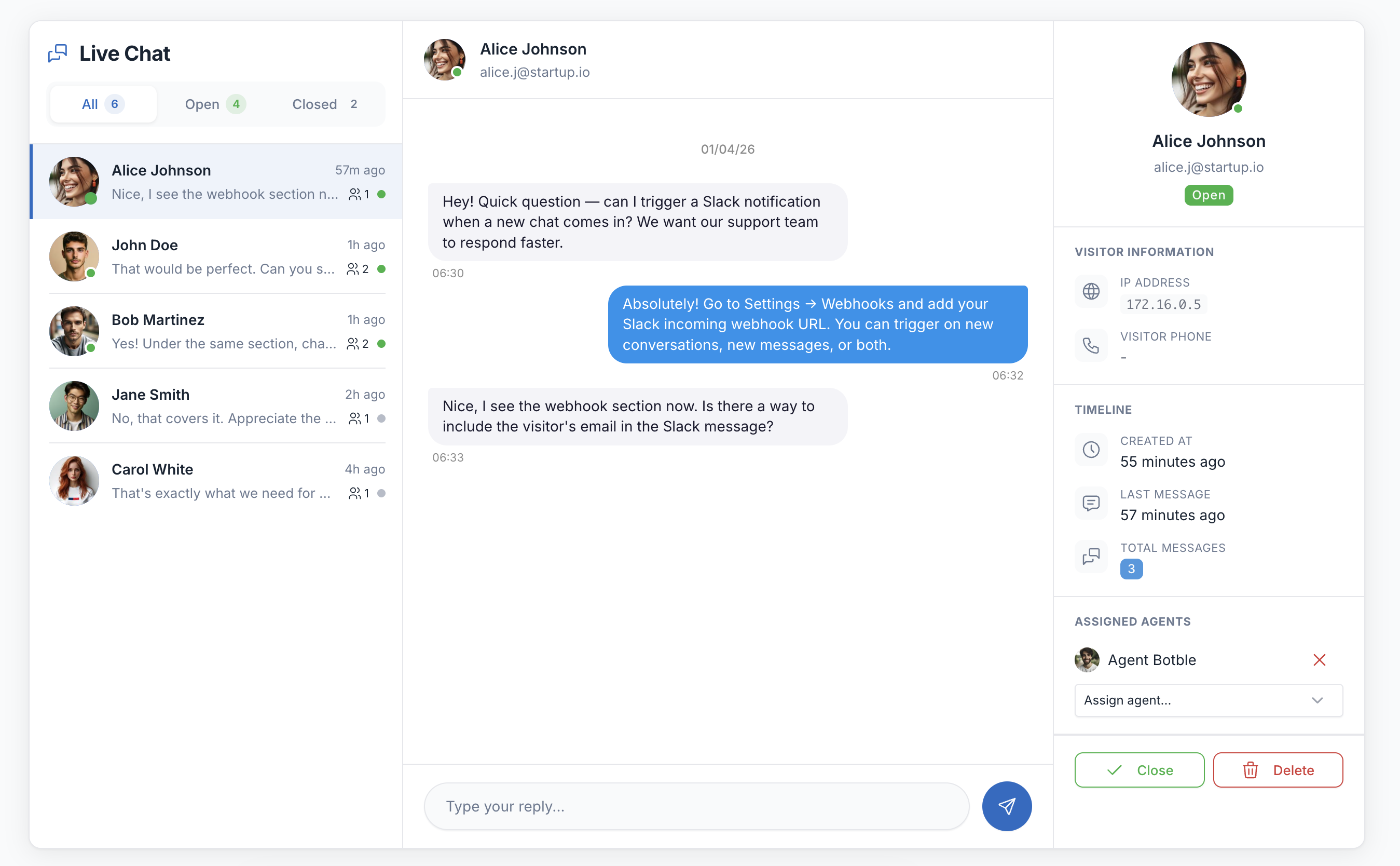
Messenger Interface
The conversations page uses a three-panel messenger layout:
- Left sidebar — Conversation list with filter tabs (All / Open / Closed), unread badges, and last message preview
- Center panel — Chat messages with reply input, close and date dividers
- Right panel — Visitor information, timeline, and delete action
Click a conversation in the sidebar to load it. On mobile, the sidebar and chat panel switch views with a back button.
Replying
Type your message in the input at the bottom of the chat panel and press Enter or click the send button. Messages appear instantly for both you and the visitor.
Closing Conversations
Click the Close button in the chat header. Closed conversations:
- Move to the "Closed" filter tab
- No longer accept replies
- Show a "This conversation is closed" banner
Deleting Conversations
Click Delete Conversation in the right info panel. This permanently removes the conversation and all its messages.
Real-time Updates
The admin panel polls for updates every 5 seconds:
- New conversations appear in the sidebar automatically
- New visitor messages appear in the active chat
- Unread badges update on sidebar items
- Browser notifications fire for new messages (when tab is not focused)
Browser Notifications
Click the bell icon in the sidebar header to enable desktop notifications. When enabled:
- A notification popup appears for new messages from conversations you're not viewing
- A sound plays for new activity
- The page title blinks with unread count when the tab is not focused
URL Auto-linking
URLs in messages (both visitor and admin) are automatically converted to clickable links that open in a new tab.
Visitor Information
The right panel shows:
| Field | Description |
|---|---|
| Name | Visitor's name (always collected) |
| If email field was enabled | |
| Phone | If phone field was enabled |
| IP Address | Visitor's IP |
| Current Page | The page where the visitor started the chat |
| Browser | Detected from user agent (Chrome, Firefox, Safari, Edge) |
| Device | Desktop, Mobile, or Tablet |
| Created At | When the conversation started |
| Last Message | When the last message was sent |
| Total Messages | Message count for the conversation |