
License
Understanding Your License
Botble CMS is distributed under the Envato Standard License or Extended License. It's important to understand what each license allows you to do.
License Types
Regular License vs. Extended License
The license type is based on your site's charging model:
- Regular License: Suitable if your website does not charge end users for access or services.
- Extended License: Required if you have paying users who you charge for accessing or using your service (monthly or yearly subscription, commission fee on each sale as SaaS, etc.).
You can start with a regular license and upgrade to an extended license once you have paying users.
TIP
Please read the official license rules here: Envato Standard License
One License, One Website
As per Envato's licensing rules, one license can only be used for one website. This includes:
- One domain
- One subdomain
- One subfolder
- One IP address
If you want to use Botble CMS for multiple sites or clients, you need to purchase multiple licenses.
Development Environments
You can use Botble CMS without activating a license on development, staging, or UAT environments for development purposes without violating license terms. All features will work fine except:
- System updater
- Installing new plugins from Botble Marketplace
Activate License
In admin panel, go to Settings -> General to activate your license.
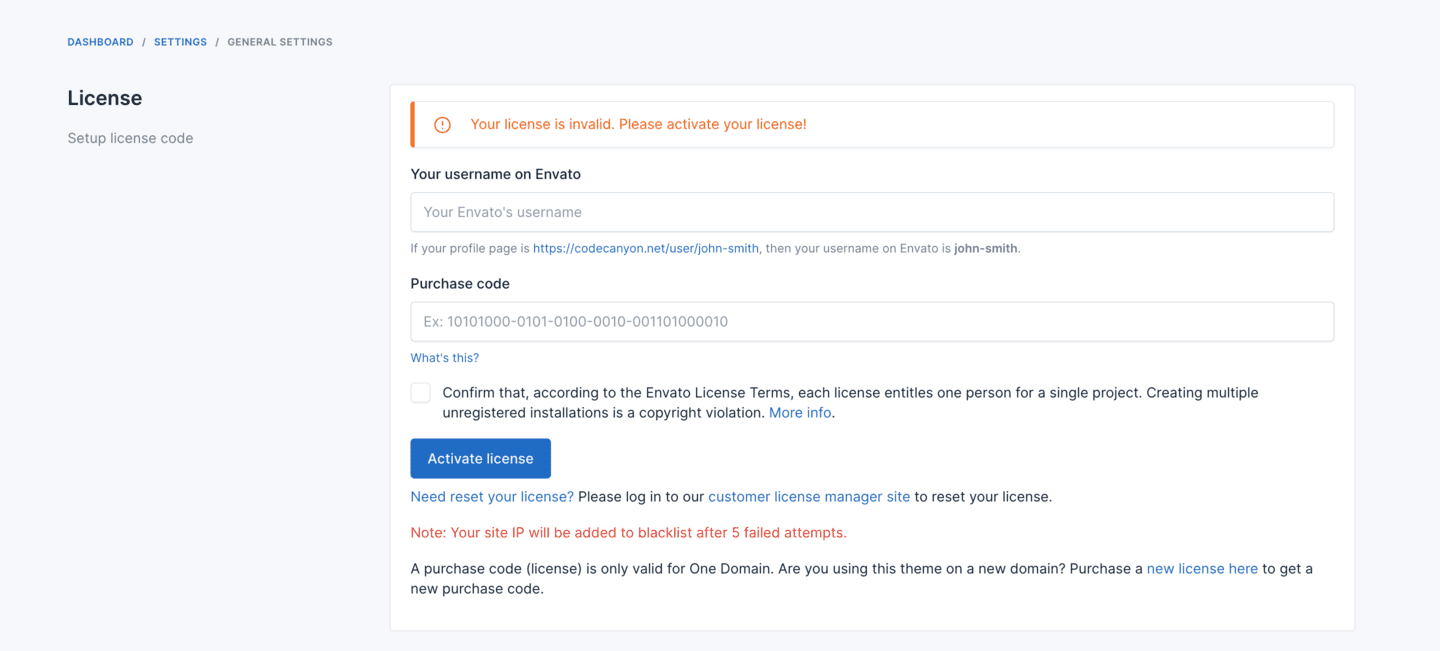
If you don't know how to get purchase code, check this article Where Is My Purchase Code?
WARNING
If you can't activate your license, please create a ticket on https://botble.ticksy.com, our dev team will support you. Don't try to activate it many times, your domain & IP will be added to blacklist.
License Usage Guidelines
Activation Limits
- Regular License can only be activated on 1 domain.
- Each license is tied to a specific domain and cannot be used on multiple websites simultaneously.
Moving Your Website
- If you want to reinstall or move your website to a new server, you need to either:
- Back up your license file in
/storage/.license, or - Deactivate your license before moving, then reactivate it on the new server
- Back up your license file in
Domain Changes
- If you change your website configuration, please deactivate your license first:
- Switching between www and non-www (e.g., example.com to www.example.com)
- Changing from HTTP to HTTPS or vice versa
- Moving to a different domain name
License Deactivation
- You can deactivate your license in the admin panel under Settings -> General
- If you can't access your admin panel or deactivate your license for any reason, please contact us at [email protected]
Resetting Your License
If you need to reset your license (for example, if you've changed domains or are experiencing activation issues):
- Please log in to our customer license manager site https://license.botble.com to reset your license
- Once reset, you can activate your license again on your new domain