
Payment Gateways
SnapCart supports multiple payment gateways to accept payments from customers worldwide.
Supported Payment Gateways
- PayPal: Accept payments via PayPal accounts and credit/debit cards
- Stripe: Accept credit/debit card payments directly on your store
- Paystack: Popular in Africa for card and mobile money payments
- Razorpay: Popular in India for UPI, cards, and netbanking
- Mollie: European payment methods including iDEAL, Bancontact, and more
- SSLCommerz: Bangladesh's leading payment gateway
- Cash on Delivery (COD): Accept payment upon delivery
- Bank Transfer: Manual bank transfer payments
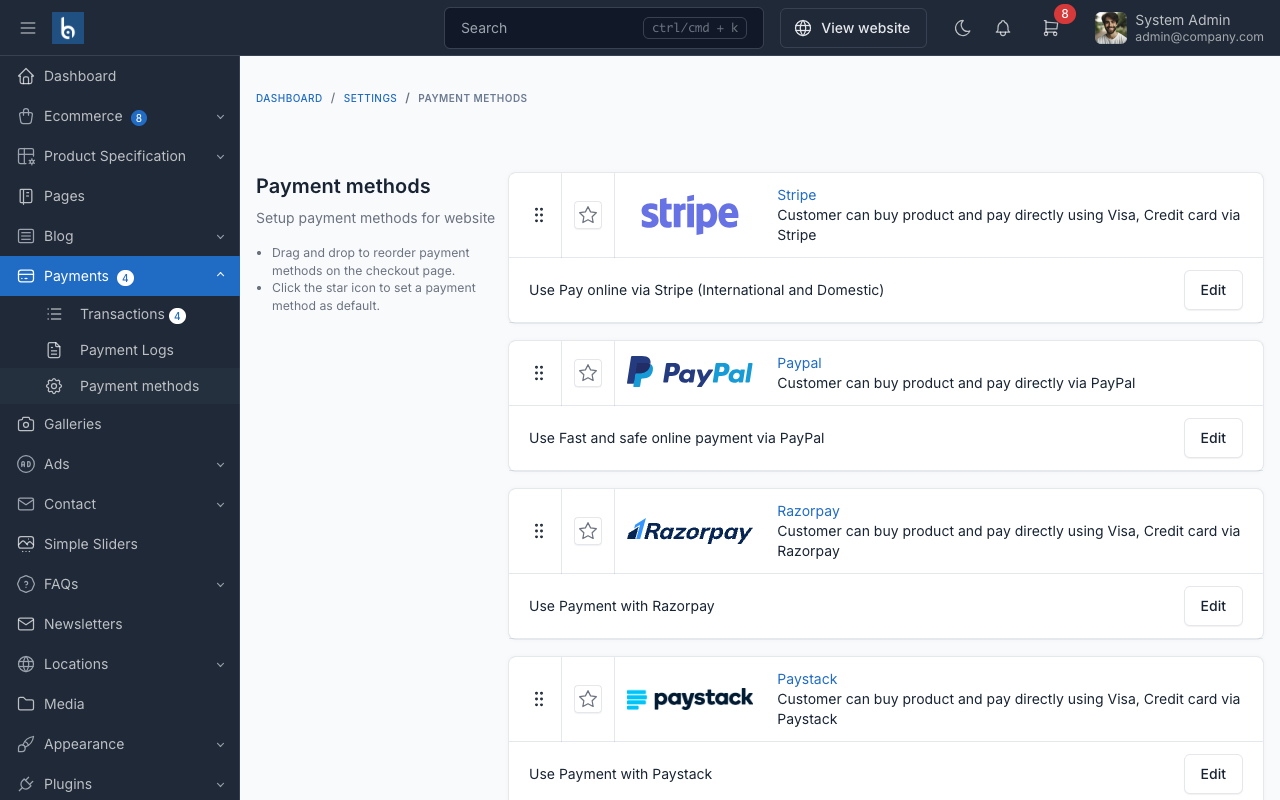
Setup a Payment Gateway
- In admin panel, go to
Ecommerce->Payment Methods - Find the payment gateway you want to enable
- Click
Activateand fill in the required credentials - Click
Save
PayPal Configuration
- Client ID: Your PayPal application client ID
- Client Secret: Your PayPal application secret
- Mode: Sandbox (testing) or Live (production)
Stripe Configuration
- Publishable Key: Your Stripe publishable key
- Secret Key: Your Stripe secret key
WARNING
Always test payment gateways in sandbox/test mode before going live. Never share your secret keys publicly.
Managing Payments
All payments are tracked in Ecommerce -> Payments in the admin panel. You can view payment status, refund payments, and manage transaction details.