
Order Management
Manage customer orders from the admin panel. SnapCart supports the full order lifecycle from placement to delivery.
Viewing Orders
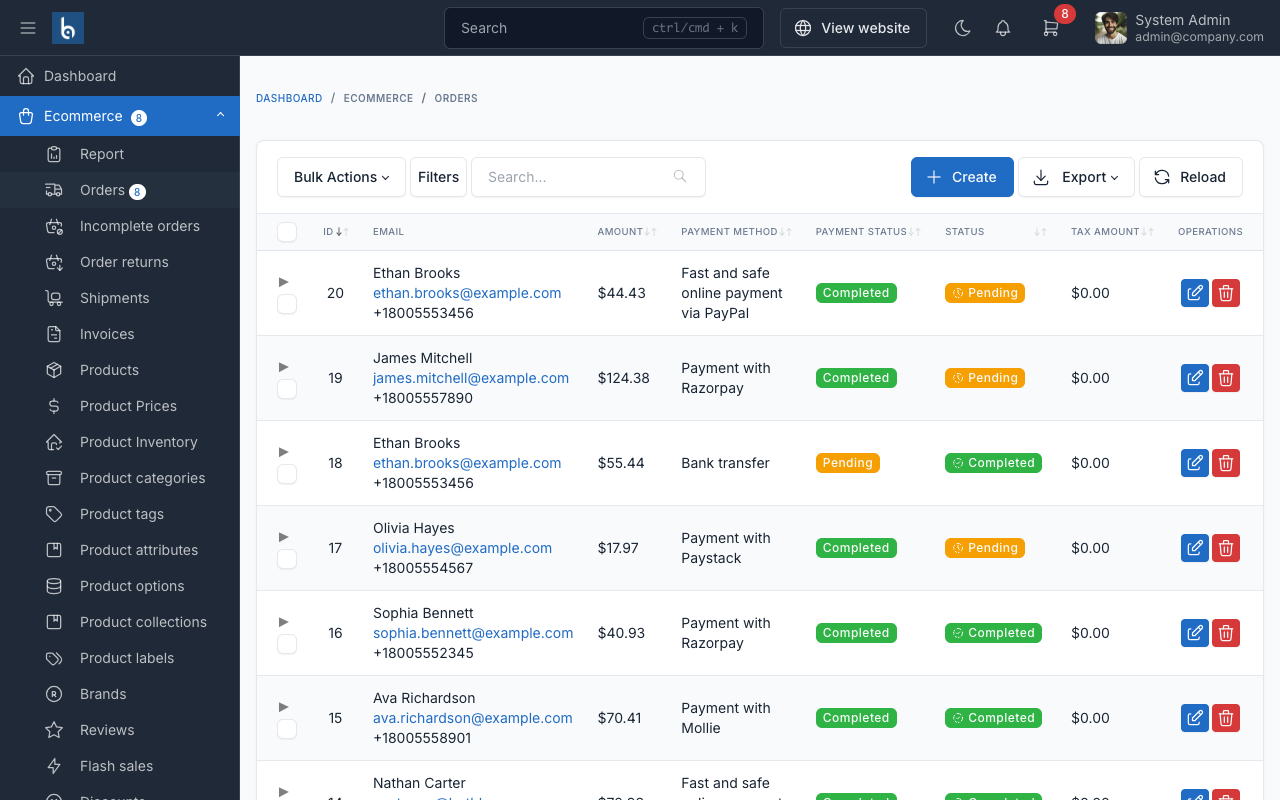
Go to Ecommerce -> Orders in the admin panel to view all orders.
Order Statuses
- Pending: Order placed, awaiting processing
- Processing: Order is being prepared
- Completed: Order delivered to customer
- Cancelled: Order was cancelled
Processing an Order
- Click on an order to view its details
- Review the order items, shipping address, and payment status
- Update the order status as you process it
- Add tracking information if applicable
- Click
Save
Order Notifications
Customers receive email notifications when:
- Order is placed (confirmation)
- Order status changes
- Shipping tracking is added
TIP
Process orders promptly and keep customers informed of status changes to build trust and reduce support requests.